Top 20 Best IPO Apps in India for Easy & Safe Investing

In the Indian stock market, IPO (Initial Public Offering) is currently becoming the most attractive option for investors. When a company issues its shares to the public for the first time, investors have a great opportunity to make good profits in the future by buying shares at a low price. Due to technology, this process has now become much easier than before.

Today, there are many Best IPO Apps available in the market that allow you to invest in IPOs from your mobile while sitting at home. The previous complicated paper process has now changed to a digital process of just a few minutes. With the help of a smartphone and the right app, anyone can easily apply for an IPO.

Choosing the right and secure app for investment is very important. A good IPO app should have a simple user interface and fast UPI payment facility. Apart from this, it is equally essential to have the facility to check company details, live subscription data and allotment status in the app.

Keeping your needs in mind, we have compiled a list of Top 20 Best IPO Apps in India that are best in terms of security and features. Through these apps, you can easily invest not only in mainboard but also in SME IPOs and strengthen your portfolio.

In this blog, we will give detailed information about the advantages and disadvantages of these 20 best ipo apps. This information will help you choose the most suitable platform to start your investment journey. So, let’s know which app can prove to be the best for you and your investment goals.

Understanding IPOs: The first step to investing in the stock market

When a private company offers to sell its shares to the general public for the first time, it is called an IPO (Initial Public Offering). Through this process, the company raises capital and expands its business, and in return, investors get a stake in the company. As an investor, investing in an IPO is a great opportunity to join the early stages of a company’s development. An investment made with proper analysis and the right app can yield attractive returns on the day of listing.

Top 20 Best IPO Apps in India 2026: Best apps for safe and easy investing

Groww – Stock, Mutual Fund, Gold, IPO

Groww is a beginner-friendly investment app that allows users to invest in stocks, mutual funds, gold, and IPOs with ease. The app is known for its clean interface and simplified investing experience. It provides detailed stock insights, real-time market data, and zero account opening charges, making it ideal for long-term investors and first-time users.

Key Features of Groww:

  • Invest in stocks, mutual funds, gold & IPOs
  • Simple and clean user interface
  • Real-time market data
  • Detailed stock & fund analysis
  • Zero account opening fees

Pros:

  • Easy to use for beginners
  • Transparent pricing
  • Fast IPO application process

Cons:

  • Limited advanced trading tools
  • No commodity trading

App Insights:

  • Platform: Android, iOS
  • Rating: 4.4★
  • Installs / Users: 10M+
  • Price: Free

Zerodha Kite – Trade & Invest

Zerodha Kite is one of the most powerful and professional trading apps in India. Designed for active traders, it offers advanced charts, fast order execution, and low brokerage fees. The app supports equity, F&O, commodities, and currency trading, making it suitable for experienced investors who prefer precision and speed.

Key Features of Zerodha Kite:

  • Advanced charts & indicators
  • Ultra-fast order execution
  • Equity, F&O, currency & commodity trading
  • Low brokerage structure
  • Market depth analysis

Pros:

  • Best for professional traders
  • Reliable performance
  • Transparent pricing

Cons:

  • Not beginner-friendly
  • No mutual fund investing in Kite

App Insights:

  • Platform: Android, iOS
  • Rating: 4.3★
  • Installs / Users: 10M+
  • Price: Free

Upstox – Stocks, IPO, Mutual Funds

Upstox is a popular trading app offering low brokerage and fast execution for stocks, IPOs, and mutual funds. It provides real-time charts, smart watchlists, and advanced trading tools. The app is suitable for both beginners and active traders looking for affordable trading with reliable technology.

Key Features of Upstox:

  • Stock, IPO & mutual fund investing
  • Low brokerage trading
  • Real-time charts & analytics
  • Smart watchlists
  • Quick account opening

Pros:

  • Affordable trading fees
  • Fast platform
  • Easy IPO applications

Cons:

  • Occasional app glitches
  • Limited customer support

App Insights:

  • Platform: Android, iOS 
  • Rating: 4.2★ 
  • Installs / Users: 10M+ 
  • Price: Free

Angel One: Stocks, Mutual Fund

Angel One offers a full-service trading experience with AI-based recommendations and detailed research reports. The app supports stocks, mutual funds, IPOs, and derivatives. Its smart advisory tools help investors make informed decisions, making it a strong choice for both beginners and intermediate traders.

Key Features of Angel One:

  • AI-based stock recommendations
  • Equity, MF & IPO trading
  • Research reports & insights
  • Smart portfolio tracking
  • One-click order placement

Pros:

  • Strong research tools
  • Beginner-friendly
  • Good customer support

Cons:

  • Higher brokerage for delivery
  • UI feels crowded

App Insights:

  • Platform: Android, iOS
  • Rating: 4.3★
  • Installs / Users: 5M+
  • Price: Free

Paytm Money: Stocks, MF, IPO

Paytm Money is a trusted investment app that allows users to invest in stocks, mutual funds, ETFs, and IPOs. With strong brand trust and simple navigation, it’s ideal for users who want a secure and easy investing experience backed by Paytm’s ecosystem.

Key Features of Paytm Money:

  • Stock, MF & IPO investments
  • Secure Paytm ecosystem
  • Goal-based investing
  • Real-time portfolio tracking
  • Simple UI

Pros:

  • Trusted brand
  • Easy to use
  • Good for long-term investors

Cons:

  • Limited advanced trading tools
  • Slower order execution at times

App Insights:

  • Platform: Android, iOS
  • Rating: 4.2★
  • Installs / Users: 5M+
  • Price: Free

Dhan: Share Market Trading App

Dhan is a modern trading app designed for active traders who want speed and precision. It offers zero brokerage on delivery trades and advanced charting tools. The platform supports stocks, F&O, and ETFs with a clean and professional interface.

Key Features of Dhan:

  • Zero brokerage delivery trades
  • Advanced charts & indicators
  • Fast order execution
  • Clean UI for traders
  • Portfolio analytics

Pros:

  • Trader-focused design
  • Competitive pricing
  • Fast performance

Cons:

  • Not ideal for beginners
  • Limited educational content

App Insights:

  • Platform: Android, iOS
  • Rating: 4.1★ 
  • Installs / Users: 1M+ 
  • Price: Free

ICICI Direct – Stocks, F&O, MF, IPO

ICICI Direct is a full-service brokerage app offering banking, trading, and investing under one platform. It supports stocks, F&O, mutual funds, and IPOs with strong research-backed recommendations, making it ideal for long-term and conservative investors.

Key Features of ICICI Direct:

  • Banking + trading integration
  • Strong research reports
  • IPO & MF investments
  • Secure platform
  • Portfolio management tools

Pros:

  • Trusted brand
  • Good research quality
  • High security

Cons:

  • High brokerage charges
  • Slightly complex UI

App Insights:

  • Platform: Android, iOS
  • Rating: 4.0★
  • Installs / Users: 1M+
  • Price: Free

5paisa – Trade Stocks, MF & IPO

5paisa is a budget-friendly trading app offering flat-fee brokerage plans. It allows trading in stocks, mutual funds, IPOs, and derivatives. The app is suitable for cost-conscious investors who want basic trading features without high charges.

Key Features of 5paisa:

  • Flat brokerage plans
  • Stock, MF & IPO investing
  • Research & advisory tools
  • Quick order placement
  • Portfolio insights

Pros:

  • Low-cost trading
  • Multiple plans
  • Easy IPO access

Cons:

  • Average UI design
  • Customer support issues

App Insights:

  • Platform: Android, iOS 
  • Rating: 4.1★ 
  • Installs / Users: 1M+ 
  • Price: Free

Pocketful – Stocks, IPO, Trading

Pocketful is a growing investment app that supports stock trading and IPO investments with a simplified user experience. It aims to make investing accessible for new users while offering essential tools for market participation.

Key Features of Pocketful:

  • Stock & IPO investing
  • Simple onboarding
  • Market insights
  • Portfolio tracking
  • Beginner-friendly UI

Pros:

  • Easy for beginners
  • Clean interface
  • Quick setup

Cons:

  • Limited advanced tools
  • Smaller user base

App Insights:

  • Platform: Android, iOS
  • Rating: 4.0★
  • Installs / Users: 100K+
  • Price: Free

INDmoney: Stocks, Mutual Funds

INDmoney helps users track Indian and US stocks, mutual funds, and overall net worth in one place. The app focuses on financial planning, insights, and long-term investing rather than active trading.

Key Features of INDmoney:

  • Track Indian & US stocks
  • Net worth tracking
  • Mutual fund investing
  • Financial insights
  • Expense analysis

Pros:

  • Great for long-term investors
  • Clean UI
  • US stock access

Cons:

  • Limited trading features
  • Not for intraday traders

App Insights:

  • Platform: Android, iOS 
  • Rating: 4.5★
  • Installs / Users: 5M+  
  • Price: Free

Kotak Neo: Stocks, Mutual Fund

Kotak Neo is a secure trading app by Kotak Securities offering stocks, mutual funds, ETFs, and IPOs. Backed by Kotak’s strong financial reputation, the app focuses on reliability, research insights, and long-term investing.

Key Features of Kotak Neo:

  • Stocks, MF & IPO access
  • Research & advisory tools
  • Secure Kotak ecosystem
  • Portfolio management
  • Market insights

Pros:

  • Trusted financial brand
  • Secure platform
  • Good research support

Cons:

  • Average UI experience
  • Higher charges than discount brokers

App Insights:

  • Platform: Android, iOS 
  • Rating: 4.1★ 
  • Installs / Users: 1M+ 
  • Price: Free

HDFC Sky: Demat, Stocks, MF, IPO

HDFC Sky is a reliable investment app offering stocks, mutual funds, ETFs, and IPOs with flat-fee brokerage. Backed by HDFC, it focuses on security and long-term investing with a simplified user experience.

Key Features of HDFC Sky:

  • Flat-fee brokerage
  • Stocks, MF & IPO access
  • Trusted HDFC backing
  • Secure transactions
  • Portfolio tracking

Pros:

  • Trusted brand
  • Good for long-term investing
  • Secure platform

Cons:

  • Limited advanced tools
  • UI could improve

App Insights:

  • Platform: Android, iOS 
  • Rating: 4.0★ 
  • Installs / Users: 1M+ 
  • Price: Free

MO RIISE: Stocks, IPO & Demat

MO RIISE by Motilal Oswal is a research-driven investment app designed for investors who value expert insights. It offers access to stocks, IPOs, mutual funds, and demat services with in-depth reports and recommendations. The app is best suited for long-term investors who prefer data-backed decisions rather than frequent trading.

Key Features of MO RIISE:

  • Research-based stock recommendations
  • IPO & mutual fund investing
  • Portfolio performance insights
  • Secure demat account
  • Expert advisory reports

Pros:

  • Strong research quality
  • Trusted brokerage brand
  • Ideal for long-term investing

Cons:

  • Higher brokerage charges
  • Not beginner-focused

App Insights:

  • Platform: Android, iOS 
  • Rating: 4.1★
  • Installs / Users: 500K+
  • Price: Free

Share.Market: Stocks, F&O, IPO

Share.Market is a modern trading app backed by PhonePe, offering stocks, derivatives, and IPO investments. The app focuses on speed, simplicity, and transparency with a clean interface and easy navigation. It is suitable for users who want a reliable and tech-driven trading experience.

Key Features of Share.Market:

  • Stock & F&O trading
  • IPO investment access
  • Real-time market data
  • Simple order placement
  • Secure PhonePe-backed platform

Pros:

  • Clean and modern UI
  • Trusted backing
  • Fast execution

Cons:

  • Limited research tools
  • New platform, fewer features

App Insights:

  • Platform: Android, iOS 
  • Rating: 4.3★ 
  • Installs / Users: 1M+  
  • Price: Free

FYERS: Stocks & Option Trading

FYERS is a powerful trading platform built for serious traders who focus on equity and options trading. It offers advanced charting tools, deep market analytics, and zero brokerage on equity delivery. FYERS is best suited for experienced users who require precision and speed.

Key Features of FYERS:

  • Advanced charting & indicators
  • Zero brokerage on delivery
  • Equity & options trading
  • Real-time market depth
  • TradingView integration

Pros:

  • Excellent charting tools
  • Trader-friendly pricing
  • Fast order execution

Cons:

  • Not suitable for beginners
  • Limited investment products

App Insights:

  • Platform: Android, iOS
  • Rating: 4.2★
  • Installs / Users: 1M+
  • Price: Free

IPO Ji – IPO Info News & Apply

IPO Ji is a dedicated IPO-focused app that provides the latest IPO news, allotment status, and application details. It simplifies IPO investing by offering timely alerts, analysis, and direct application support, making it ideal for IPO enthusiasts.

Key Features of IPO Ji:

  • Latest IPO updates & news
  • IPO application guidance
  • Allotment status tracking
  • GMP & subscription data
  • Simple and focused UI

Pros:

  • Excellent for IPO tracking
  • Easy-to-understand data
  • Lightweight app

Cons:

  • No stock trading
  • Limited advanced analytics

App Insights:

  • Platform: Android, iOS
  • Rating: 4.4★
  • Installs / Users: 500K+
  • Price: Free

IPO Plus

IPO Plus is a popular app among retail investors for tracking IPO subscriptions, GMP, and allotment details. It provides real-time IPO data and historical insights, helping users make informed IPO investment decisions quickly.

Key Features of IPO Plus:

  • Live IPO subscription status
  • Grey Market Premium (GMP)
  • Allotment updates
  • IPO calendar
  • Simple navigation

Pros:

  • Accurate IPO data
  • Fast updates
  • Easy to use

Cons:

  • Limited beyond IPOs
  • No trading features

App Insights:

  • Platform: Android, iOS
  • Rating: 4.5★
  • Installs / Users: 1M+ 
  • Price: Free

IPO Premium – Live IPO Alerts & Apply

IPO Premium focuses on delivering real-time IPO alerts, GMP updates, and subscription trends. It helps users identify high-demand IPOs and apply on time. The app is especially useful for investors who actively track IPO performance.

Key Features of IPO Premium:

  • Live IPO alerts
  • GMP & demand analysis
  • IPO application reminders
  • Subscription trend tracking
  • Lightweight interface

Pros:

  • Timely IPO notifications
  • Easy tracking
  • Useful for IPO-focused users

Cons:

  • No stock market features
  • Ads in free version

App Insights:

  • Platform: Android, iOS 
  • Rating: 4.3★
  • Installs / Users: 500K+ 
  • Price: Free

Chittorgarh.com Official App

Chittorgarh.com Official App is a trusted source for IPO data, GMP updates, and subscription statistics. Known for accuracy and depth, the app is widely used by serious IPO investors who rely on data-driven decisions.

Key Features of Chittorgarh:

  • IPO GMP & subscription data
  • Allotment information
  • Historical IPO performance
  • Trusted financial data source
  • Clean data-focused design

Pros:

  • Highly accurate information
  • Trusted by investors
  • Detailed IPO analytics

Cons:

  • No trading or investing
  • Basic UI design

App Insights:

  • Platform: Android, iOS 
  • Rating: 4.6★
  • Installs / Users: 1M+
  • Price: Free

Envest: IPO, GMP, Allotment

Envest is an IPO-centric app that helps investors track IPO GMP, allotment status, and subscription trends. It is designed for users who actively participate in IPOs and want quick insights without complex data.

Key Features of Envest:

  • IPO GMP tracking
  • Allotment status updates
  • Subscription trend analysis
  • IPO calendar
  • Easy-to-read interface

Pros:

  • Simple and fast IPO tracking
  • Accurate updates
  • Lightweight app

Cons:

  • Limited to IPOs only
  • Fewer advanced metrics

App Insights:

  • Platform: Android, iOS
  • Rating: 4.2★
  • Installs / Users: 500K+
  • Price: Free

How to Apply for an IPO Using the App

If you have chosen your favorite IPO app, the application process is very easy. You can apply for an IPO in minutes by following the steps below:

1. Log in to the app and select the IPO section: First of all, open your trading app and go to the section labeled ‘IPO’. Here you will see a list of all the currently open, upcoming and closed IPOs.

2. Select the right IPO and check the details: Click on the IPO of the company you want to invest in. There you will see important details like the company’s price band, lot size and issue date. After checking all the details, click on the ‘Apply’ or ‘Bid’ button.

3. Decide on the bid and lot size: Decide on the number of lots you want to apply for. Most retail investors choose the ‘Cut-off Price’, which means you are willing to buy the shares at the highest price set by the company. This increases the chances of getting an allotment.

4. Enter your UPI ID: You will have to enter your valid UPI ID (such as Google Pay, PhonePe or BHIM) in the application process. The money will be blocked from your bank account through this ID. After filling all the details, click on ‘Submit’.

5. Go to the UPI app and approve the payment request: After submitting, a ‘Mandate Request’ will appear on your UPI app. Approve this request and enter your UPI PIN. Remember, this process will not immediately deduct your money, but the amount will be ‘blocked’ in your bank account. If you are not allotted the IPO, then this amount will be unblocked again.

Common Mistakes to Avoid When Applying for an IPO

Investors often get excited and make some small mistakes, due to which their IPO application can get rejected or they can suffer losses. For successful investment, the following things should be taken special care of:

1. Last-minute application: Many people try to apply on the last day of the IPO and in the last minutes. Often, the application remains incomplete due to server down or delay in UPI payment. It is always advisable to apply as early as possible on the second or third day of the IPO opening.

2. Not approving UPI mandate: After applying for IPO in the app, many investors think that the work is done, but the most important step is to go to your UPI app (PhonePe, Google Pay etc.) and approve the ‘Mandate Request’. Unless you block the amount by entering the PIN, your application will not be considered valid.

3. Not choosing the cut-off price: Retail investors often choose a lower price in the price band. If you want to get allotment in an IPO with high demand, then you should always tick the ‘Cut-off Price’. This greatly increases the chances of getting allotment.

4. Making multiple applications from the same PAN card: If the same person applies for the same IPO from his different demat accounts (e.g. one in Zerodha and one in Groww), then all his applications will be rejected. If you want to increase the chances of allotment, then apply through different PAN cards in the names of other members of your family.
5. Not doing research about the company: You should not buy an IPO just on the basis of market rumors or friends’ advice. Before investing, it is very important to get basic information about the company’s business, profit and loss and its future plans.

Conclusion

In today’s modern era, investing in IPOs is not just a means of earning financial gains, but a great opportunity to build long-term wealth. Thanks to India’s top IPO apps, now even a common investor can become a shareholder of the country’s big companies with just a click. Choosing the right platform and a proper understanding of the investment process can make your financial journey safer and more profitable.

However, investing in the stock market is always subject to risks, so it is imperative to do adequate research about the company’s business and market trends before investing money in any IPO. The information provided in this blog will help you choose the best app and avoid common mistakes. Choose the right app as per your needs and start your bright financial future by investing wisely.
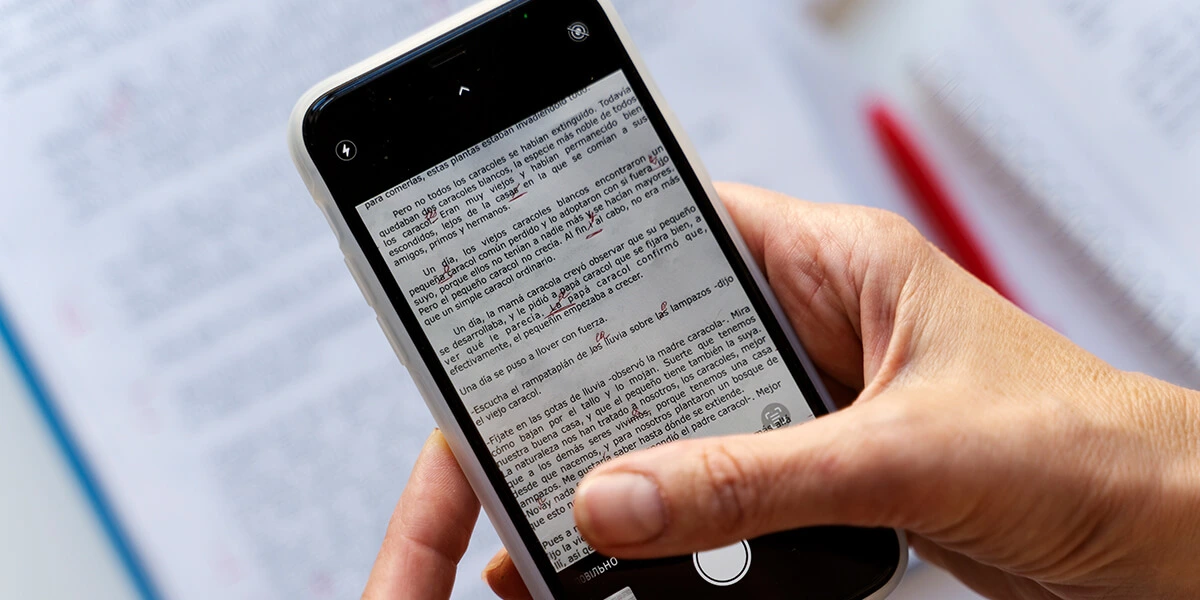
Best Document Scanning and OCR Apps for iOS and Android in 2026

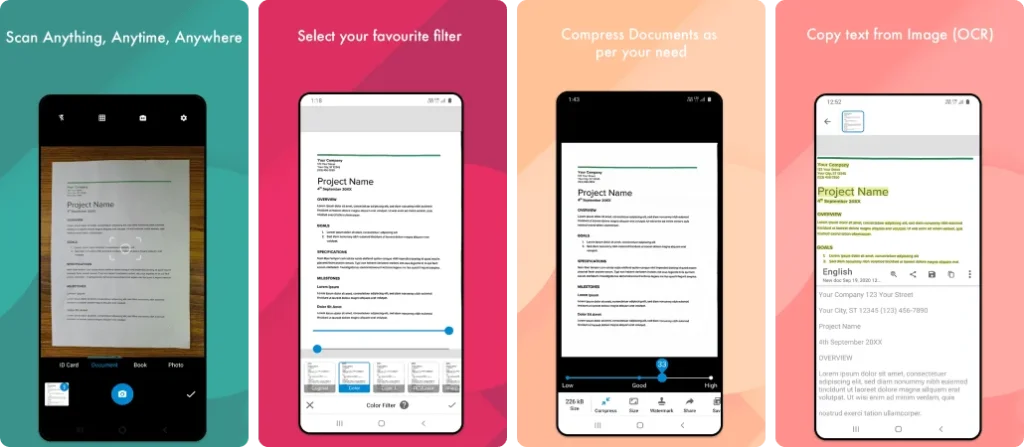
We have compiled a list of the best Document Scanning and OCR Apps for iOS and Android, so that users can easily scan their documents and save them in digital format. With the help of these mobile apps, important papers, notes, and receipts are always safely available on your phone.

These scanning apps with OCR technology recognize text from a scanned image or document and convert it into readable and searchable text. These apps are very useful for creating digital files without typing long documents, especially for students and professionals.

These Document Scanner Apps save files in formats like PDF, JPG, and also offer features like auto cropping, clear image enhancement, and text search. Some apps sync with cloud storage, making it easier to manage files.

With several OCR scanning apps available in mobile app stores, choosing the right app can sometimes be confusing. Each app has different accuracy, features, and user experience, which play an important role in the selection.

That’s why we have selected the top Document Scanning & OCR Apps based on factors like OCR accuracy, ease of use, and overall performance, so that you can easily choose the best mobile app according to your needs.

Why use a document scanning app

Using a document scanning app allows users to quickly convert physical documents into digital files using their smartphones. It helps keep important papers such as receipts, notes, contracts, and IDs organized and easily accessible in one secure place. This eliminates the need to carry bulky folders and reduces the risk of losing important documents.

Document scanning apps also improve productivity by offering features like auto-cropping, image enhancement, and text recognition. Scanned files can be saved as PDFs or images, shared instantly, and backed up to cloud storage. This makes managing, searching, and sharing documents faster and more efficient for students, professionals, and businesses alike.

Best Document Scanning and OCR Apps for iOS and Android

Adobe Scan AI PDF Scanner, OCR

Adobe Scan AI PDF Scanner, OCR

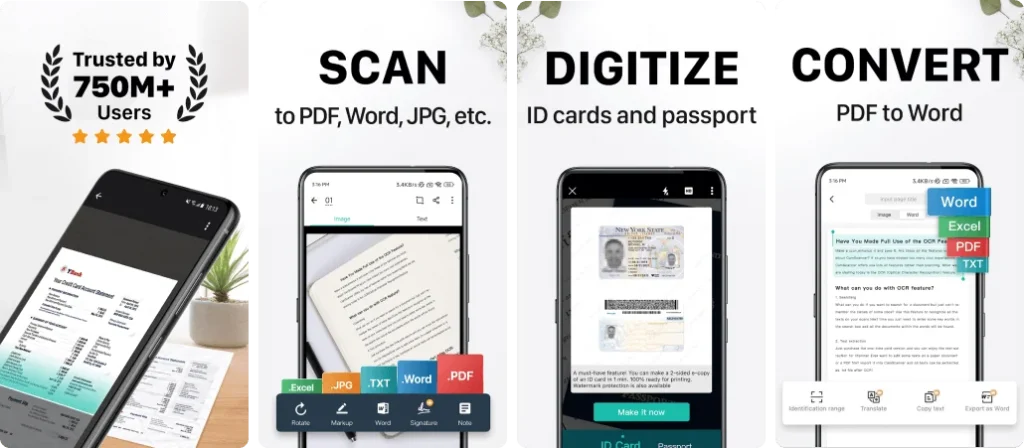
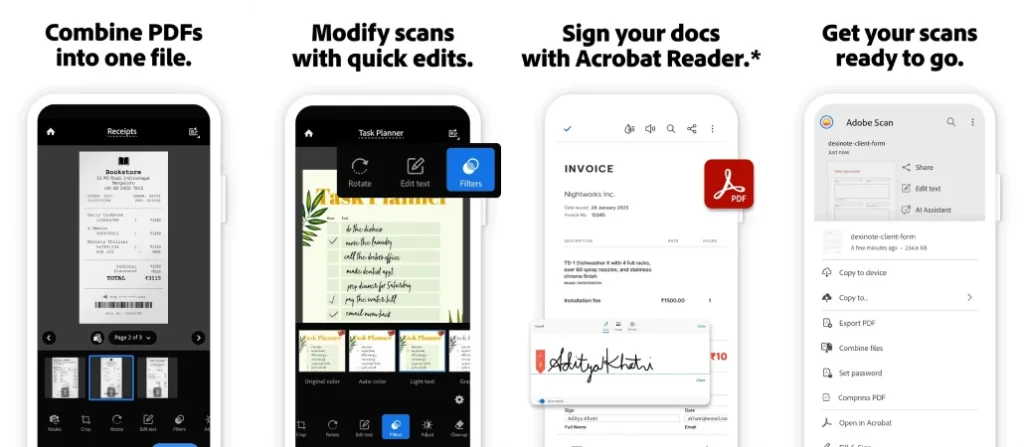
Adobe Scan is a powerful and trusted document scanning app that turns your smartphone into a portable scanner. It allows users to scan documents, receipts, forms, and notes with high accuracy. The built-in OCR technology converts scans into searchable and editable PDFs. With seamless integration into Adobe Acrobat and cloud storage, Adobe Scan is ideal for professionals, students, and businesses.

Key Features of Adobe Scan AI PDF Scanner, OCR:

  • Advanced OCR technology
  • Auto edge detection
  • PDF editing & sharing
  • Cloud sync with Adobe

Pros:

  • Excellent scan quality
  • Free OCR support
  • Trusted Adobe ecosystem

Cons:

  • Advanced edits require sign-in

App Insights:

  • Platform: Android, iOS
  • Rating: 4.7★
  • Installs / Users: 100M+
  • Price: Free

Microsoft Lens – PDF Scanner

Microsoft Lens - PDF Scanner

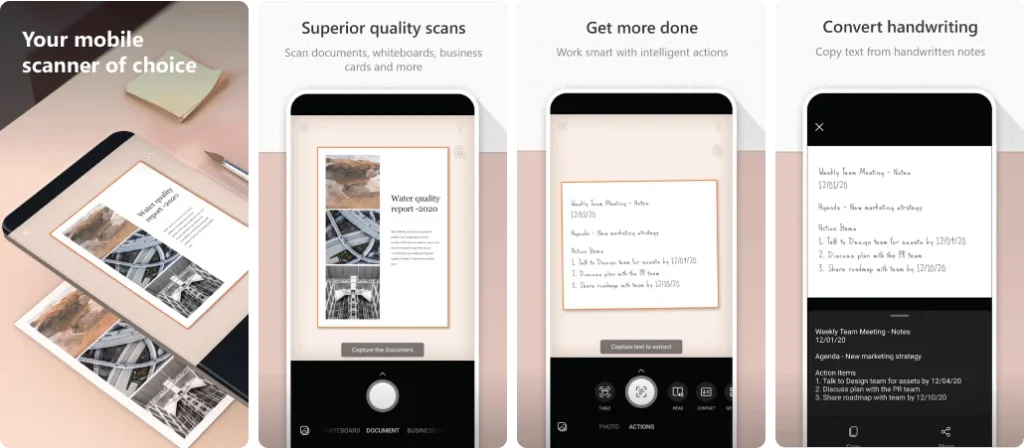
Microsoft Office Lens is designed for scanning documents, whiteboards, receipts, and business cards with clarity. It integrates seamlessly with Microsoft Office tools like Word, OneNote, and OneDrive. The app automatically enhances scanned images and converts them into editable formats, making it an excellent choice for office and academic use.

Key Features of Microsoft Lens – PDF Scanner:

  • Office & OneDrive integration
  • OCR to Word & PDF
  • Whiteboard scanning
  • Auto image enhancement

Pros:

  • Great for office users
  • Clean interface
  • Free features

Cons:

  • App support being phased out

App Insights:

  • Platform: Android, iOS
  • Rating: 4.7★
  • Installs / Users: 50M+
  • Price: Free

CamScanner- scanner, PDF maker

CamScanner- scanner, PDF maker

CamScanner is one of the most downloaded document scanning apps worldwide. It allows users to scan, crop, enhance, and convert documents into high-quality PDFs or images. With powerful OCR, cloud syncing, and collaboration tools, CamScanner is suitable for business professionals, students, and freelancers who need advanced scanning features.

Key Features of CamScanner- scanner, PDF maker:

  • Smart cropping & filters
  • OCR text recognition
  • Cloud storage sync
  • Document sharing

Pros:

  • Feature-rich
  • Very popular
  • High OCR accuracy

Cons:

  • Ads in free version

App Insights:

  • Platform: Android, iOS
  • Rating: 4.6★
  • Installs / Users: 500M+
  • Price: Free / Paid

Genius Scan – PDF Scanner

Genius Scan - PDF Scanner

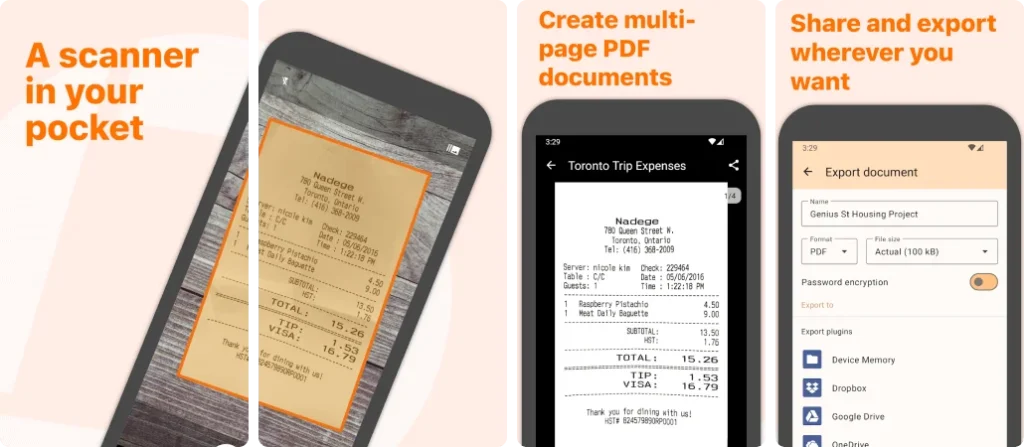
Genius Scan is a fast and reliable document scanner known for its privacy-focused design. It supports scanning documents, receipts, and contracts with automatic edge detection and image enhancement. The app offers secure PDF creation, encryption, and cloud export, making it ideal for professionals handling sensitive documents.

Key Features of Genius Scan – PDF Scanner:

  • Secure PDF creation
  • Auto scan enhancement
  • Cloud export options
  • Encryption support

Pros:

  • Privacy focused
  • Clean UI
  • Fast performance

Cons:

  • Limited free features

App Insights:

  • Platform: Android, iOS
  • Rating: 4.5★
  • Installs / Users: 10M+
  • Price: Free / Paid

SwiftScan: Scan PDF Documents

SwiftScan: Scan PDF Documents

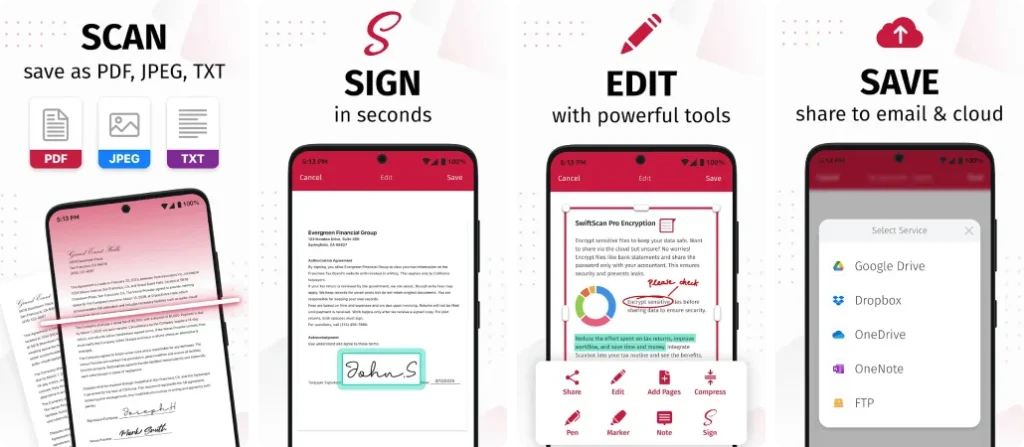
Swift Scan offers high-speed document scanning with professional-level image quality. It supports OCR, PDF creation, and cloud integration with services like Google Drive and Dropbox. The minimal interface and fast processing make it perfect for users who want quick and accurate scans without complexity.

Key Features of SwiftScan: Scan PDF Documents:

  • Fast scanning engine
  • OCR support
  • Cloud storage integration
  • Smart file organization

Pros:

  • Easy to use
  • Clean design
  • Fast exports

Cons:

  • Premium needed for OCR

App Insights:

  • Platform: Android, iOS
  • Rating: 4.5★
  • Installs / Users: 5M+
  • Price: Free / Paid

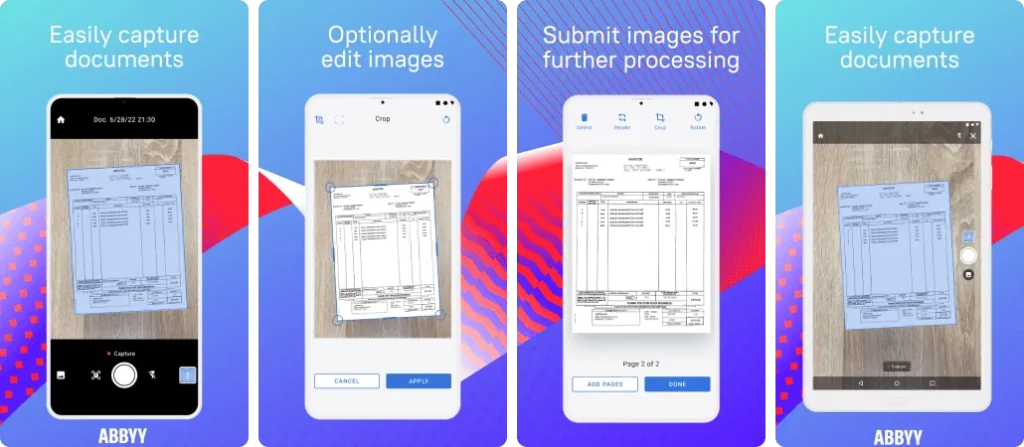
ABBYY FineReader: PDF Scanner & OCR

ABBYY FineReader: PDF Scanner & OCR

ABBYY FineReader PDF is a premium document scanning app focused on advanced OCR accuracy. It supports multiple languages and converts scanned documents into editable and searchable PDFs. Ideal for professionals and businesses, the app excels in handling complex documents with high precision.

Key Features of ABBYY FineReader: PDF Scanner & OCR:

  • Industry-leading OCR
  • Multi-language support
  • PDF editing tools
  • Document export

Pros:

  • Excellent OCR accuracy
  • Professional features

Cons:

  • Expensive subscription

App Insights:

  • Platform: Android, iOS
  • Rating: 4.4★
  • Installs / Users: 1M+
  • Price: Paid

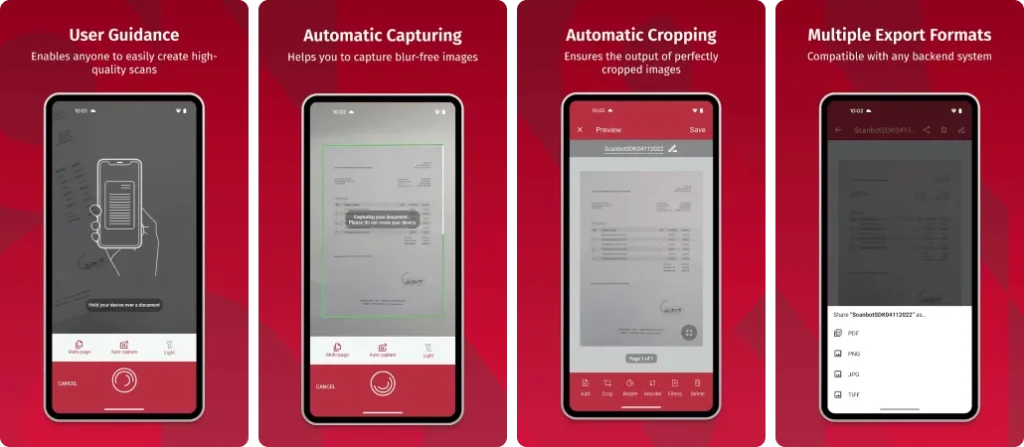
Scanbot SDK: Document Scanning

Scanbot SDK: Document Scanning

Scanbot is a powerful document scanner with strong cloud integration and automation features. It allows users to scan documents, generate PDFs, and upload files directly to cloud services. With reliable OCR and barcode scanning, Scanbot is ideal for professionals who rely heavily on cloud workflows.

Key Features of Scanbot SDK: Document Scanning:

  • Cloud upload automation
  • OCR & barcode scanning
  • Smart cropping
  • PDF management

Pros:

  • Cloud friendly
  • High scan quality

Cons:

  • Subscription required

App Insights:

  • Platform: Android, iOS
  • Rating: 4.4★
  • Installs / Users: 5M+
  • Price: Free / Paid

Tiny Scanner – PDF Scanner App

Tiny Scanner - PDF Scanner App

Tiny Scanner is a lightweight and easy-to-use scanning app for quick document digitization. It supports scanning documents, receipts, and notes into PDF format without complex settings. Ideal for casual users who want a simple and fast scanning solution.

Key Features of Tiny Scanner – PDF Scanner App:

  • Simple PDF scanning
  • Offline support
  • Multi-page scans

Pros:

  • Lightweight
  • Easy to use

Cons:

  • Limited advanced features

App Insights:

  • Platform: Android, iOS
  • Rating: 4.4★
  • Installs / Users: 10M+
  • Price: Free / Paid

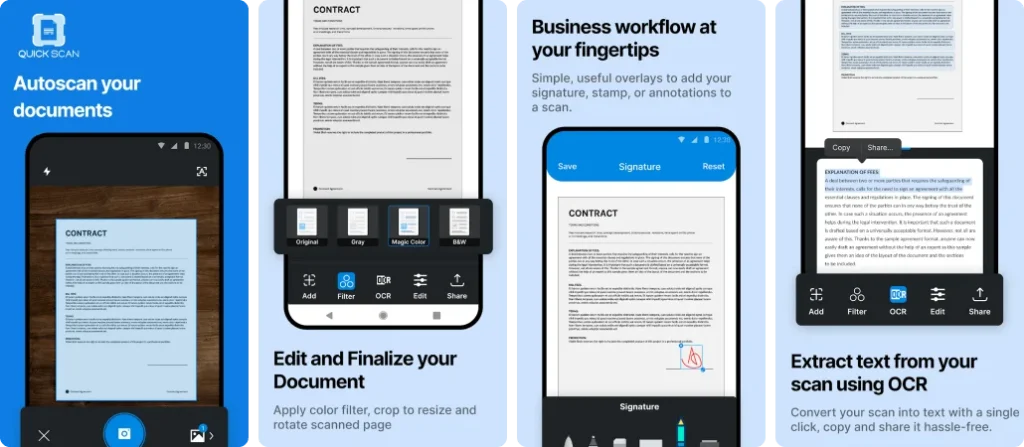
QuickScan: Document Scanner

QuickScan: Document Scanner

QuickScan is a fast and ad-free document scanner focused on privacy and performance. It allows users to scan documents, apply OCR, and export PDFs without distractions. The app processes data locally, making it a good choice for privacy-conscious users.

Key Features of QuickScan: Document Scanner:

  • Ad-free experience
  • On-device OCR
  • Fast PDF export

Pros:

  • Privacy focused
  • Clean UI

Cons:

  • Fewer integrations

App Insights:

  • Platform: Android, iOS
  • Rating: 4.3★
  • Installs / Users: 1M+
  • Price: Free / Paid

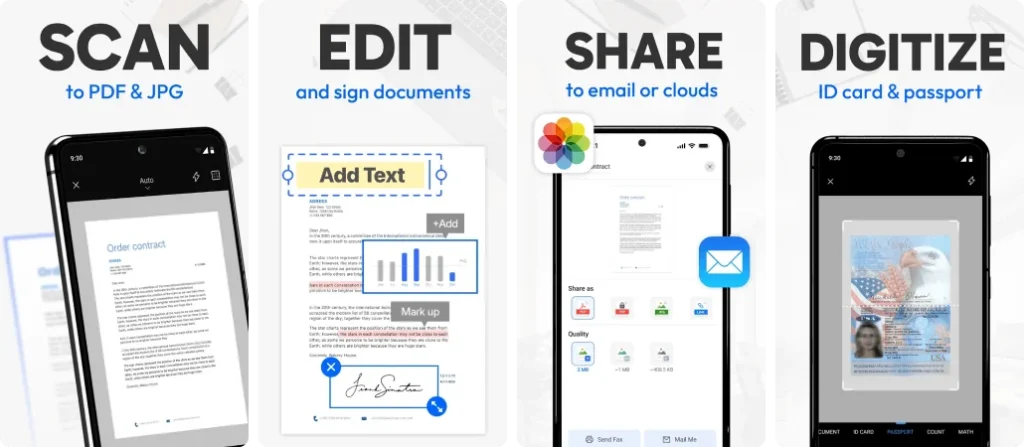
Document Scanner – PDF Creator

Document Scanner - PDF Creator

Document Scanner apps offer basic scanning features for everyday use. These apps typically support PDF creation, image enhancement, and file sharing. While they may lack advanced OCR, they are widely downloaded due to simplicity and ease of use.

Key Features of Document Scanner – PDF Creator:

  • PDF scanning
  • Image enhancement
  • File sharing

Pros:

  • Easy to use
  • High availability

Cons:

  • Limited OCR accuracy

App Insights:

  • Platform: Android, iOS
  • Rating: 4.2★
  • Installs / Users: 50M+
  • Price: Free

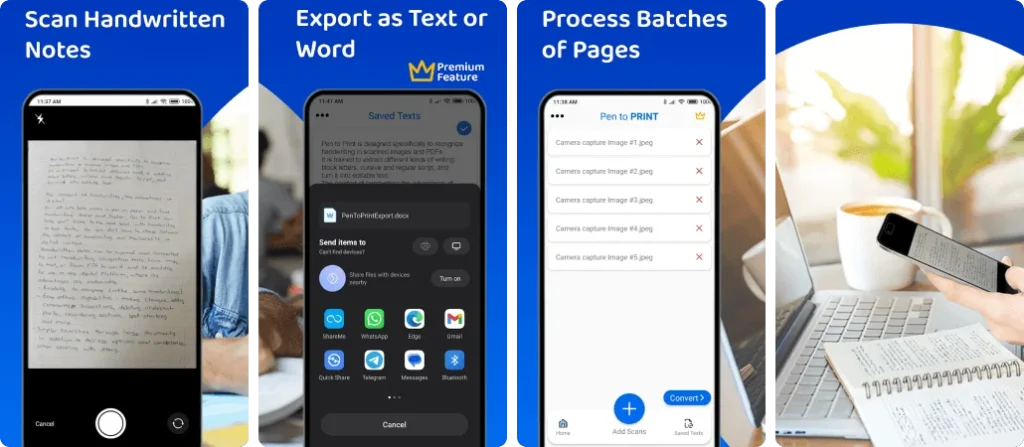
Pen to PRINT Handwriting to Text

Pen to PRINT Handwriting to Text

Pen to Print specializes in converting handwritten notes into digital text. It uses AI-powered handwriting recognition to scan notebooks, forms, and notes. Ideal for students and writers, it focuses more on text conversion than traditional PDF scanning.

Key Features of Pen to PRINT Handwriting to Text:

  • Handwriting OCR
  • Text editing
  • Export options

Pros:

  • Excellent handwriting recognition
  • Useful for students

Cons:

  • Not a full PDF scanner

App Insights:

  • Platform: Android, iOS
  • Rating: 4.1★
  • Installs / Users: 5M+
  • Price: Free / Paid

What to look for in the best document scanning apps

When choosing the best document scanning app, start with scan quality and accuracy. A good app should capture clear, legible images and convert text reliably using OCR technology. Ease of use is also important — intuitive controls and automatic edge detection save time.

Look for useful features such as auto-cropping, image enhancement, and multi-page scanning. Support for saving files in formats like PDF or JPG and options for organizing, renaming, and searching documents make management easier.

Integration with cloud storage services and simple sharing options are valuable for seamless access across devices. Finally, check for security features to protect sensitive documents.

Comparison table of best document scanning apps

App NameOCR & Text RecognitionCloud IntegrationBest ForPricing
Adobe ScanYes – searchable & editable PDFsAdobe Cloud, Drive, OneDriveBest free scanner with powerful OCRFree / Premium
Microsoft Office LensYes – basic text extractionOneDriveBest for Office usersFree
CamScannerYes – OCR and searchable PDFsGoogle Drive, Dropbox etcMost popular all-round scannerFree / Paid
Genius ScanYes – OCR & smart document detectionCloud export optionsBest secure scanning & batch scansFree / Paid
Swift ScanYes (in premium)Dropbox, Drive etcBest for fast cloud scanningFree / Paid
ABBYY FineReader PDFYes – advanced & multilingual OCRDropbox, Drive, iCloudBest for professional & accurate OCRPaid 
ScanbotYes – OCR & barcode scanningDropbox, Drive etcExcellent cloud scanningFree / Paid
Tiny ScannerLimited/ basic OCRCloud upload supportedBest lightweight scannerFree / Paid
QuickScanYes – OCR & searchable PDFLocal & cloud exportAd-free & fast scanningFree / Paid
Document Scanner (Generic)Basic OCR (depends on app)Cloud supportSimple, high-usage generic scannerFree / Paid
Pen to PrintYes – handwriting OCRExport via share optionsBest for handwritten text recognitionFree / Paid

AI & OCR Innovations in 2026

In 2026, document scanning apps have become smarter with the integration of Artificial Intelligence (AI) and Optical Character Recognition (OCR). These technologies allow apps to extract text from printed documents and handwritten notes with high accuracy.

AI-powered scanners now automatically detect document edges, fix perspective issues, and enhance image quality without manual effort. This ensures clearer scans and professional-looking results every time.

Another major improvement is on-device OCR processing. By handling data directly on the user’s phone, scanning apps deliver faster performance while keeping sensitive information private and secure.

Additionally, AI enables smart features like auto-tagging, document categorization, and real-time translation. These innovations help users save time, reduce manual work, and manage digital documents more efficiently than ever before.

Final Thoughts on Best Document Scanning Apps

Choosing the best document scanning app depends on your specific needs and usage. If you want powerful OCR accuracy and professional features, apps like Adobe Scan and ABBYY FineReader PDF are excellent choices. For everyday scanning, sharing, and cloud syncing, CamScanner, Genius Scan, and Swift Scan offer reliable performance. while privacy-focused users may prefer QuickScan.

With a reliable document scanning app, your important papers stay organized, searchable, and secure at all times. These apps simplify document management, improve productivity, and help you go completely paperless in today’s digital world.

Best Car Insurance Apps That Will Save You Money

Now almost all the well-known and trusted car insurance companies are introducing specially designed mobile apps for their customers, which has made insurance-related work easier and faster. With the help of these Best Car Insurance Apps, users can now check policies, file claims, pay premiums and avail features like roadside assistance through smartphones.

These apps have advanced features like real-time claim tracking, digital policy download and 24/7 support, which provide a more reliable experience to customers. Insurance companies are now using technology to develop smart and useful apps so that every policyholder can get assistance as per their needs.
If you want to save more on your car insurance policy, then these Best Car Insurance Apps That Will Save You Money are the best option for you. In these apps, you can compare quotes from different companies, get personalized offers and save both time and money by choosing the right policy according to your driving habits.

Highest-Rated Car Insurance Apps

GEICO Mobile – Best for Fast Claims & Easy Policy Access

GEICO Mobile is one of the most trusted car insurance apps that allows users to easily manage their policies, pay bills, and file claims within minutes. It offers a seamless experience with features like digital ID cards, roadside assistance, and an AI-powered virtual assistant. Its simple interface and fast response time make it a top choice for policyholders looking for convenience and reliability.

Key Features of GEICO Mobile – Car Insurance:

  • Digital ID cards and instant claim filing
  • 24/7 virtual assistant support
  • Roadside assistance integration
  • Bill payment and account management
  • Vehicle maintenance reminders

Pros:

  • User-friendly interface
  • Fast claim processing
  • Secure login with Face/Touch ID

Cons:

  • Some advanced tools only for GEICO customers

App Insights:

  • Platform: Android, iOS
  • Rating: 4.8★
  • Installs / Users: 10M+
  • Price: Free

Progressive Mobile – Best for Smart Driving Discounts

Progressive Mobile offers one of the most advanced car insurance experiences through its Snapshot program that rewards safe driving habits. The app allows users to get instant quotes, manage policies, and file claims on the go. Its AI-based driving analysis helps determine personalized premiums, making it an excellent tool for users who want to save more with safe driving.

Key Features of Progressive Mobile:

  • Snapshot driving behavior tracking
  • Instant insurance quotes
  • Quick bill payments and renewals
  • Claim filing and updates
  • Policy management in one place

Pros:

  • Rewards safe driving with discounts
  • Smooth app navigation
  • Secure document storage

Cons:

  • Snapshot feature not available in all states

App Insights:

  • Platform: Android, iOS
  • Rating: 4.6★
  • Installs / Users: 5M+
  • Price: Free + In-App Features

State Farm Mobile – Best for All-in-One Insurance Management

State Farm Mobile combines insurance and banking in one easy-to-use app. Users can manage their auto policies, make payments, and track claims effortlessly. The “Drive Safe & Save” feature monitors your driving behavior and offers discounts for safe driving. With 24/7 customer support and an intuitive dashboard, it’s a reliable option for managing multiple insurance needs.

Key Features of State Farm Mobile:

  • Drive Safe & Save discount tracking
  • Bill payment and policy management
  • Auto ID card access
  • Claim tracking and reporting
  • Bank integration options

Pros:

  • Multi-service integration
  • Great rewards for safe drivers
  • Simple and secure navigation

Cons:

  • Some features limited to State Farm customers

App Insights:

  • Platform: Android, iOS
  • Rating: 4.7★
  • Installs / Users: 10M+
  • Price: Free

Allstate Mobile – Best for Safe Driving Rewards

Allstate Mobile makes managing insurance simple with tools like Drivewise and Milewise that help users save money based on driving performance or mileage. It allows quick claim filing, policy access, and digital ID storage. The app’s personalized insights and rewards system make it one of the most cost-efficient insurance apps available today.

Key Features of Allstate Mobile:

  • Drivewise & Milewise programs
  • Accident support and claim tracking
  • Digital ID cards
  • Real-time driving feedback
  • Roadside assistance access

Pros:

  • Rewards for good driving
  • Detailed driving reports
  • Fast and easy claims

Cons:

  • Rewards vary by state

App Insights:

  • Platform: Android, iOS
  • Rating: 4.5★
  • Installs / Users: 5M+
  • Price: Free

Liberty Mutual Mobile – Best for Easy Claim Submissions

Liberty Mutual Mobile offers a simple way to manage policies, pay bills, and track claims directly from your phone. It allows photo-based claim submission, roadside help, and real-time repair tracking. With a clean design and strong security features, it’s a dependable choice for users who want full control of their auto insurance.

Key Features of Liberty Mutual Mobile:

  • Photo claim upload
  • Roadside assistance
  • Policy and payment management
  • Repair status tracking
  • Digital document access

Pros:

  • Fast claim approvals
  • Clean and intuitive design
  • Reliable customer support

Cons:

  • Limited features for non-policyholders

App Insights:

  • Platform: Android, iOS
  • Rating: 4.4★
  • Installs / Users: 1M+
  • Price: Free

Esurance Mobile – Best for Paperless Insurance Management

Esurance Mobile focuses on 100% digital policy management, letting users handle everything from claims to renewals paper-free. You can get instant quotes, upload claim photos, and find repair shops nearby. It’s ideal for tech-savvy drivers who prefer a digital-first insurance experience with minimal hassle.

Key Features of Esurance Mobile:

  • Paperless policy handling
  • Instant claim filing
  • Repair shop locator
  • Quotes and renewals
  • 24/7 policy access

Pros:

  • Fully digital experience
  • Quick claim verification
  • Transparent pricing system

Cons:

  • Fewer customer support options

App Insights:

  • Platform: Android, iOS
  • Rating: 4.3★
  • Installs / Users: 500K+
  • Price: Free

Nationwide Mobile – Best for Reliable Policy Tracking

Nationwide Mobile is built for convenience, allowing users to review coverage, pay bills, and file claims in just a few taps. Its sleek interface makes managing insurance straightforward, while its roadside assistance and digital ID access add extra value. It’s a dependable choice for those who want all their insurance details in one secure app.

Key Features of Nationwide Mobile:

  • Roadside assistance
  • Digital ID cards
  • Bill payment and renewal
  • Claim status updates
  • Quick quote generation

Pros:

  • Modern, easy-to-use UI
  • Quick and efficient support
  • Secure data management

Cons:

  • Minor delays during peak hours

App Insights:

  • Platform: Android, iOS
  • Rating: 4.6★
  • Installs / Users: 1M+
  • Price: Free

USAA Mobile – Best for Military Members and Families

USAA Mobile provides specialized car insurance services for military members and their families. The app offers seamless policy management, claims filing, and banking integration. With strong customer service and trusted coverage, it’s designed for those who value both protection and convenience in one secure app.

Key Features of USAA Mobile:

  • Auto & banking integration
  • Digital ID cards
  • Policy and claim management
  • 24/7 support
  • Personalized insurance offers

Pros:

  • Excellent customer service
  • Multi-service integration
  • Fast and secure

Cons:

  • Available only for eligible members

App Insights:

  • Platform: Android, iOS
  • Rating: 4.8★
  • Installs / Users: 5M+
  • Price: Free

Root Insurance App – Best for Personalized Premiums

Root Insurance app uses telematics to determine your premium based on actual driving behavior. The better you drive, the less you pay. It’s ideal for safe drivers who want personalized rates and transparent pricing. Root also simplifies claims with a clean, modern interface and quick response times.

Key Features of Root Insurance App:

  • Drive score tracking
  • Personalized insurance quotes
  • Fast claim filing
  • Modern design and analytics
  • Transparent pricing

Pros:

  • Rewards safe driving
  • Easy-to-use design
  • Affordable premiums

Cons:

  • Limited availability in some regions

App Insights:

  • Platform: Android, iOS
  • Rating: 4.7★
  • Installs / Users: 1M+
  • Price: Free

The General Auto Insurance – Best for Quick Policy Setup

The General Auto Insurance app is designed for drivers who want quick, affordable insurance without long approval processes. It provides instant quotes, policy renewals, and easy claim filing. With a user-friendly dashboard and reminders, it’s perfect for new drivers or those looking for flexible coverage at low rates.

Key Features of The General Auto Insurance:

  • Instant insurance quotes
  • Easy policy renewals
  • Claim filing and tracking
  • Payment reminders
  • 24/7 access to documents

Pros:

  • Fast policy setup
  • Budget-friendly plans
  • Great for first-time users

Cons:

  • Limited advanced features

App Insights:

  • Platform: Android, iOS
  • Rating: 4.4★
  • Installs / Users: 1M+
  • Price: Free

How to Choose the Right Car Insurance App

Choosing the right car insurance app can save you time, money, and unnecessary stress. Start by checking whether the app belongs to a reputable insurance provider with strong customer service and transparent claim processes. Look for key features like digital ID cards, claim tracking, roadside assistance, and policy management tools. Make sure the app is easy to navigate, secure, and offers 24/7 support. Reading user reviews and checking app ratings can also help you understand how reliable and efficient the app truly is before you make a decision.

Tips to Save More Money on Car Insurance

Saving money on car insurance isn’t just about choosing the cheapest plan — it’s about being smart with your options. Start by comparing quotes from multiple insurance companies to find the best deal. Many car insurance apps offer instant quote comparison features, helping you identify hidden discounts.

You can also lower your premium by maintaining a good driving record, bundling your auto policy with home or renter’s insurance, and opting for higher deductibles if it suits your budget. Don’t forget to check for loyalty rewards, student discounts, or safe driver programs offered within the app. Regularly reviewing your policy ensures you’re not overpaying for features you don’t need — helping you save more money over time.

Comparison Table: Best Car Insurance Apps

App NameBest ForRatingPlatformKey Feature
GEICO MobileFast Claims & Policy Access4.8★Android, iOSDigital ID & Roadside Help
Progressive MobileSmart Driving Discounts4.6★Android, iOSSnapshot Drive Tracking
State Farm MobileAll-in-One Management4.7★Android, iOSDrive Safe & Save
Allstate MobileSafe Driving Rewards4.5★Android, iOSDrivewise & Milewise
Liberty MutualEasy Claim Submission4.4★Android, iOSPhoto Claim Upload
Esurance MobilePaperless Experience4.3★Android, iOSDigital Policy Handling
Nationwide MobileReliable Tracking4.6★Android, iOSRoadside Assistance
USAA MobileMilitary & Family Plans4.8★Android, iOSAuto + Banking Integration
Root InsurancePersonalized Premiums4.7★Android, iOSDrive Score Tracking
The General AutoQuick Policy Setup4.4★Android, iOSInstant Quotes & Renewals

Final Thoughts on Best Car Insurance Apps That Will Save You Money

Choosing the right car insurance app can make managing your auto policy simple, convenient, and cost-effective. Best Car Insurance Apps not only allow you to track claims, access digital ID cards, and pay bills from your phone, but they also help you compare rates and find discounts that can significantly save money. By exploring the features, reading reviews, and selecting apps that match your driving habits and coverage needs, you can ensure both protection and affordability.

Whether you’re a first-time driver or an experienced policyholder, using these apps puts control in your hands, reduces paperwork, and makes claims faster and easier. Regularly reviewing your policy through these apps ensures you’re always getting the best coverage at the most competitive price. Investing a few minutes in the right app can lead to long-term savings and peace of mind.

Best AI Photo Editor Apps (2025): Top Picks for iPhone & Android

Are you looking for the Best AI Photo Editor apps for iPhone and Android for 2025? Whether it’s for your personal memories, professional portfolios or sharing on social media, every photo should look visually appealing and outstanding. Today, AI-based photo enhancer apps have made editing easier, faster and more professional.

These apps are not just limited to improving color and brightness, but also offer advanced features like auto-enhance, AI filters, background removal, HDR correction, beauty enhancement, style transfer and professional-level editing tools. Through them, you can get visually stunning and high-quality photos in just a few clicks.

The best AI photo editor apps available for iPhone and Android are very useful for content creators, bloggers and social media enthusiasts. They are not only for creative editing, but also give professional results. You can easily enhance photos, remove imperfections and make images ready for social media.

These apps are available in free and paid versions, which can be chosen according to your needs and budget. Best AI Photo Editor apps for iPhone and Android, AI photo editing tools 2025”, and AI Photo Editor apps” are naturally integrated into the blog.

Overall, you can create professional-quality photos and boost your creativity by using these top AI photo editor apps in 2025. In this blog, we will suggest you the top picks for iPhone and Android, which will make the editing experience easy, enjoyable and highly effective.

What Makes AI Photo Editors Stand Out in 2025?

In the world of photo editing, AI Photo Editor apps have brought a new opportunity and feature. Compared to ordinary editing tools, these apps automatically identify each part of the photo and perform processes like auto-enhance, AI filters, color correction, skin retouch, and background removal.

AI technology helps improve the lighting, face details, and overall look of photos, so that every user gets professional-level results — that too in just a few taps. In 2025, AI photo editing tools have become smarter and faster, giving every photo the perfect balance, brightness, and tone.

For this reason, the Best AI Photo Editor apps prove to be a useful and time-saving solution for everyone — be it a casual user or a photography enthusiast.

Why You Need an AI Photo Editor

Photo editing is no longer just a hobby, but has become an easy and useful tool for everyone. Today, every photo should look clear, attractive, and professional-level, and that is made possible by AI Photo Editor apps.

These apps automatically improve the quality of photos, including smart features like auto-enhance, background remover, AI filters, color correction, skin tone balance. You can create high-quality photos without any technical knowledge, which are perfect for personal use, social media sharing, or family memories.

AI-based photo editor apps save time, make editing easy, and give a professional finish to every photo. Therefore, a Best AI Photo Editor app has become an indispensable tool for every user.

How AI Photo Editors Work

AI Photo Editor apps are much more advanced than conventional tools. These apps use machine learning and artificial intelligence to identify every element of a photo – such as lighting, color, face details, background, and other objects.

When you upload a photo, AI algorithms analyze it and automatically suggest enhancements. These include processes like auto-enhancement, color correction, background removal, AI filters, HDR improvement, and skin retouching.

As a result, users get professional results, that too in just a few taps. AI technology makes editing easier, faster, and more creative. Every user, professional or casual, can easily create visually stunning and polished photos.

Top AI Photo Editor Apps for Android and iPhone

PicsArt AI Photo Editor

PicsArt AI Photo Editor is a versatile app that combines AI-powered tools for photo editing, filters, effects, and creative enhancements. It allows users to quickly create stunning, social-media-ready images with ease and precision.

Key Features of PicsArt AI Photo Editor:

  • AI-powered photo enhancement and retouching
  • Background removal and object editing
  • Filters, effects, and stickers
  • Collage and creative templates
  • Text overlay and drawing tools
  • Real-time preview and editing

Pros:

  • Powerful AI editing tools
  • User-friendly interface
  • Wide range of creative effects and templates
  • Quick, professional-looking results

Cons:

  • Some features require subscription
  • Ads appear in the free version
  • High-quality exports can take longer to process

App Insights:

  • Platform: Android, iOS, Web
  • Rating: 4.5★
  • Installs / Users: 500M+
  • Price: Free + In-App Purchases / Subscription

Remini – AI Photo Enhancer

Remini is an AI-powered photo enhancement app that restores old or low-quality images, sharpens details, and improves clarity. It transforms blurry or damaged photos into high-resolution, professional-looking pictures effortlessly.

Key Features of Remini – AI Photo Enhancer:

  • AI-powered photo enhancement and restoration
  • Old and blurry photo reconstruction
  • High-resolution image sharpening
  • Color correction and detail improvement
  • Real-time preview
  • Batch processing for multiple photos

Pros:

  • Restores old or low-quality images effectively
  • Easy-to-use interface for beginners
  • Fast processing and high-quality results
  • Supports batch enhancements

Cons:

  • Some features require a subscription
  • Free version has limited daily usage
  • High-resolution processing may take longer

App Insights:

  • Platform: Android, iOS
  • Rating: 4.6 ★
  • Installs / Users: 100M+
  • Price: Free + In-App Purchases / Subscription

Lensa AI

Lensa AI is a powerful photo editing app that uses AI to enhance selfies, portraits, and images. It offers background removal, retouching, and artistic filters, helping users create stunning, professional-quality photos effortlessly.

Key Features of Lensa AI:

  • AI-powered photo enhancement and retouching
  • Background removal and editing
  • Skin smoothing and portrait correction
  • Artistic filters and effects
  • Real-time preview and adjustments
  • Batch processing of images

Pros:

  • Produces high-quality, professional-looking images
  • User-friendly interface
  • Wide variety of AI-powered effects and filters
  • Fast and efficient processing

Cons:

  • Some features require subscription
  • Free version has limited tools and exports
  • High-resolution processing may take longer

App Insights:

  • Platform: Android, iOS
  • Rating: 4.5 ★
  • Installs / Users: 50M+
  • Price: Free + In-App Purchases / Subscription

YouCam Perfect

YouCam Perfect is an AI-powered photo editing app designed for selfies and portraits. It offers teeth whitening, skin smoothing, background editing, and creative effects, allowing users to create polished, social-media-ready photos easily.

Key Features of YouCam Perfect:

  • AI-powered teeth whitening and face retouching
  • Skin smoothing and blemish removal
  • Background removal and replacement
  • Filters, stickers, and frames
  • Real-time editing and preview
  • Collage and creative templates

Pros:

  • Natural-looking enhancements
  • Beginner-friendly interface
  • Wide variety of effects and filters
  • Quick and professional results

Cons:

  • Some features require a subscription
  • Ads in the free version
  • High-resolution exports may take longer

App Insights:

  • Platform: Android, iOS
  • Rating: 4.6 ★
  • Installs / Users: 500M+
  • Price: Free + In-App Purchases / Subscription

FaceTune Editor by Lightricks

Facetune by Lightricks is an AI-powered selfie and portrait editor that enhances photos with teeth whitening, skin smoothing, blemish removal, and facial reshaping, helping users achieve polished, professional-quality selfies effortlessly.

Key Features of FaceTune Editor by Lightricks:

  • AI-powered teeth whitening and smile enhancement
  • Skin smoothing and blemish removal
  • Facial reshaping and contouring
  • Filters, effects, and color adjustments
  • Real-time preview and editing
  • One-tap retouch options

Pros:

  • Professional-quality editing tools
  • Easy-to-use interface
  • Natural-looking enhancements
  • Wide variety of creative features

Cons:

  • Some advanced features require subscription
  • Ads appear in the free version
  • High-resolution exports may take longer

App Insights:

  • Platform: Android, iOS
  • Rating: 4.4★
  • Installs / Users: 50M+
  • Price: Free + In-App Purchases / Subscription

Fotor AI Photo Editor

Fotor is an AI-powered photo editing app that enhances images, applies filters, and adds effects. It offers tools for portrait retouching, background removal, and creative edits, enabling users to create professional-quality photos quickly.

Key Features of Fotor AI Photo Editor:

  • AI-powered photo enhancement and retouching
  • Background removal and replacement
  • Filters, effects, and frames
  • Portrait editing and skin smoothing
  • Collage and template creation
  • Real-time preview and adjustments

Pros:

  • Easy-to-use interface
  • Professional-quality photo enhancements
  • Variety of creative tools and templates
  • Fast and efficient editing

Cons:

  • Some features require subscription
  • Free version includes ads
  • High-resolution exports may take longer

App Insights:

  • Platform: Android, iOS, Web
  • Rating: 4.5★
  • Installs / Users: 50M+
  • Price: Free + In-App Purchases / Subscription

Adobe Photoshop Express (AI Edition)

Adobe Photoshop Express (AI Edition) is a powerful photo editing app that leverages AI for quick enhancements, filters, retouching, and background removal. It allows users to create high-quality, professional-looking images with ease on mobile devices.

Key Features of Adobe Photoshop Express:

  • AI-powered photo enhancement and retouching
  • Background removal and replacement
  • Filters, effects, and creative overlays
  • Crop, rotate, and color adjustments
  • Portrait and blemish correction
  • Real-time preview and edits

Pros:

  • Professional-grade editing tools
  • AI features speed up workflow
  • Wide range of creative effects
  • User-friendly interface for beginners and pros

Cons:

  • Some advanced features require Adobe subscription
  • Free version has limited tools
  • High-resolution exports may take longer

App Insights:

  • Platform: Android, iOS, Windows
  • Rating: 4.6★
  • Installs / Users: 100M+
  • Price: Free + In-App Purchases / Subscription

PhotoRoom AI Background Remover

PhotoRoom is an AI-powered photo editor that instantly removes and replaces backgrounds. Ideal for e-commerce, social media, and content creation, it helps users produce professional-quality images quickly and effortlessly.

Key Features of PhotoRoom:

  • AI-powered background removal
  • Customizable backgrounds and templates
  • Batch editing for multiple images
  • Add logos, text, and branding
  • Filters, effects, and creative overlays
  • Real-time preview of edits

Pros:

  • Fast and accurate background removal
  • User-friendly interface
  • Time-saving batch processing
  • Versatile for product photos and social media

Cons:

  • Some features require subscription
  • Free version has limitations
  • Complex backgrounds may require manual adjustments

App Insights:

  • Platform: Android, iOS, Web
  • Rating: 4.5★
  • Installs / Users: 300M+
  • Price: Free + In-App Purchases / Subscription

Canva Photo Editor (AI Integrated)

Canva Photo Editor with AI integration allows users to remove backgrounds, erase objects, and enhance images quickly. Perfect for social media, marketing, and design projects, it helps create professional-quality visuals effortlessly.

Key Features of Canva Photo Editor:

  • AI-powered background removal and object eraser
  • Magic Edit to add or replace elements
  • Filters, effects, and creative overlays
  • Templates for social media, marketing, and presentations
  • Real-time preview of edits
  • Integrated design tools for seamless graphics creation

Pros:

  • User-friendly and beginner-friendly interface
  • Fast AI-powered editing tools
  • Versatile for social media, marketing, and design
  • Extensive library of templates and design elements

Cons:

  • Some advanced features require Pro subscription
  • Free version has limited AI tools
  • Complex edits may need manual adjustment

App Insights:

  • Platform: Web, Android, iOS
  • Rating: 4.5★
  • Installs / Users: 300M+
  • Price: Free + Pro Subscription ($12.99/month)

Prisma AI Art Editor

Prisma AI Art Editor transforms ordinary photos into stunning artworks using AI-powered filters and effects. Ideal for creative enthusiasts and social media users, it allows professional-quality artistic edits quickly and effortlessly.

Key Features of Prisma AI Art Editor:

  • AI-powered artistic filters and effects
  • Portrait and background segmentation
  • Over 700 artistic styles inspired by famous artists
  • Real-time preview of edits
  • Enhancement tools: exposure, contrast, brightness, sharpness
  • Daily new filters and templates

Pros:

  • High-quality, professional artistic transformations
  • Beginner-friendly and intuitive interface
  • Wide variety of creative styles and effects
  • Regular updates with new filters

Cons:

  • Some filters require subscription
  • Free version has limited styles and exports
  • Large images may take longer to process

App Insights:

  • Platform: Android, iOS, Web
  • Rating: 4.5★
  • Installs / Users: 50M+
  • Price: Free + In-App Purchases / Subscription

Pixlr AI Photo Editor

Pixlr is an AI-powered photo editor that enables users to enhance images, remove backgrounds, and apply creative effects. Ideal for social media, content creation, and professional editing, it delivers high-quality results quickly and easily.

Key Features of Pixlr:

  • AI-powered tools for photo enhancement and editing
  • Background removal and object eraser
  • Filters, overlays, and effects
  • Layer-based editing and smart resize
  • Batch editing for multiple images
  • Real-time preview of edits

Pros:

  • User-friendly interface for beginners and pros
  • Wide range of AI editing tools
  • Cross-platform access on web and mobile
  • Quick and efficient high-quality edits

Cons:

  • Some features require subscription
  • Ads in free version
  • Large files may slow down processing

App Insights:

  • Platform: Web, Android, iOS
  • Rating: 4.5★
  • Installs / Users: 50M+
  • Price: Free + In-App Purchases / Subscription

PhotoDirector: AI Photo Editor

PhotoDirector is an AI-powered photo editor that allows users to enhance images, remove objects, apply creative effects, and animate photos. Perfect for social media, content creation, and professional editing, it delivers high-quality results efficiently.

Key Features of PhotoDirector:

  • AI-powered photo enhancement and retouching
  • Object removal and background editing
  • Filters, overlays, and animated effects
  • Sky replacement and AI art styles
  • Batch editing for multiple images
  • Real-time preview of edits

Pros:

  • User-friendly interface for beginners and pros
  • Wide range of AI editing tools
  • Cross-platform access on desktop and mobile
  • Quick and professional-quality edits

Cons:

  • Some features require subscription
  • Free version has limited tools
  • Large files may slow down processing

App Insights:

  • Platform: Windows, Mac, Android, iOS
  • Rating: 4.5★
  • Installs / Users: 50M+
  • Price: Free + In-App Purchases / Subscription

Pixelup – AI Photo Enhancer

Pixelup is an advanced AI photo enhancer that restores, colorizes, and animates old or blurry photos. Perfect for reviving memories and improving image quality, it delivers professional-level results effortlessly for social media and personal use.

Key Features of Pixelup:

  • AI-powered photo enhancement and restoration
  • Colorize black-and-white photos automatically
  • Animate portraits for lifelike motion
  • Face and detail sharpening for clarity
  • AI avatar creation and artistic effects
  • Batch photo enhancement support

Pros:

  • Restores and enhances photos with impressive accuracy
  • Easy-to-use interface suitable for all users
  • High-quality outputs for printing or sharing
  • Fast processing powered by advanced AI

Cons:

  • Some premium effects require subscription
  • Free version has limited daily usage
  • Performance may vary on lower-end devices

App Insights:

  • Platform: Android, iOS
  • Rating: 4.5★
  • Installs / Users: 10M+
  • Price: Free + In-App Purchases / Subscription

PicWish: AI Photo Editor

PicWish is a versatile AI-powered photo enhancer and background remover designed to make photo editing quick and professional. It enhances image quality, removes backgrounds, and optimizes portraits and products for flawless visual appeal.

Key Features of PicWish:

  • AI photo enhancement for better clarity and detail
  • One-click background removal and object erasing
  • Portrait retouching with skin smoothing and tone correction
  • Batch photo editing for bulk optimization
  • Image upscaling without losing quality
  • Background replacement with custom colors or templates

Pros:

  • Fast and accurate AI processing
  • Ideal for product, portrait, and eCommerce photos
  • Supports batch editing for higher productivity
  • Clean, user-friendly interface
  • Delivers professional-quality results instantly

Cons:

  • Some advanced features locked behind a paywall
  • Requires stable internet for AI processing
  • Occasional watermark in free version

App Insights:

  • Platform: Android, iOS, Web
  • Rating: 4.6★
  • Installs / Users: 5M+
  • Price: Free + In-App Purchases / Subscription

YouCam Enhance

YouCam Enhance is an advanced AI photo enhancer that automatically improves photo quality, sharpens details, and restores clarity in seconds. Ideal for portraits, old images, and everyday photos, it delivers studio-quality enhancements effortlessly.

Key Features of YouCam Enhance:

  • AI-powered image enhancement and restoration
  • Detail sharpening and noise reduction
  • Automatic lighting and color correction
  • Face enhancement for smoother skin and sharper features
  • Before-and-after preview for instant comparison
  • Batch enhancement for multiple photos

Pros:

  • Professional-quality photo improvement with one tap
  • Perfect for both personal and professional use
  • Simple and intuitive interface
  • Preserves natural textures while enhancing clarity
  • Fast cloud-based processing

Cons:

  • Full features require a premium subscription
  • Internet connection needed for AI processing
  • May take longer for high-resolution images

App Insights:

  • Platform: Android, iOS
  • Rating: 4.6★
  • Installs / Users: 1M+
  • Price: Free + In-App Purchases / Subscription

Comparison Table: Best AI Photo Editor Apps for iPhone & Android

App NameBest ForPlatformRatingPrice
PicsArt AI Photo EditorCreative photo editing & social contentAndroid, iOS4.5 ★Free / Premium
Remini – AI Photo EnhancerAI-powered photo restorationAndroid, iOS4.4 ★Free / Premium
Lensa AIPortrait & selfie editingAndroid, iOS4.1 ★Free / Premium
YouCam PerfectBeauty & lifestyle photographyAndroid, iOS4.4 ★Free / Premium
FaceTune Editor by LightricksProfessional selfie retouchingAndroid, iOS4.5 ★Free / Premium
Fotor AI Photo EditorEditing & design creationAndroid, iOS, Web4.3 ★Free / Premium
Adobe Photoshop Express (AI Edition)Professional-grade mobile editingAndroid, iOS4.6 ★Free / In-App Purchases
PhotoRoom AI Background RemoverE-commerce & product photosAndroid, iOS4.7 ★Free / Premium
Canva Photo Editor (AI Integrated)Graphic design & social media postsAndroid, iOS, Web4.8 ★Free / Premium
Prisma AI Art EditorArtistic & creative photo stylesAndroid, iOS4.3 ★Free / Premium
PixlrQuick editing & collage creationAndroid, iOS, Web4.4 ★Free / Premium
PhotoDirectorAll-in-one creative editingAndroid, iOS4.5 ★Free / Premium
Pixelup – AI Photo EnhancerPhoto restoration & animationAndroid, iOS4.4 ★Free / Premium
PicWishProduct & portrait enhancementAndroid, iOS, Web4.6 ★Free / Premium
YouCam EnhanceHigh-quality AI enhancementAndroid, iOS4.5 ★Free / Premium

Final Thoughts on the Best AI Photo Editor Apps

AI-powered photo editing apps have completely transformed the way we enhance and create visuals. Whether you are a professional photographer, content creator, or just someone who loves capturing memories, these apps give you studio-quality results directly from your smartphone.

From Remini and Pixelup for photo restoration to PicsArt, Canva, and Fotor for creative editing — every app brings unique AI tools that simplify your workflow and make photo enhancement effortless. With just one tap, you can remove backgrounds, fix lighting, sharpen faces, or even generate artistic effects.

What makes these AI photo editors even more appealing is their accessibility — most of them are available for both iPhone and Android with free and premium options, allowing users to choose what fits their needs and budget best.In 2025, photo editing isn’t just about filters; it’s about intelligent creativity powered by AI. So, explore these apps, experiment with their features, and let your photos stand out with clarity, color, and creativity.

Best Teeth Whitening Apps to Brighten Your Smile

At this time, everyone tries to make their smile beautiful and confident. Shining teeth and a natural smile give a new glow to a person’s personality. Now there is no need for expensive treatments to make the smile look brighter and cleaner — just a smart app is enough.

With the help of the teeth whitening apps now available, you can make the smile in your photos look naturally white in a few seconds. These apps have AI tools that enhance the shine of the teeth and give the photos a real and beautiful look.

If you are active on social media or upload new photos every day, then these apps are very useful for you. They not only make the photos beautiful, but also increase your confidence. Even a small change in the smile can change the impression of the entire image, and these apps do the same thing easily.

In this guide, we will know the Best Teeth Whitening Apps, which can make your smile more shiny, natural, and attractive. Now let’s find apps that will give you a perfect smile — one that looks radiant in every photo!

YouCam Perfect – Beauty & Teeth Whitening Photo Editor

YouCam Perfect is a powerful photo editing app designed to help users capture flawless selfies and portraits. It features an AI-powered teeth whitening tool to brighten your smile naturally, along with skin smoothing, blemish removal, and facial reshaping. The app also provides background editing, collage-making, and animated effects to enhance photos creatively. With a user-friendly interface and real-time beautification tools, YouCam Perfect is perfect for casual users and content creators who want professional-looking results effortlessly.


Key Features of YouCam Perfect:

  • AI-powered teeth whitening & smile enhancer
  • Skin smoothing & blemish removal
  • Face reshaping & eye brightening
  • Background removal & object eraser
  • Real-time beauty camera filters
  • Collage maker & animation effects

Pros:

  • Natural and realistic whitening results
  • Easy-to-use interface
  • Real-time preview of edits
  • Wide range of beautification and creative tools

Cons:

  • Some premium features require subscription
  • Ads in the free version
  • High-resolution edits may take more processing time

App Insights:

  • Platform: Android, iOS
  • Rating: 4.5 ★
  • Installs: 100M+
  • Price: Free + In-App Purchases / Subscription

PicsArt – Photo Editor & Teeth Whitening App

PicsArt is a versatile photo and video editing app that allows users to create stunning visuals with ease. It offers a dedicated teeth whitening tool alongside features like skin smoothing, blemish removal, filters, collage maker, and background editing. With built-in creative effects, text, and drawing tools, users can enhance selfies, portraits, and social media content effortlessly. Its intuitive interface and large community of creators make PicsArt ideal for both beginners and professional editors seeking creative freedom.

Key Features of PicsArt:

  • AI-powered teeth whitening & smile enhancer
  • Skin smoothening & blemish removal
  • Filters, overlays, and special effects
  • Collage maker & templates
  • Drawing tools and text editor
  • Background remover & object eraser

Pros:

  • All-in-one creative editing platform
  • Easy-to-use interface with professional results
  • Large library of effects and filters
  • Active community for sharing and inspiration

Cons:

  • Some advanced tools require a premium subscription
  • Ads present in the free version
  • Heavy app size may slow down low-end devices

App Insights:

  • Platform: Android, iOS, Web
  • Rating: 4.7★
  • Installs: 1B+
  • Price: Free + In-App Purchases / Subscription

AirBrush – Selfie & Teeth Whitening Editor

AirBrush is a popular selfie and photo editing app that helps users achieve flawless, natural-looking results with minimal effort. It features a one-tap teeth whitening tool to brighten smiles, along with skin smoothing, blemish removal, and facial reshaping options. The app also offers makeup filters, eye brightening, and background adjustments for creative editing. With its intuitive interface and real-time editing features, AirBrush is perfect for casual users and content creators seeking polished, social-media-ready photos.

Key Features of AirBrush:

  • One-tap teeth whitening & smile enhancer
  • Skin smoothing & blemish removal
  • Real-time beauty camera with filters
  • Face reshaping & eye brightening tools
  • Makeup effects and tone adjustments
  • Background editing & lighting correction

Pros:

  • Natural and realistic results
  • Beginner-friendly and easy to use
  • Fast photo processing
  • Regular updates with new features

Cons:

  • Some premium features require subscription
  • Ads appear in the free version
  • Limited manual adjustments for advanced edits

App Insights:

  • Platform: Android, iOS
  • Rating: 4.6 ★
  • Installs: 100M+
  • Price: Free + In-App Purchases / Subscription

PhotoDirector – Photo Editor & Teeth Whitening Tool

PhotoDirector is a comprehensive photo editing app by CyberLink that combines professional-grade tools with easy-to-use features. It includes an AI-powered teeth whitening tool, along with skin smoothing, blemish removal, and facial enhancement options. Users can also adjust lighting, apply filters, remove backgrounds, and add creative overlays or animations. Perfect for selfies, portraits, and social media content, PhotoDirector offers precise and professional results while remaining accessible for beginners and casual users alike.

Key Features of PhotoDirector:

  • AI-powered teeth whitening & facial retouching
  • Skin smoothing & blemish removal tools
  • Background removal & object eraser
  • Lighting, color, and filter adjustments
  • Animated effects & overlays
  • Real-time preview for quick edits

Pros:

  • Professional-grade editing tools
  • Natural and realistic whitening effects
  • Easy-to-use interface for beginners
  • Wide variety of filters and creative effects

Cons:

  • Some advanced features require a subscription
  • Ads appear in the free version
  • High-resolution exports may take longer to process

App Insights:

  • Platform: Android, iOS
  • Rating: 4.6 ★
  • Installs: 100M+
  • Price: Free + In-App Purchases / Subscription

Sweet Selfie – Beauty Camera & Teeth Whitening

Sweet Selfie is a fun and easy-to-use selfie and photo editing app designed to enhance your natural beauty effortlessly. It offers AI-powered teeth whitening, skin smoothing, and blemish removal tools to create flawless selfies. The app also includes real-time camera filters, makeup effects, and body reshaping features. With creative stickers, backgrounds, and collage options, Sweet Selfie is perfect for capturing social media-ready photos quickly while keeping edits natural and realistic.

Key Features of Sweet Selfie:

  • AI-powered teeth whitening & smile enhancer
  • Skin smoothing & blemish remover
  • Real-time beauty camera filters
  • Makeup effects: lipstick, eyeshadow, blush
  • Face and body reshaping tools
  • Collage maker & background blur

Pros:

  • Beginner-friendly and easy to navigate
  • Natural-looking teeth whitening results
  • Fast and lightweight app
  • Real-time editing for instant results

Cons:

  • Premium filters and effects require a subscription
  • Ads in the free version
  • Limited manual adjustments for advanced edits

App Insights:

  • Platform: Android, iOS
  • Rating: 4.6 ★
  • Installs: 500M+
  • Price: Free + In-App Purchases / Subscription

Perfect Smile – Teeth Whitening & Smile Editor

Perfect Smile is a specialized app designed to enhance your smile quickly and naturally. It offers AI-powered teeth whitening that brightens teeth while maintaining a realistic appearance. The app also provides tools for lip enhancement, skin smoothing, and blemish removal, allowing users to create perfect selfies and portrait photos. Lightweight and easy to use, Perfect Smile is ideal for casual users and social media enthusiasts who want a polished, confident look without complicated editing.

Key Features of Perfect Smile:

  • AI-powered one-tap teeth whitening
  • Lip color and brightness adjustments
  • Skin smoothening & blemish remover
  • Before & after comparison feature
  • Lightweight and fast processing
  • Easy-to-use interface

Pros:

  • Realistic and natural-looking whitening
  • Simple and beginner-friendly interface
  • Quick edits suitable for selfies and portraits
  • Lightweight app that runs smoothly

Cons:

  • Limited free tools; premium subscription unlocks more features
  • Ads present in the free version
  • Mainly focused on individual selfies, less suitable for group photos

App Insights:

  • Platform: iOS
  • Rating: 4.4 ★
  • Installs: 10M+
  • Price: Free + In-App Purchases

YouCam Makeup – Makeup & Teeth Whitening App

YouCam Makeup is a top-rated virtual makeover app that combines advanced AI and AR technology to enhance selfies and photos. It features an effective teeth whitening tool, along with skin smoothing, blemish removal, and facial reshaping options. Users can experiment with thousands of makeup looks, including lipstick, eyeshadow, and blush, in real time. With a user-friendly interface and professional-grade results, YouCam Makeup is perfect for beauty enthusiasts and casual users who want polished, social-media-ready photos effortlessly.

Key Features of YouCam Makeup:

  • AI-powered teeth whitening & smile enhancer
  • Skin smoothing & blemish removal
  • Face reshaping & eye brightening tools
  • Real-time virtual makeup try-on
  • Lipstick, eyeshadow, blush & hair color filters
  • One-tap beauty presets for quick edits

Pros:

  • Natural-looking teeth whitening results
  • Wide range of makeup and beauty tools
  • Beginner-friendly and intuitive interface
  • Real-time preview with live camera mode

Cons:

  • Some features require a premium subscription
  • Ads may appear in the free version
  • High-resolution edits can be resource-intensive

App Insights:

  • Platform: Android, iOS
  • Rating: 4.6 ★
  • Installs: 590M+
  • Price: Free + In-App Purchases / Subscription

Facetune – Selfie Editor & Teeth Whitening

Facetune is a professional selfie and portrait editing app designed to help users achieve flawless photos effortlessly. It features a one-tap teeth whitening tool, along with skin smoothing, blemish removal, and facial reshaping. Users can also enhance eyes, adjust lighting, and apply makeup filters to create polished selfies or portrait shots. With its intuitive interface and high-quality editing tools, Facetune is ideal for influencers, content creators, and casual users who want professional-looking results quickly.

Key Features of Facetune:

  • One-tap teeth whitening & smile enhancement
  • Skin smoothening & blemish remover
  • Face reshaping & contour adjustment
  • Eye brightening & red-eye removal
  • Makeup filters & tone adjustments
  • Background blur & lighting correction

Pros:

  • Professional-grade editing tools
  • Natural-looking results
  • Beginner-friendly interface
  • Quick and easy photo enhancement

Cons:

  • Some advanced tools require a premium subscription
  • Free version has limited export options
  • Large file size after heavy edits

App Insights:

  • Platform: Android, iOS
  • Rating: 4.5 ★
  • Installs: 100M+
  • Price: Free + In-App Purchases / Subscription

BeFunky – Photo Editing & Teeth Whitening

BeFunky is an easy-to-use photo editing app that combines powerful tools with a simple interface. It features a dedicated teeth whitening tool to brighten smiles naturally, along with skin smoothing, blemish removal, and color correction. Users can also create collages, apply creative filters, and add text or stickers to their photos. With BeFunky, beginners and casual editors can produce polished, social-media-ready photos quickly while enjoying a wide range of creative editing options.

Key Features of BeFunky:

  • One-tap teeth whitening tool
  • Skin smoothening & blemish remover
  • Color tone, lighting, and filter adjustments
  • Collage maker & creative overlays
  • Text and sticker editor
  • Real-time preview for quick edits

Pros:

  • Simple and intuitive interface
  • Natural-looking teeth whitening results
  • Variety of creative and editing tools
  • Lightweight and fast performance

Cons:

  • Some advanced features require a subscription
  • Ads appear in the free version
  • Limited manual controls for professional edits

App Insights:

  • Platform: Android, iOS, Web
  • Rating: 4.4 ★
  • Installs: 50M+
  • Price: Free + In-App Purchases / Subscription

BeautyPlus – Selfie & Teeth Whitening Camera

BeautyPlus is a widely popular selfie and photo editing app that enhances natural beauty effortlessly. It offers an AI-powered teeth whitening tool to brighten smiles, along with skin smoothing, blemish removal, and eye brightening features. Users can apply makeup filters, creative effects, stickers, and backgrounds for social media-ready photos. With a simple and intuitive interface, BeautyPlus makes professional-looking edits accessible to beginners and casual users who want polished selfies and portraits without complicated editing.

Key Features of BeautyPlus:

  • AI-powered teeth whitening & smile enhancer
  • Skin smoothing & blemish removal
  • Real-time beauty camera filters
  • Virtual makeup: lipstick, blush, eyeshadow
  • Face and body reshaping tools
  • Stickers, backgrounds, and collage maker

Pros:

  • Natural and realistic teeth whitening results
  • Beginner-friendly and easy-to-use interface
  • Real-time editing for instant results
  • Wide range of creative tools for selfies

Cons:

  • Premium features require subscription
  • Ads present in free version
  • Limited advanced editing controls

App Insights:

  • Platform: Android, iOS
  • Rating: 4.8 ★
  • Installs: 800M+
  • Price: Free + In-App Purchases / Subscription

Comparison Table of Best Teeth Whitening Apps 2025

App NameBest ForRatingPlatformInstalls
YouCam Perfect — Beauty & Teeth Whitening Photo EditorReal-time selfies & beauty edits4.5 ★Android, iOS100M+
PicsArt — Photo Editor & Teeth Whitening AppAll-in-one photo & video editing4.7 ★Android, iOS1B+
AirBrush — Selfie & Teeth Whitening EditorQuick and natural-looking selfies4.6 ★Android, iOS100M+
PhotoDirector — Photo Editor & Teeth Whitening ToolProfessional-grade photo edits4.6 ★Android, iOS100M+
Sweet Selfie — Beauty Camera & Teeth WhiteningFun and easy selfie enhancements4.6 ★Android, iOS500M+
Perfect Smile — Teeth Whitening & Smile EditorFocused teeth whitening & smile edits4.4 ★Android10M+
YouCam Makeup — Makeup & Teeth Whitening AppVirtual makeup & smile enhancement4.6 ★Android, iOS590M+
Facetune — Selfie Editor & Teeth WhiteningProfessional selfie and portrait editing4.5 ★Android, iOS100M+
BeFunky — Photo Editing & Teeth WhiteningSimple photo editing & collages4.4 ★Android, iOS50M+
BeautyPlus — Selfie & Teeth Whitening CameraAI-powered selfies & social media photos4.8 ★Android, iOS800M+

Final Thoughts on the Best Teeth Whitening Apps

The Best Teeth Whitening Apps are the perfect solution to achieve a bright, confident smile effortlessly. Whether you prefer real-time beautification with YouCam Perfect and Sweet Selfie, professional-grade editing with PhotoDirector and Facetune, or creative social media-ready edits with PicsArt and BeautyPlus, these apps cater to all levels of users. They not only whiten teeth but also enhance skin, remove blemishes, and apply virtual makeup to create flawless photos. With AI-powered tools and intuitive interfaces, even beginners can achieve stunning results in seconds. By choosing the right app for your style, you can effortlessly transform your selfies and portraits, boost confidence, and make every photo look polished, radiant, and naturally beautiful. Start using these apps today and enjoy a perfect smile that shines in every picture!

Top 10 Best Short Video Apps for Fun & Entertainment

Short video apps have become a powerful medium for entertainment and creativity. From personal expression to showcasing one’s talent, these apps have become a major source of entertainment for users. People want to watch and share more content in a short amount of time, and such apps are continuously gaining popularity.

In this guide, we will tell you about the familiar and popular Top 10 Best Short Video Apps, which provide entertainment and give users the opportunity to create creative videos. Apart from the well-known apps like TikTok, Instagram Reels, YouTube Shorts, we will also share some lesser-known, but useful options.

Using these apps, you can not only create short and fun videos, but also increase your followers. These short video platforms are extremely useful for creativity, following trends, and learning new things.

Also, many users are now earning money through these platforms, which makes these apps not only a source of entertainment, but also a professional option.

If you want to start making short videos, these Top 10 Best Short Video Apps can be a great start for you. So, let’s begin this exciting journey!

TikTok – Global short video trendsetter

TikTok is one of the most popular short video apps, offering a space where users can create, watch, and share entertaining clips with ease. From dance and music to comedy, lifestyle, and education, TikTok provides endless creative opportunities. With smart recommendations, fun effects, and a massive global community, it has quickly become a go-to platform for engaging and trend-driven content that keeps audiences entertained every day.

Features:

  • Short videos from 15 seconds to 10 minutes
  • AI-powered personalized feed (For You Page)
  • Advanced filters, AR effects, and editing tools
  • Duet and Stitch options for collaboration
  • Massive global music and sound library

Pros:

  • Huge community with endless trends
  • Creative and highly engaging content
  • Smart recommendations tailored to your interests

Cons:

  • Privacy concerns, especially for younger users
  • High data and battery consumption

App Insights:

  • Platform: Android & iOS
  • Rating: 4.4★
  • Installs: 1B+
  • Price: Free

Instagram Reels – Fun videos within Instagram

Instagram Reels lets users create and share short, entertaining videos directly in the Instagram app. With a wide range of effects, music, and editing tools, it’s a fun way to engage with followers and discover trending content worldwide. Since Reels is built into Instagram, it connects seamlessly with Stories, Explore, and the Feed, giving creators a bigger platform to showcase their talent and creativity.

Features:

  • Create 15–90 second videos with music or audio
  • Library of filters, effects, and AR tools
  • Share across Stories, Feed, and Explore tab
  • Discover trending content and hashtags
  • Option to remix or collaborate on videos

Pros:

  • Built-in audience with Instagram users
  • Easy to share across multiple Instagram features
  • Great exposure through Explore and hashtags

Cons:

  • Limited editing tools compared to TikTok
  • Can get overshadowed by photos or stories
  • The algorithm sometimes favors influencers over new creators

App Insights:

  • Platform: Android & iOS
  • Rating: 4.3★
  • Installs: 1B+
  • Price: Free

YouTube Shorts – Quick clips on YouTube

YouTube Shorts brings the short video experience to the world’s biggest video platform. It allows users to create and watch quick clips with music, text, and fun effects, all within the YouTube app. With seamless integration into YouTube’s ecosystem, Shorts gives creators a chance to reach millions through the platform’s massive audience, while viewers can enjoy endless entertaining, informative, and creative short-form content on the go.

Features:

  • Create short videos up to 60 seconds
  • Wide range of music tracks and sound effects
  • Editing tools with filters, speed control, and text
  • Easily discoverable through YouTube’s main feed
  • Monetization options for creators via YouTube Partner Program

Pros:

  • Integrated directly into YouTube’s massive platform
  • Huge potential audience reach
  • Easy to create and upload quick videos

Cons:

  • Fewer editing features than TikTok
  • Content can get buried under long-form YouTube videos
  • Still developing monetization features compared to TikTok

App Insights:

  • Platform: Android & iOS
  • Rating: 4.5★
  • Installs: 10B+
  • Price: Free

Snapchat Spotlight – Viral videos with AR fun

Snapchat Spotlight is Snapchat’s dedicated short video platform that lets users share creative clips with a chance to go viral. Unlike traditional Snapchat stories, Spotlight focuses purely on fun, engaging videos enhanced by Snapchat’s famous AR filters, lenses, and effects. With a strong emphasis on creativity and originality, Spotlight rewards creators for unique content while giving viewers a never-ending feed of entertaining and interactive short videos.

Features:

  • Share short-form videos directly in the Snapchat app
  • Use AR lenses, filters, and music for creative editing
  • Personalized Spotlight feed based on user interests
  • Content discovery without needing to follow accounts
  • Creator rewards for high-performing videos

Pros:

  • Unique AR filters and creative tools
  • Easy integration with Snapchat’s camera features
  • Opportunity to earn rewards as a creator

Cons:

  • Smaller audience reach compared to TikTok or Reels
  • Limited discoverability outside Snapchat community
  • Not as advanced editing options as other apps

App Insights:

  • Platform: Android & iOS
  • Rating: 4.2★
  • Installs: 1B+
  • Price: Free

Triller – Music-powered video platform

Triller is a short video and social media platform designed especially for music lovers and creators. It allows users to create professional-looking videos quickly with built-in editing tools, filters, and an extensive music library. Popular among musicians and influencers, Triller emphasizes creativity and music-driven trends, making it a strong alternative to TikTok. With easy sharing options, it helps creators showcase their talent and reach global audiences.

Features:

  • Huge library of trending songs and sounds
  • AI-powered auto-editing tools
  • Collaborations with celebrities and influencers
  • Easy sharing to other social platforms
  • Live streaming and music challenges

Pros:

  • Great for music-based content creation
  • Simple editing with professional results
  • Strong presence of artists and influencers

Cons:

  • Smaller user base compared to TikTok or Reels
  •  Limited content variety outside music
  •  Occasional app performance issues

App Insights:

  • Platform: Android & iOS
  • Rating: 4.1★
  • Installs: 100M+
  • Price: Free (In-app purchases available)

Likee – Creative editing and effects hub

Likee is a short video platform popular for its advanced editing tools, special effects, and massive library of stickers and filters. It allows users to create fun, engaging, and highly creative videos with just a few taps. From beauty effects and AR filters to music integration and interactive challenges, Likee offers a wide range of tools that make short video creation both simple and entertaining, especially for users who love experimenting with effects.

Features:

  • Huge collection of filters, stickers, and AR effects
  • Easy-to-use editing and trimming tools
  • Music library with trending songs
  • Beauty and makeup effects for videos
  • Content discovery through hashtags and categories

Pros:

  • Advanced editing and effects compared to many apps
  • Large global community of creators
  • Wide variety of content from fun to informative

Cons:

  • Ads can interrupt the user experience
  • Privacy concerns for younger users
  • Some features require in-app purchases

App Insights:

  • Platform: Android & iOS
  • Rating: 4.3★
  • Installs: 500M+
  • Price: Free (In-app purchases available)

Kuaishou is a widely used short video platform that focuses on building a strong community of creators and viewers. Users can create, edit, and share short videos with music, stickers, and effects. The app emphasizes real-life content, making it relatable and engaging for audiences. Kuaishou also supports live streaming and interactive features, helping creators connect directly with their followers while enjoying a diverse range of entertaining short videos.

Features:

  • Short videos with music, stickers, and AR effects
  • Live streaming with audience interaction
  • AI-powered personalized feed
  • Video editing and trimming tools
  • Social features for comments, likes, and shares

Pros:

  • Strong community-focused platform
  • Easy to share content and interact with viewers
  • Supports both videos and live streaming

Cons:

  • Limited global reach compared to TikTok or Instagram
  • Some features may be complex for beginners
  • Ads appear frequently

App Insights:

  • Platform: Android & iOS
  • Rating: 4.2★
  • Installs: 500M+
  • Price: Free (In-app purchases available)

Moj is a popular Indian short video app that allows users to create, watch, and share fun and engaging videos. It offers a wide variety of music, filters, and effects, making content creation easy and entertaining. With a strong focus on trending challenges and regional content, Moj connects creators with a large audience while promoting creativity and engagement. It’s especially popular among users looking for quick, entertaining clips on the go.

Features:

  • Short videos with trending music and effects
  • Regional content in multiple languages
  • Editing tools with stickers, filters, and AR effects
  • Personalized feed with trending and recommended videos
  • Participate in challenges and viral trends

Pros:

  • Strong focus on regional and trending content
  • Easy-to-use video creation tools
  • Engaging challenges to boost visibility

Cons:

  • Smaller global audience compared to TikTok or Instagram
  • Ads can be frequent
  • Limited advanced editing options

App Insights:

  • Platform: Android & iOS
  • Rating: 4.4★
  • Installs: 100M+
  • Price: Free (In-app purchases available)

Josh – Engaging short video experience

Josh is a popular Indian short video platform that allows users to create, watch, and share entertaining videos across various genres. With a wide range of music, filters, and effects, it encourages creativity and engagement. Josh focuses on trending challenges, regional content, and interactive features, helping creators reach a broad audience while viewers enjoy a constant stream of fun, bite-sized videos tailored to their interests.

Features:

  • Short videos with trending music and effects
  • Regional content in multiple Indian languages
  • Editing tools with stickers, filters, and AR effects
  • Personalized feed with trending and recommended videos
  • Participate in challenges and viral trends

Pros:

  • Strong focus on Indian regional content
  • Easy-to-use editing and creative tools
  • Engaging challenges boost creator visibility

Cons:

  • Smaller international audience compared to TikTok
  • Ads may disrupt viewing experience
  • Limited advanced editing features

App Insights:

  • Platform: Android & iOS
  • Rating: 4.3★
  • Installs: 50M+
  • Price: Free (In-app purchases available)

Chingari – Fun and entertaining video platform

Chingari is a trending Indian short video app that lets users create, share, and watch entertaining videos. It offers a variety of music, filters, and AR effects, allowing creators to produce engaging content quickly. With a focus on trending challenges, regional content, and viral clips, Chingari connects users to a vibrant community, making it a go-to platform for fun, interactive, and bite-sized entertainment on mobile devices.

Features:

  • Short videos with music, filters, and effects
  • Regional content in multiple Indian languages
  • Editing tools with AR filters and stickers
  • Personalized feed with trending and recommended videos
  • Participate in challenges and viral trends

Pros:

  • Strong focus on Indian regional content
  • Easy-to-use editing tools for creators
  • Fun challenges and interactive features

Cons:

  • Smaller global audience compared to TikTok or Instagram
  • Ads can interrupt user experience
  • Limited advanced editing options

App Insights:

  • Platform: Android & iOS
  • Rating: 4.2★
  • Installs: 50M+
  • Price: Free (In-app purchases available)

Comparison Table of Top Short Video Apps – Features, Ratings & Downloads

App NameBest ForRatingPlatformInstalls
TikTokGlobal trends, viral challenges, and diverse content4.4 ★Android & iOS1B+
Instagram ReelsInstagram users who want quick creative videos4.3 Android & iOS1B+
YouTube ShortsCreators looking for reach on YouTube’s massive audience4.5Android & iOS10B+
Snapchat SpotlightFun AR filters and interactive video experiences4.2Android & iOS1B+
TrillerMusic-based videos and influencer collaborations4.1Android & iOS100M+
LikeeCreative editing, effects, and beauty filters4.3Android & iOS500M+
Kuaishou (Kwai)Community-driven content and live streaming4.2Android & iOS500M+
MojTrending short videos in multiple Indian languages4.4Android & iOS100M+
JoshIndian regional content and viral challenges4.3Android & iOS50M+
ChingariFun short videos and Indian creator community4.2Android & iOS50M+

Final Thoughts on the Best Short Video Apps for Fun & Entertainment

Short video apps have become a big part of our daily lives these days. These apps have changed the way we entertain, learn and express ourselves. Videos made in a matter of seconds reach millions of people, allowing anyone to showcase their talent to the world.

Platforms like TikTok offer the opportunity to go viral on a global level, while Instagram Reels and YouTube Shorts help you reach more viewers by connecting to already established social media. If you love new filters, lenses and fun effects, then Snapchat Spotlight is a great option.

Likee and Triller are useful for creative editing and unique videos. When it comes to enjoying community-based content, apps like Kuaishou are also good.

One thing is for sure: each app has its own specialty. Which one you choose depends on your interests, needs, and creative style. Ultimately, the goal is the same – to have fun, learn something new, and share your talent with the world.

Top 10 Best Wedding Planning Apps Every Couple Should Use

Planning a wedding is one of the most exciting journeys for any couple, but it can also feel overwhelming with endless tasks, budgets, and deadlines. Thankfully, technology has made the process easier with wedding planning apps that act as your personal planner, right in your pocket.

These apps not only help you stay organized but also give you access to guest list management, RSVP tracking, vendor contacts, budget calculators, and even inspiration galleries. Whether you are a bride, groom, or a couple planning together, the right app ensures everything is handled smoothly.

Couples today look for convenience and flexibility, and free wedding planning apps have become a favorite choice because they save both time and money. From managing expenses to coordinating with friends and family, these tools help couples stay stress-free while keeping everything within budget.

What makes them even more powerful is their availability on both Android and iOS, ensuring that no matter what device you use, your wedding plans are always within reach. Some apps are completely free, while others offer advanced tools with optional upgrades for a professional touch.

In this article, we’ll share the Top 10 Best Wedding Planning Apps Every Couple Should Use, showing how they can simplify wedding tasks, keep everything organized, and turn your special day into a smooth and joyful experience.

The Knot – Free Wedding Planning App

The Knot – Free Wedding Planning App

The Knot is one of the most popular and trusted wedding planning apps, helping couples organize every detail of their big day in one place. With tools for creating a personalized checklist, managing guest lists, tracking RSVPs, and building a free wedding website, it makes the process stress-free. Couples can also explore a wide vendor marketplace, budget calculators, and inspiration galleries, making it an all-in-one planner for modern weddings.

Key Features of The Knot

  • Customizable wedding checklist
  • Free wedding website builder
  • Guest list & RSVP management
  • Budget calculator & expense tracker
  • Vendor marketplace with real reviews
  • Registry integration

Pros

  • Easy-to-use interface
  • All-in-one wedding planning solution
  • Free wedding website and RSVP tracker
  • Large vendor database

Cons

  • Some features limited outside the US
  • Vendor costs may vary by region

App Insights

  • Platform: Android, iOS
  • Rating: 4.7/5 (average)
  • Installs: 5M+ downloads
  • Price: Free (with optional upgrades)

Zola – Wedding Planner with Registry & RSVP

Zola – Wedding Planner with Registry & RSVP

Zola is a modern wedding planning app designed to simplify the entire wedding journey for couples. It combines a wedding website builder, guest list management, and RSVP tracking with one of the most versatile registries available. Couples can register for gifts, cash funds, or even experiences, making it easy for friends and family to contribute. Its clean interface and all-in-one approach make Zola a favorite among tech-savvy couples.

Key Features of Zola

  • Free customizable wedding website
  • Guest list & RSVP management
  • All-in-one wedding registry (gifts, cash, experiences)
  • Save-the-dates & invitation tools
  • Budget tracking and planning checklist

Pros

  • Easy integration of registry and RSVP tools
  • Stylish wedding website templates
  • Guest list sync across devices
  • Free to use with optional add-ons

Cons

  • Registry mainly focused on US users
  • Limited customization compared to standalone tools

App Insights

  • Platform: iOS
  • Rating: 4.6/5 (average)
  • Installs: 1M+ downloads
  • Price: Free (with optional upgrades)

Joy – Free Wedding Website & Guest Manager

Joy – Free Wedding Website & Guest Manager

Joy is one of the most loved free wedding planning apps, perfect for couples who want to create a stylish digital experience for their guests. With Joy, you can design a personalized wedding website, manage guest lists, send invites, and track RSVPs in real-time. The app also supports shared photo albums and event schedules, making it easy for guests to stay updated. Its user-friendly design and no-cost features make it a great choice for modern couples.

Key Features of Joy

  • Free wedding website builder
  • Guest list management & RSVP tracking
  • Digital invitations with custom designs
  • Event schedule sharing with guests
  • Shared photo albums for memories
  • Mobile app for guests and couples

Pros

  • Completely free to use
  • Stylish and customizable website templates
  • Guest-friendly mobile experience
  • Easy RSVP and event updates

Cons

  • Limited vendor marketplace compared to others
  • Some advanced design options missing

App Insights

  • Platform: Android, iOS
  • Rating: 4.7/5 (average)
  • Installs: 500K+ downloads
  • Price: Free

WeddingWire – Vendor Search & Wedding Tools

WeddingWire – Vendor Search & Wedding Tools

WeddingWire is a trusted wedding planning app that helps couples find and book the best vendors for their big day. From photographers and florists to venues and DJs, the app provides access to thousands of verified professionals with reviews and ratings. Along with vendor search, WeddingWire also offers planning tools like checklists, seating charts, budget trackers, and a wedding website builder. It’s a one-stop solution for couples who want both inspiration and reliable services.

Key Features of WeddingWire

  • Vendor directory with verified reviews
  • Wedding checklist & timeline tools
  • Seating chart planner
  • Free wedding website builder
  • Budget tracking tools
  • Inspiration galleries

Pros

  • Huge vendor marketplace across categories
  • Trusted reviews and ratings
  • Free website and planning tools included
  • User-friendly design for easy navigation

Cons

  • Vendor availability depends on location
  • Some features better suited for US couples

App Insights

  • Platform: Android, iOS
  • Rating: 4.6/5 (average)
  • Installs: 1M+ downloads
  • Price: Free (premium vendor services available)

Bridebook – Budget & Timeline Planner App

Bridebook – Budget & Timeline Planner App

Bridebook is a smart wedding planning app designed to help couples stay on top of their budget and wedding timeline with ease. It offers personalized checklists, budget breakdowns, and planning tools that adapt to your wedding style and size. The app also includes a vendor directory and inspiration boards to make planning fun and stress-free. With its clean interface and UK-based vendor focus, Bridebook is perfect for couples who want an organized approach to planning their big day.

Key Features of Bridebook

  • Budget tracker with detailed breakdown
  • Personalized wedding checklist & timeline
  • Vendor search and contact tools
  • Guest list management
  • Planning inspiration and ideas
  • Easy-to-use dashboard

Pros

  • Excellent budget management tools
  • Customizable checklist and timeline
  • Inspiration boards for wedding ideas
  • Free to use with optional upgrades

Cons

  • Vendor directory mainly UK-focused
  • Limited customization for international users

App Insights

  • Platform: Android, iOS
  • Rating: 4.5/5 (average)
  • Installs: 500K+ downloads
  • Price: Free (premium features available)

WeddingHappy – Simple Checklist Planner

WeddingHappy – Simple Checklist Planner

WeddingHappy is a straightforward wedding planning app designed for couples who want a simple yet effective way to organize their big day. The app creates a customized checklist and timeline based on your wedding date, helping you track tasks and deadlines with ease. It also includes budgeting tools, payment tracking, and vendor management features. WeddingHappy is ideal for couples who prefer a clean, easy-to-use app without overwhelming extras.

Key Features of WeddingHappy

  • Personalized wedding checklist & timeline
  • Budget and payment tracking
  • Vendor management tools
  • Progress tracker for completed tasks
  • Notifications & reminders

Pros

  • Very easy to use and beginner-friendly
  • Helps couples stay on track with deadlines
  • Good for budget-conscious users
  • Works offline once downloaded

Cons

  • Limited advanced features compared to competitors
  • Vendor search not as extensive

App Insights

  • Platform: Android, iOS
  • Rating: 4.6/5 (average)
  • Installs: 1M+ downloads
  • Price: Free (in-app purchases available)

Hitched – Wedding Ideas & Planning App

Hitched – Wedding Ideas & Planning App

Hitched is a popular wedding planning app that focuses on inspiration and organization for couples preparing for their big day. It offers planning tools such as checklists, budget trackers, and guest list management, along with plenty of ideas for themes, décor, and vendors. The app also provides articles, guides, and real wedding stories to help couples find creative inspiration. With its simple design and UK-focused vendor directory, Hitched is perfect for couples looking for both guidance and organization in one place.

Key Features of Hitched

  • Wedding checklist & budget tracker
  • Guest list manager
  • Vendor directory with reviews
  • Wedding inspiration & guides
  • Real wedding stories for ideas

Pros

  • Excellent source of inspiration and ideas
  • Helpful articles and planning guides
  • Free to use with useful tools
  • Easy navigation for beginners

Cons

  • Vendor search mainly focused on the UK
  • Fewer advanced features than global apps

App Insights

  • Platform: Android, iOS
  • Rating: 4.5/5 (average)
  • Installs: 100K+ downloads
  • Price: Free

Easy Weddings – Vendor & Budget Planner

Easy Weddings – Vendor & Budget Planner

Easy Weddings is a comprehensive wedding planning app that helps couples manage everything from vendors to budgeting in one place. It offers a large directory of verified wedding vendors, complete with reviews and inspiration galleries. The app also includes planning tools like budget calculators, guest list tracking, and a wedding website builder. With its simple interface and helpful resources, Easy Weddings is ideal for couples who want a stress-free way to plan their big day.

Key Features of Easy Weddings

  • Vendor directory with trusted reviews
  • Budget calculator & payment tracker
  • Guest list and RSVP manager
  • Free wedding website builder
  • Planning inspiration & real wedding stories

Pros

  • All-in-one wedding planning solution
  • Trusted vendor recommendations
  • Free website and planning tools included
  • User-friendly for first-time planners

Cons

  • Some vendor services location-specific
  • Premium features may require payment

App Insights

  • Platform: Android, iOS
  • Rating: 4.6/5 (average)
  • Installs: 500K+ downloads
  • Price: Free (premium options available)

MyWed – Collaborative Wedding Planner App

MyWed – Collaborative Wedding Planner App

MyWed is a smart wedding planning app built for couples who want to plan their big day together. It offers collaborative tools, allowing both partners and even family members to contribute to the planning process. With features like guest list tracking, task management, and budgeting tools, MyWed makes it easy to stay organized. The app also includes a wedding countdown, reminders, and vendor management to ensure nothing is missed.

Key Features of MyWed

  • Collaborative planning with partner & family
  • Guest list and RSVP manager
  • Task checklist & timeline
  • Budget and expense tracking
  • Wedding countdown & reminders

Pros

  • Designed for team collaboration
  • Easy-to-use interface
  • Keeps all wedding details in one place
  • Free with practical tools

Cons

  • Vendor directory not as extensive
  • Some features limited in free version

App Insights

  • Platform: Android, iOS
  • Rating: 4.5/5 (average)
  • Installs: 100K+ downloads
  • Price: Free (in-app purchases available)

Appy Couple – Wedding Planning & Guest Management App

Appy Couple – Wedding Planning & Guest Management App

Appy Couple is a stylish wedding planning app designed to simplify communication and organization for couples and their guests. It combines a wedding website, guest list manager, digital invitations, and travel coordination into one platform. Couples can share event details, collect RSVPs, and manage schedules easily, while guests enjoy a user-friendly experience. Perfect for modern weddings, Appy Couple adds elegance and convenience to planning.

Key Features of Appy Couple

  • Custom wedding website + mobile app
  • Digital invitations & RSVPs
  • Guest list management & messaging
  • Travel coordination & event schedules
  • Multiple themes & designs

Pros

  • Elegant templates for websites & invites
  • Great for managing guest communication
  • User-friendly for both couples & guests
  • Combines multiple tools in one app

Cons

  • Paid plans only (no free version)
  • Some features limited to premium

App Insights

  • Platform: Android, iOS
  • Rating: 4.2/5 (average)
  • Installs: 100K+ downloads
  • Price: Paid plans (starting at $49)

Complete Comparison Guide – Best Wedding Planning Apps

App NameBest ForKey HighlightPrice
The KnotAll-in-One PlanningFree tools + vendor marketplaceFree
ZolaRegistry & RSVPsAll-in-one registry with guest managementFree
JoyWedding WebsiteFree wedding site + guest list toolsFree
WeddingWireVendor SearchVendor reviews + planning checklistFree
BridebookBudget & TimelineStrong budget planner + schedulingFree
WeddingHappySimple PlanningChecklist-focused with remindersFree
HitchedIdeas & InspirationArticles, guides, and UK vendor searchFree
Easy WeddingsVendor + BudgetVendor directory + website builderFree (Premium options)
MyWedCollaborationPartner & family planning toolsFree (Premium options)
Appy CoupleWedding website & guest managementStylish wedding website + app with RSVPsPaid plans (from $49

Final Thoughts

Wedding planning can feel overwhelming, but the right app makes the process more organized, fun, and stress-free. Whether you want a free wedding planning app like The Knot for all-in-one features, Zola for registry management, or Joy for guest lists and websites, there’s a tool designed to fit your unique needs.

If inspiration is your priority, Hitched and Loverly shine with creative ideas, while Bridebook and WeddingHappy are perfect for couples who prefer structure with budget and timeline tracking. For vendor-focused planning, WeddingWire and Easy Weddings give you access to trusted professionals.

The best wedding planning app for you depends on your style, budget, and how much control you want over the process. Try out a few of these free apps, explore their tools, and pick the one that helps bring your dream wedding to life!

Top 10 Best Makeup Apps – Virtual Makeover & Beauty Tools

Makeup is more than just a beauty routine—it’s a way to express creativity and confidence. With the rise of makeup apps and virtual makeover tools, it’s now possible to try new looks anytime without needing actual cosmetics.

These beauty apps allow you to explore different lipstick shades, eye shadows, or even hairstyles using your smartphone. Instead of spending money on products you may never use, you can test them digitally with just a few taps.

The growing popularity of selfie makeup apps shows how important it has become for people to enhance their photos before sharing them online. From simple touch-ups to full digital makeovers, these tools provide realistic results that help you look your best.

Another reason these apps stand out is the convenience they bring. Whether you want a quick face makeup editor for everyday selfies or an advanced AR makeup app for experimenting with styles, there’s something for everyone. In this guide, we’ll explore the top 10 best makeup apps that combine fun, creativity, and technology to help you transform your look anytime, anywhere.

YouCam Makeup — Real-Time AR Virtual Makeover

YouCam Makeup is one of the most popular and advanced virtual makeover apps trusted by millions of beauty lovers worldwide. Powered by AI and AR technology, it allows users to try on different lipstick shades, eye shadows, foundations, and even hairstyles in real time. The app also provides skin analysis, beauty tips, and interactive filters, making it an all-in-one solution for anyone who loves experimenting with new styles or enhancing selfies before sharing them on social media.

Key Features of YouCam Makeup:

  • Real-time AR makeup try-on
  • Lipstick, foundation, and blush simulator
  • Hairstyle and hair color changer
  • Skin health analysis and beauty tips
  • Virtual accessories like glasses & jewelry
  • Live camera with instant preview

Pros

  • Highly accurate AR filters
  • Wide range of makeup styles
  • Easy to use and beginner-friendly

Cons

  • Some premium tools require subscription
  • Can be heavy on storage

App Insights:

  • Platform: Android, iOS
  • Rating: 4.5★
  • Installs: 100M+
  • Price: Free + In-app purchases

Perfect365 — Professional-Grade Beauty Editor

Perfect365 is a widely trusted makeup and beauty editing app that offers professional-quality virtual makeovers. It comes with over 200 preset styles, letting users try celebrity-inspired looks or create personalized beauty edits with ease. The app also includes tools for skin smoothening, blemish removal, and real-time virtual try-on. Its user-friendly interface makes it perfect for both casual selfie lovers and content creators who want polished results without the need for advanced editing skills.

Key Features of Perfect365:

  • 200+ preset makeup styles
  • Real-time virtual try-on
  • Skin smoothing & blemish removal
  • Customizable beauty filters
  • Celebrity-inspired makeup looks
  • One-tap retouch options

Pros

  • Professional-grade editing tools
  • Easy-to-use interface
  • Wide variety of beauty styles

Cons

  • Too many ads in free version
  • Some premium filters locked behind subscription

App Insights:

  • Platform: Android, iOS
  • Rating: 4.3★
  • Installs: 50M+
  • Price: Free + Subscription

Facetune — Selfie Retouch & Digital Makeup Tool

Facetune is one of the most popular selfie retouching and digital makeup apps, known for its powerful editing features. With this app, users can apply virtual makeup, smooth skin, whiten teeth, reshape facial features, and even adjust lighting for studio-like effects. It’s especially popular among social media creators who want polished, professional-looking selfies. With its combination of beauty tools and creative filters, Facetune makes it simple to enhance photos while still keeping a natural look.

Key Features of Facetune:

  • Digital makeup application (lipstick, blush, eyeshadow)
  • Skin smoothing & blemish remover
  • Teeth whitening tool
  • Face reshaping & contouring
  • Filters and background editing
  • Advanced retouch tools for selfies

Pros

  • Professional-grade editing features
  • Great for Instagram-ready selfies
  • Wide variety of filters and tools

Cons

  • Subscription required for full access
  • Can look unnatural if over-edited

App Insights:

  • Platform: Android, iOS
  • Rating: 4.4★
  • Installs: 100M+
  • Price: Free + Subscription

AirBrush — Flawless Skin & Makeup Enhancer

AirBrush is a highly rated photo editor and makeup app designed to give users a natural yet polished look. It offers a wide range of tools including blemish removal, skin smoothing, teeth whitening, and virtual makeup filters. The app also provides options for reshaping, contouring, and enhancing facial features with subtle edits that look realistic. With its simple interface and professional-quality results, AirBrush is perfect for users who want beautiful selfies and portraits in just a few taps.

Key Features of AirBrush:

  • Blemish & acne remover
  • Teeth whitening and brightening
  • Virtual makeup tools (lipstick, blush, eyeshadow)
  • Body reshape & contour options
  • Skin smoothing & glow enhancer
  • Filters for professional photo finish

Pros

  • Easy-to-use interface
  • Produces natural-looking edits
  • Professional-grade beauty tools

Cons

  • Some features require subscription
  • Can be heavy on device storage

App Insights:

  • Platform: Android, iOS
  • Rating: 4.5★
  • Installs: 100M+
  • Price: Free + In-app purchases

YouCam Perfect — All-in-One Beauty Camera

YouCam Perfect is a feature-rich beauty camera and photo editing app that goes beyond simple selfies. It allows users to enhance their photos with skin smoothing, face reshaping, background editing, and fun effects, all in one place. With powerful AI tools, it provides natural-looking retouches and creative photo edits that are perfect for social media. Whether you want a quick selfie makeover or professional-quality editing, YouCam Perfect is an all-in-one solution for beauty enthusiasts.

Key Features of YouCam Perfect:

  • Real-time selfie retouching
  • Skin smoothening & face reshaping
  • Background remover & object eraser
  • Beauty filters and effects
  • Collage maker & frames
  • AI-powered photo enhancement

Pros

  • Multi-functional beauty editor
  • Beginner-friendly with one-tap edits
  • Wide range of filters and templates

Cons

  • Some premium effects require subscription
  • Contains in-app ads

App Insights:

  • Platform: Android, iOS
  • Rating: 4.4★
  • Installs: 100M+
  • Price: Free + Subscription

Vivid Glam — The Ultimate Beautify App

Vivid Glam is a stylish beautify and virtual makeover app designed for quick, flawless transformations. With its one-tap beautify mode, users can instantly apply lipstick, blush, eyeliner, brows, and lashes for a complete makeover. The app also allows customization, so you can adjust each element to match your personal style. Its lightweight design makes it fast and easy to use, making Vivid Glam an excellent choice for anyone who wants instant beauty enhancements without complicated editing.

Key Features of Vivid Glam:

  • One-tap beautify function
  • Virtual lipstick, blush, eyeliner, and lashes
  • Customizable makeup options
  • Natural-looking skin filters
  • Lightweight and user-friendly interface

Pros

  • Quick beauty transformations
  • Simple and clean design
  • Natural makeup results

Cons

  • Limited advanced editing tools
  • Fewer filters compared to competitors

App Insights:

  • Platform: Android, iOS
  • Rating: 4.3★
  • Installs: 10M+
  • Price: Free + In-app purchases

PhotoDirector — Creative Makeup & Photo Editor

PhotoDirector is a versatile photo editing app that also comes with powerful makeup and beauty tools. It allows users to apply lipstick, contour, blush, and other cosmetic effects directly to their selfies. Beyond makeup, it includes advanced features like background replacement, object removal, filters, and AI-powered enhancements. With its mix of professional editing tools and fun beauty effects, PhotoDirector is perfect for users who want creative freedom along with natural-looking makeup transformations.

Key Features of PhotoDirector:

  • Virtual makeup tools (lipstick, blush, brows, contour)
  • AI-powered photo enhancement
  • Background remover & object eraser
  • Filters, effects, and overlays
  • Collage maker and creative templates
  • One-tap beautify options

Pros

  • Combines beauty editing with professional tools
  • Rich collection of filters and effects
  • Easy sharing to social media

Cons

  • Some premium features require subscription
  • May feel overwhelming for beginners

App Insights:

  • Platform: Android, iOS
  • Rating: 4.5★
  • Installs: 50M+
  • Price: Free + In-app purchases

Meitu — AI-Powered Beauty & Style Filters

Meitu is one of the most popular beauty and makeup apps, offering a perfect blend of virtual makeovers and AI-powered enhancements. It provides advanced retouching tools, skin smoothing, and virtual makeup options like lipstick, blush, and eye effects. The app also includes a wide variety of style filters, AR effects, and cartoon transformations, making it fun and creative. Meitu is ideal for users who want both professional beauty editing and playful, stylish filters for their photos.

Key Features of Meitu:

  • AI-powered virtual makeup tools
  • Skin smoothing & blemish removal
  • Cartoon & anime-style filters
  • AR effects & fun stickers
  • Background editor & collage maker
  • Easy photo and video retouching

Pros

  • Wide range of creative filters
  • Combines beauty + fun features
  • Great for both selfies and videos

Cons

  • Requires strong internet for some effects
  • Premium version needed for advanced tools

App Insights:

  • Platform: Android, iOS
  • Rating: 4.5★
  • Installs: 100M+
  • Price: Free + In-app purchases

Starii — Celebrity-Inspired Virtual Makeovers

Starii is a modern makeup and selfie app designed for users who love experimenting with glamorous looks. It comes with virtual lipstick, foundation, and eye makeup options that can be applied in real time. The app also provides trendy selfie filters, smooth skin effects, and reshaping tools to enhance facial features. With its stylish presets and user-friendly interface, Starii makes it easy to create polished selfies and share them instantly on social media platforms.

Key Features of Starii:

  • Real-time virtual makeup (lipstick, eyes, blush)
  • Selfie filters & glam effects
  • Skin smoothing & blemish remover
  • Face reshape & contouring tools
  • One-tap beautify option
  • Social media sharing

Pros

  • Trendy filters for Instagram-ready selfies
  • Lightweight and easy to use
  • Natural makeup results

Cons

  • Fewer editing tools than top competitors
  • Some advanced looks are paid

App Insights:

  • Platform: Android, iOS
  • Rating: 4.2★
  • Installs: 5M+
  • Price: Free + In-app purchases

ModiFace — Advanced AR Makeup & Shade Preview

ModiFace is a leading AR-powered makeup simulator trusted by beauty professionals and brands worldwide. It uses advanced augmented reality to apply realistic lipstick, eyeshadow, foundation, and hair color simulations in real time. Unlike many apps, ModiFace is focused on precision and professional-grade beauty try-ons, making it popular among users who want highly accurate virtual makeovers. With its realistic product simulations, it’s also integrated with beauty brands to let users preview cosmetics before buying them.

Key Features of ModiFace:

  • AR-powered real-time makeup simulation
  • Virtual lipstick, eyeshadow, foundation & blush
  • Hair color try-on feature
  • Professional-grade accuracy
  • Used by top beauty brands
  • Photo and video makeover options

Pros

  • Extremely realistic AR effects
  • Professional-level precision
  • Great for testing real products

Cons

  • Limited casual fun filters
  • Some features brand-linked only

App Insights:

  • Platform: Android, iOS
  • Rating: 4.4★
  • Installs: 10M+
  • Price: Free + In-app purchases

Comparison Table: Best Makeup Apps for Virtual Makeovers

App NameBest ForRatingInstallsPrice
YouCam MakeupReal-time AR makeovers4.5★100M+Free + In-app purchase
Perfect365Professional beauty editing4.4★50M+Free + Premium
FacetuneSelfie retouch & glam edits4.3★50M+Paid + In-app
AirBrushFlawless skin & natural makeup4.5★100M+Free + Premium
YouCam PerfectAll-in-one beauty camera4.4★100M+Free + Premium
Vivid GlamUltimate beautify experience4.2★10M+Free + In-app
PhotoDirectorCreative photo + makeup edits4.5★50M+Free + Premium
MeituAI beauty & fun style filters4.5★100M+Free + Premium
StariiGlam selfies & trendy filters4.2★5M+Free + In-app
ModiFaceProfessional AR makeup simulator4.4★10M+Free + Premium

Conclusion: Which Makeup App Should You Choose?

Choosing the best makeup app depends on what you need. If you want realistic AR virtual makeovers, YouCam Makeup and ModiFace are excellent choices. For quick edits and selfie retouching, AirBrush and Facetune work perfectly. If you’re looking for all-in-one tools with beauty filters and photo enhancements, YouCam Perfect and Meitu stand out.

For professionals, Perfect365 offers precision editing, while creative users can enjoy Vivid Glam, PhotoDirector, and Starii for stylish transformations.No matter your preference, these apps make experimenting with new looks fun, easy, and cost-free. With the help of AI and AR beauty tools, you can discover your perfect style and boost your confidence—all from the palm of your hand.

Top 10 Best Crypto Apps for Trading and Investing in 2025

Cryptocurrency trading has evolved from a niche hobby to a global investment phenomenon, and in 2025, the tools for managing your crypto portfolio have never been more advanced. Whether you’re a beginner buying your first Bitcoin or an experienced trader executing complex strategies, having the right crypto app can make all the difference. These apps not only offer a secure trading environment but also provide real-time data, advanced charts, and simple interfaces for smooth investing.

The best crypto apps in 2025 are designed to combine ease of use with powerful features. Many of them allow you to trade multiple cryptocurrencies, access educational resources, and even use automated trading bots to maximize profits. The right choice depends on your trading style—some prefer low fees and a wide coin selection, while others look for professional-grade tools.

With crypto adoption at an all-time high, security is another major factor. The top apps in this list are regulated in multiple jurisdictions and use high-level encryption, ensuring your funds remain safe. They also support multiple payment methods, making deposits and withdrawals more convenient than ever.

In this guide, we’ve rounded up the Top 10 Best Crypto Apps for Trading and Investing in 2025 based on overall user experience, unique features, competitive fees, and platform reliability. Whether you’re a beginner or a seasoned trader, these apps offer the right mix of convenience, security, and innovation to help you trade and invest with confidence in the ever-changing crypto market.

Binance – Global Crypto Trading Powerhouse

Binance is the world’s largest cryptocurrency exchange by trading volume, offering a wide selection of digital assets, low trading fees, and advanced trading tools. Since its launch in 2017, it has grown into a full-fledged crypto ecosystem, supporting spot, futures, margin trading, staking, and DeFi services. With powerful charts, real-time market data, and strong security measures, Binance is trusted by millions of traders worldwide for both short-term and long-term investing.

Key Features of Binance – Global Crypto Trading Powerhouse:

  • Low trading fees compared to most competitors
  • Spot, futures, and margin trading options
  • Staking and savings programs for passive income
  • Peer-to-Peer (P2P) marketplace for direct trading
  • NFT marketplace for buying and selling digital collectibles
  • Advanced charting tools with multiple indicators
  • High liquidity for quick order execution

Pros

  • Massive coin selection
  • Low trading fees
  • Strong security & liquidity

Cons

  • Can be overwhelming for beginners
  • Regulatory restrictions in some regions

App Insights:

Platform: Android, iOS, Web
Average App Rating: 4.2★ (Android), 4.4★ (iOS)
Installs: 100M+
Price: Free to download (trading fees apply)

Coinbase – Beginner-Friendly Crypto App

Coinbase is one of the most widely used cryptocurrency apps, especially popular among beginners for its clean interface and easy-to-use design. Established in 2012, it is fully regulated in multiple countries, ensuring a secure trading environment. The app also offers Coinbase Learn & Earn, allowing users to earn free crypto while learning about blockchain projects. With strong security measures and insured USD balances, Coinbase is an excellent starting point for new investors.

Key Features of Coinbase – Beginner-Friendly Crypto App:

  • Buy, sell, and store over 200 cryptocurrencies
  • Beginner-friendly interface with quick onboarding
  • Coinbase Learn & Earn rewards program
  • Secure storage with insured USD balances
  • Supports recurring buys for dollar-cost averaging
  • NFT marketplace integration
  • Instant crypto-to-crypto swaps
  • Multiple payment methods including bank transfer, card, and PayPal

Pros

  • Extremely easy to use for beginners
  • Strong security and regulatory compliance
  • Educational rewards to learn and earn
  • Wide range of payment options
  • Mobile and web platforms available

Cons

  • Higher trading fees compared to some competitors
  • Limited advanced trading features in the main app
  • Some cryptocurrencies have purchase restrictions in certain regions

App Insights:

Platform: Android, iOS, Web
Average App Rating: 4.1★ (Android), 4.7★ (iOS)
Installs: 50M+
Price: Free to download (trading fees apply, slightly higher than some competitors)

eToro – Social Trading for Crypto and Stocks

eToro is a global multi-asset trading platform that offers cryptocurrencies, stocks, ETFs, and commodities all in one app. It is best known for its CopyTrader feature, which allows users to replicate the trades of successful investors in real-time. Founded in 2007, eToro is regulated in multiple jurisdictions and combines a social media-like experience with powerful investment tools, making it a top choice for both new and experienced traders who enjoy collaborative trading.

Key Features of eToro – Social Trading for Crypto and Stocks:

  • CopyTrader – replicate trades of top-performing investors
  • Trade crypto, stocks, ETFs, and commodities in one place
  • Social trading feed to interact and learn from other traders
  • Regulated in multiple countries for enhanced safety
  • Offers a virtual demo account for practice
  • Supports fractional investing in stocks and crypto
  • Integrated crypto wallet for secure asset storage
  • Easy-to-use mobile and web platforms

Pros

  • Unique copy trading functionality
  • Multi-asset trading in a single platform
  • Beginner-friendly with demo account
  • Regulated and secure
  • Active social trading community

Cons

  • Limited cryptocurrency selection compared to Binance or KuCoin
  • Withdrawal fees can be higher than some competitors
  • Some features not available in all regions

App Insights:

Platform: Android, iOS, Web
Average App Rating: 4.0★ (Android), 4.6★ (iOS)
Installs: 30M+
Price: Free to download (spread-based fees apply)

Kraken – Secure & Professional Trading

Kraken is one of the most trusted cryptocurrency exchanges, known for its robust security, low trading fees, and wide selection of digital assets. Founded in 2011, it has built a reputation for reliability and transparency. Kraken caters to both beginners and professionals, offering simple buying options as well as advanced trading through its Kraken Pro platform. With margin trading, futures contracts, and staking rewards, it’s a solid choice for serious crypto traders.

Key Features of Kraken – Secure & Professional Trading:

  • Buy, sell, and trade 200+ cryptocurrencies
  • Kraken Pro with advanced charting and order types
  • Margin trading and crypto futures
  • Staking for passive income rewards
  • Strong security measures including 2FA and cold storage
  • Transparent fee structure with low rates
  • 24/7 customer support

Pros

  • Highly secure and regulated
  • Low trading fees
  • Advanced tools for professional traders
  • Staking options for extra earnings
  • Excellent mobile and web experience

Cons

  • Interface can be intimidating for beginners
  • Limited payment options compared to some competitors
  • Verification process can be lengthy

App Insights:

Platform: Android, iOS, Web
Average App Rating: 4.0★ (Android), 4.6★ (iOS)
Installs: 10M+
Price: Free to download (low trading fees)

KuCoin – High Rewards & Low Fees

KuCoin is a popular global cryptocurrency exchange known for its wide range of altcoins, competitive fees, and rewarding features. Launched in 2017, it has grown to serve millions of users worldwide and is often called the “People’s Exchange” for its accessibility and variety. KuCoin offers spot trading, futures, margin trading, staking, and lending, making it attractive for both casual investors and advanced traders. It also supports smaller, emerging coins that are often unavailable on larger exchanges.

Key Features of KuCoin – High Rewards & Low Fees:

  • Trade 700+ cryptocurrencies, including rare altcoins
  • Low trading fees with discounts for KCS token holders
  • Futures and margin trading options
  • Staking and lending programs for passive income
  • Trading bot integration for automated strategies
  • Advanced charting tools with indicators
  • Secure wallet and cold storage protection

Pros

  • Massive variety of cryptocurrencies
  • Competitive fees and rewards for KCS holders
  • Multiple passive income opportunities
  • Suitable for both beginners and pros
  • Strong liquidity for quick trades

Cons

  • Not fully licensed in some countries
  • Interface can feel complex for new users
  • Customer support can be slow during high demand

App Insights:

Platform: Android, iOS, Web
Average App Rating: 4.4★ (Android), 4.7★ (iOS)
Installs: 20M+
Price: Free to download (low trading fees)

OKX – Advanced Trading & DeFi Access

OKX is a leading cryptocurrency exchange that combines advanced trading features with access to decentralized finance (DeFi) tools. Since its launch in 2017, it has expanded to offer spot trading, futures, options, staking, and an integrated Web3 wallet for DeFi and NFT interactions. Known for its innovative products and strong liquidity, OKX appeals to both experienced traders and crypto enthusiasts exploring blockchain-based financial services.

Key Features of OKX – Advanced Trading & DeFi Access:

  • Trade 350+ cryptocurrencies with high liquidity
  • Spot, futures, and options trading
  • DeFi integration via built-in Web3 wallet
  • Crypto savings and staking for passive income
  • NFT marketplace with direct wallet connection
  • Advanced trading charts and risk management tools
  • 24/7 customer support

Pros

  • Excellent for advanced traders and DeFi users
  • Wide selection of trading products
  • Strong liquidity and fast execution
  • Integrated NFT and Web3 wallet
  • Low trading fees

Cons

  • Can be complex for beginners
  • Some features unavailable in certain regions
  • KYC verification required for full access

App Insights:

Platform: Android, iOS, Web
Average App Rating: 4.3★ (Android), 4.8★ (iOS)
Installs: 20M+
Price: Free to download (low trading fees)

Gemini – Regulated & Insured Crypto Exchange

Gemini is a US-based cryptocurrency exchange founded in 2014, known for its strong regulatory compliance and emphasis on security. It offers a clean, intuitive interface that’s ideal for beginners, along with advanced tools for experienced traders through Gemini ActiveTrader. Gemini also provides interest-earning opportunities on crypto holdings and ensures USD balances are FDIC-insured, giving users peace of mind when storing funds.

Key Features of Gemini – Regulated & Insured Crypto Exchange:

  • Fully regulated US-based crypto exchange
  • Trade and store 70+ cryptocurrencies
  • Gemini Earn program for interest on holdings
  • FDIC-insured USD balances
  • Gemini ActiveTrader for advanced trading
  • Secure storage with cold wallets and 2FA
  • Multiple funding methods including ACH, wire, and debit card

Pros

  • Strong regulatory compliance and security
  • Simple, beginner-friendly design
  • FDIC-insured USD balances
  • Interest-earning options on crypto
  • Reliable mobile and web platforms

Cons

  • Higher fees compared to some competitors
  • Limited coin selection versus major exchanges
  • Some features restricted outside the US

App Insights:

Platform: Android, iOS, Web
Average App Rating: 4.1★ (Android), 4.6★ (iOS)
Installs: 5M+
Price: Free to download (moderate trading fees)

Bybit – High-Speed Crypto Derivatives

Bybit is a top-tier cryptocurrency exchange specializing in derivatives trading, offering fast trade execution and a secure trading environment. Founded in 2018, it provides spot trading, perpetual contracts, and staking options. Known for its advanced charting tools and risk management features, Bybit caters to both professional traders and crypto enthusiasts looking for high-performance trading experiences.

Key Features of Bybit – High-Speed Crypto Derivatives:

  • Trade spot, futures, and perpetual contracts
  • High-speed trade execution with minimal downtime
  • Advanced charting tools with multiple indicators
  • Staking and savings programs for passive income
  • Copy trading feature to follow professional traders
  • Multi-layer security with cold storage and 2FA
  • 24/7 multilingual customer support

Pros

  • Excellent for derivatives and futures trading
  • Fast and reliable platform performance
  • Copy trading for easy strategy replication
  • Competitive fees
  • Strong security measures

Cons

  • Not as beginner-friendly as some platforms
  • Limited selection of smaller altcoins
  • Some features restricted in certain countries

App Insights:

Platform: Android, iOS, Web
Average App Rating: 4.3★ (Android), 4.8★ (iOS)
Installs: 10M+
Price: Free to download (low trading fees)

Bitget – Copy Trading & Low Fees

Bitget is a fast-growing cryptocurrency exchange best known for its copy trading feature, which allows users to follow and replicate the strategies of top traders. Founded in 2018, it offers spot trading, futures contracts, staking, and various passive income options. With competitive fees, strong security, and a wide range of supported assets, Bitget appeals to both beginners and experienced traders looking for a straightforward yet feature-rich platform.

Key Features of Bitget – Copy Trading & Low Fees:

  • Copy trading with access to thousands of professional traders
  • Spot and futures trading with high liquidity
  • Staking and savings programs for passive earnings
  • Advanced charting tools for market analysis
  • Strong security measures including cold wallet storage
  • Regular trading competitions and promotional rewards
  • 24/7 customer support

Pros

  • Excellent copy trading system
  • Competitive fees and strong liquidity
  • Multiple earning opportunities
  • Beginner-friendly setup process
  • Secure and reliable platform

Cons

  • Smaller coin selection compared to Binance or KuCoin
  • Limited educational content for new users
  • Some features restricted by region

App Insights:

Platform: Android, iOS, Web
Average App Rating: 4.4★ (Android), 4.8★ (iOS)
Installs: 10M+
Price: Free to download (low trading fees)

Crypto.com – All-in-One Crypto Ecosystem

Crypto.com is a comprehensive cryptocurrency platform that offers trading, staking, an NFT marketplace, and a popular crypto debit card with cashback rewards. Founded in 2016, it has grown into one of the most recognized names in the industry, serving millions of users worldwide. With its user-friendly interface, competitive fees, and multiple services in one app, Crypto.com is ideal for investors who want an all-in-one crypto solution.

Key Features of Crypto.com – All-in-One Crypto Ecosystem:

  • Trade and store 250+ cryptocurrencies
  • Crypto.com Visa Card with cashback rewards up to 5%
  • Staking and Earn programs for passive income
  • NFT marketplace for buying and selling digital collectibles
  • Built-in crypto wallet with strong security
  • Real-time price alerts and portfolio tracking
  • Multiple payment options including bank transfer, card, and crypto

Pros

  • Multiple crypto services in one app
  • Competitive fees and rewards program
  • Wide range of supported coins
  • Highly secure platform
  • User-friendly mobile and web interface

Cons

  • Customer support can be slow at times
  • Some benefits require holding CRO tokens
  • Fees can be higher for credit card purchases

App Insights:

Platform: Android, iOS, Web
Average App Rating: 4.3★ (Android), 4.6★ (iOS)
Installs: 50M+
Price: Free to download (low trading fees)

Crypto Trading Apps 2025 Comparison – Features, Ratings & Platforms

App NameBest ForKey HighlightsPlatformsAverage Rating
BinanceGlobal trading & low fees350+ cryptos, low spot fees, futures & stakingAndroid, iOS, Web4.2★ / 4.4★
CoinbaseBeginners & ease of useSimple UI, strong security, recurring buysAndroid, iOS, Web4.1★ / 4.5★
eToroSocial & copy tradingCopy trading, stocks & crypto in one appAndroid, iOS, Web4.0★ / 4.3★
KrakenSecurity & professional toolsPro charts, futures, staking rewardsAndroid, iOS, Web4.3★ / 4.5★
KuCoinLow fees & rewardsBonus rewards, P2P trading, botsAndroid, iOS, Web4.4★ / 4.5★
OKXAdvanced trading & DeFiDeFi wallet, futures, copy tradingAndroid, iOS, Web4.3★ / 4.6★
GeminiRegulation & insuranceFDIC-insured USD, earn interestAndroid, iOS, Web4.1★ / 4.4★
BybitFast derivatives tradingLeverage trading, fast executionAndroid, iOS, Web4.4★ / 4.6★
BitgetCopy trading & low fees1000+ copy traders, low feesAndroid, iOS, Web4.3★ / 4.5★
Crypto.comAll-in-one ecosystemCrypto card, staking, NFTsAndroid, iOS, Web4.3★ / 4.6★

Conclusion

Choosing the right Best Crypto Apps in 2025 depends on your goals, experience level, and preferred trading style. If you value low fees and a vast selection of coins, Binance and KuCoin are great options. For beginners, Coinbase and Gemini offer a simple, secure start. Social traders will enjoy eToro and Bitget, while professional traders may prefer Kraken, Bybit, or OKX.

The crypto market is evolving fast, and with the right tools, you can trade and invest confidently. Always remember to research thoroughly, secure your funds, and never invest more than you can afford to lose.

Top Trading Apps in India for Stock, Options & Mutual Funds

In today’s fast-paced world, investing is no longer limited to brokers or desktops. With just a smartphone, anyone can start building wealth — thanks to some of the top trading apps in India. Whether you want to trade in stocks, explore options, or invest in mutual funds, everything is now just a few taps away.

Over the years, trading platforms have transformed how Indians invest. Modern trading apps now offer real-time market data, quick order execution, intuitive dashboards, and in-app learning — all designed to simplify the investing journey. What’s more, many of these apps come with zero or low brokerage, making them affordable even for beginners.

However, with so many platforms in the market, choosing the right one can be confusing. While some apps are perfect for first-time investors, others offer advanced tools and insights for experienced traders. Your ideal choice depends on your trading goals and comfort level.

In this article, we’ll take a closer look at some of the top trading apps in India that support stocks, options, and mutual fund investments. Whether you’re starting small or managing a large portfolio, the right app can make your trading experience smoother and more efficient.

Zerodha Kite – Discount Broking with Pro-Level Tools

Zerodha Kite is India’s most popular trading platform, trusted by over 1.2 crore investors and traders. Known for its clean interface and lightning-fast performance, Kite offers advanced charting, simplified order placement, and real-time market tracking. It supports stocks, F&O, commodities, and mutual funds, making it suitable for both beginners and active traders. With low brokerage and powerful features, it’s a top choice for anyone serious about online trading in India.

Key Features of Zerodha Kite:

  • Sleek and fast trading interface
  • Advanced charting with 100+ indicators
  • Real-time quotes and quick order execution
  • GTT (Good Till Triggered) orders
  • Integration with Coin (mutual funds) and Console (analytics)
  • Supports equity, derivatives, commodities, and more

Pros

  • Very low brokerage charges
  • Highly reliable for intraday and delivery trades
  • Robust tools for advanced users

Cons

  • No built-in advisory or stock tips
  • Learning curve for complete beginners

Platform: Android, iOS, Web
Average App Rating: 4.3★ (Android), 4.5★ (iOS)
Installs: 1 Crore+ (Android)
Price: Free account opening; ₹20 per trade (flat brokerage)

Groww – Easy Investing in Stocks & Mutual Funds

Groww has quickly become a favorite investment app among new-age Indian investors. Initially focused on mutual funds, it now offers seamless stock trading, direct mutual fund investments, digital gold, and more. With its clean interface and beginner-friendly design, Groww simplifies investing for users with little or no prior experience. It’s trusted by millions for its transparency, low charges, and easy KYC process.

Key Features of Groww:

  • Invest in stocks, mutual funds, gold, and FDs
  • User-friendly and clean interface
  • Direct mutual fund investments with zero commission
  • Stock insights, charts, and company financials
  • Fast onboarding and paperless KYC

Pros

  • Perfect for beginners and mutual fund investors
  • No hidden charges or complex pricing
  • Supports direct mutual fund plans

Cons

  • Limited advanced tools for pro traders
  • No support for commodity or F&O trading yet

Platform: Android, iOS, Web
Average App Rating: 4.5★ (Android), 4.6★ (iOS)
Installs: 5 Crore+ (Android)
Price: Free account opening; ₹20 per trade (stock brokerage)

Upstox – Fast Trades with Low Brokerage

Upstox is one of the fastest-growing trading apps in India, backed by trusted investors like Ratan Tata. It offers a smooth and fast trading experience with access to stocks, mutual funds, commodities, and F&O. Known for its affordable pricing and intuitive interface, Upstox caters to both beginners and experienced traders. With advanced charts, smart APIs, and real-time updates, it’s a go-to platform for active traders looking for low-cost solutions.

Key Features of Upstox:

  • Fast and reliable order execution
  • Advanced charting tools and indicators
  • Access to equities, F&O, commodities, and mutual funds
  • Smart Dashboard for insights and alerts
  • API support for algo trading

Pros

  • Low-cost trading with zero brokerage on delivery
  • Smooth and fast app experience
  • Great for intraday and options trading

Cons

  • Basic mutual fund options compared to dedicated platforms
  • Learning curve for beginners in advanced segments

Platform: Android, iOS, Web
Average App Rating: 4.4★ (Android), 4.5★ (iOS)
Installs: 1 Crore+ (Android)
Price: Free account opening; ₹20 per trade (flat)

Angel One – Full-Service Trading with Smart Insights

Angel One (formerly Angel Broking) is a trusted full-service broker in India offering a feature-rich trading experience. Known for combining research-backed advisory with modern technology, it supports investments in stocks, F&O, mutual funds, commodities, and more. The app is easy to use and offers AI-based insights, portfolio tracking, and real-time alerts — making it suitable for both long-term investors and frequent traders.

Key Features of Angel One:

  • SmartAPI for developers and algo traders
  • ARQ Prime – AI-based stock advisory tool
  • Multiple investment options under one roof
  • In-depth reports and technical analysis tools
  • Personalized notifications and watchlists

Pros

  • Strong research and advisory services
  • Intuitive and clean mobile app interface
  • Wide product range with solid customer support

Cons

  • Slightly heavier app compared to discount brokers
  • Some features are behind a subscription or usage limit

Platform: Android, iOS, Web
Average App Rating: 4.4★ (Android), 4.5★ (iOS)
Installs: 1 Crore+ (Android)
Price: Free account opening; ₹20 per order (flat)

5Paisa – Affordable Trading with All-in-One Access

5Paisa is a popular discount broking platform known for its low-cost trading and diverse investment options. It offers access to stocks, mutual funds, insurance, F&O, commodities, and even personal loans — all in one app. With a flat brokerage model and budget-friendly subscription plans, 5Paisa appeals to both retail traders and long-term investors looking for value-packed services under a single roof.

Key Features of 5Paisa:

  • Invest in stocks, mutual funds, gold, and insurance
  • Multiple order types with advanced charting
  • Research tools, stock screeners, and recommendations
  • Auto investor advisory for mutual funds
  • Portfolio tracking with alerts and insights

Pros

  • One-stop solution for multiple investment products
  • Flexible brokerage plans for active traders
  • Easy account setup and clean interface

Cons

  • Occasional app performance issues during peak hours
  • Some premium features require a paid subscription

Platform: Android, iOS, Web
Average App Rating: 4.2★ (Android), 4.3★ (iOS)
Installs: 1 Crore+ (Android)
Price: Free account opening; ₹20 per trade (or ₹10 with subscription)

Motilal Oswal MO Investor – Expert Research Meets Investing

Motilal Oswal MO Investor app blends traditional full-service expertise with digital convenience. Known for its strong research team and in-depth market analysis, the platform supports trading in stocks, derivatives, mutual funds, IPOs, and more. Ideal for investors who value expert-backed strategies, the app also offers a clean UI, personalized stock recommendations, and advanced portfolio tracking features.

Key Features of MO Investor:

  • Research-backed stock picks and investment strategies
  • Portfolio health score and smart insights
  • Access to IPOs, SIPs, gold, and more
  • One-click investments in mutual funds and insurance
  • Real-time tracking and live market data

Pros

  • Strong research and advisory for serious investors
  • All-in-one investment solutions
  • Detailed reporting and analytics tools

Cons

  • Not ideal for ultra-low-cost traders
  • UI slightly complex for absolute beginners

Platform: Android, iOS, Web
Average App Rating: 4.1★ (Android), 4.4★ (iOS)
Installs: 50 Lakh+ (Android)
Price: Free account opening; brokerage as per chosen plan

Dhan – Modern Trading with Zero Delivery Charges

Dhan is a next-gen trading app designed for modern traders and investors who value speed, transparency, and innovation. With zero brokerage on delivery trades and lightning-fast order execution, Dhan has quickly gained attention among active traders. The app supports stocks, F&O, and ETFs, and offers pro features like TradingView charts, custom alerts, and API access — all in a clean and clutter-free interface.

Key Features of Dhan:

  • ₹0 brokerage on delivery trades
  • TradingView and ChartIQ integration
  • Option chain, strategy builder & margin calculator
  • Built-in tools for swing and options traders
  • Instant orders with custom alerts and watchlists

Pros

  • Excellent for active and DIY traders
  • Clean UI with fast performance
  • Innovative tools for technical analysis

Cons

  • No mutual fund investment option yet
  • Not ideal for users needing advisory services

Platform: Android, iOS, Web
Average App Rating: 4.3★ (Android), 4.5★ (iOS)
Installs: 10 Lakh+ (Android)
Price: Free account opening; ₹20 per trade (Intraday & F&O)

MStock – Lifetime Free Trading Without Brokerage

MStock by Mirae Asset offers a bold promise — zero brokerage for life with a one-time fee. Designed for both casual investors and active traders, MStock supports equity, intraday, F&O, IPOs, and more. With real-time execution, simple navigation, and flat-fee pricing, it’s gaining popularity as a cost-effective platform for long-term wealth building and high-frequency trading alike.

Key Features of MStock:

  • Zero brokerage for life (one-time fee)
  • Trade in stocks, F&O, and apply for IPOs
  • Quick onboarding and real-time order execution
  • Portfolio tracking and real-time alerts
  • Backed by Mirae Asset, a global financial firm

Pros

  • Lifetime free trading — no recurring charges
  • Clean, fast, and easy-to-use app
  • Supports all major investment types

Cons

  • No mutual funds or gold options yet
  • Limited advanced features compared to rivals

Platform: Android, iOS, Web
Average App Rating: 4.2★ (Android), 4.4★ (iOS)
Installs: 10 Lakh+ (Android)
Price: ₹999 one-time fee for lifetime zero brokerage

Comparison Table of Top Trading Apps in India – Features, Ratings & Pricing

App NameBest ForBrokerageRating (Android/iOS)Installs
Zerodha KiteLow-cost experienced traders₹20 per trade4.3★ / 4.5★1 Cr+
GrowwBeginners & mutual fund investors₹20 per trade4.5★ / 4.6★5 Cr+
UpstoxFast execution with low brokerage₹20 per trade4.4★ / 4.5★1 Cr+
Angel OneFull-service trading with research₹20 per trade4.4★ / 4.5★1 Cr+
5PaisaBudget traders & diverse options₹20 per trade / ₹10 with plan4.2★ / 4.3★1 Cr+
Motilal OswalExpert research & portfolio advicePlan-based4.1★ / 4.4★50 Lakh+
DhanModern UI & free delivery₹20 per trade (Free Delivery)4.3★ / 4.5★10 Lakh+
MStockLifetime zero brokerageOne-time ₹999 for lifetime free trading4.2★ / 4.4★10 Lakh+

Conclusion

Choosing the top trading apps in India depends on what kind of investor or trader you are. Whether you’re looking for zero brokerage, deep research tools, user-friendly design, or mutual fund investing, each app listed here offers something valuable in 2025.

If you’re a cost-conscious trader, platforms like MStock, Dhan, or Zerodha are great picks. Prefer a broader range of services including mutual funds and IPOs? Go with Groww or Upstox. For in-depth research and full-service support, Angel One and Motilal Oswal shine. Beginners may find 5Paisa useful with its all-in-one functionality.

Before making a decision, compare features, charges, and reliability. The Indian trading app ecosystem is highly competitive — so use that to your advantage and pick the one that suits your financial goals.