Best Document Scanning and OCR Apps for iOS and Android in 2026

We have compiled a list of the best Document Scanning and OCR Apps for iOS and Android, so that users can easily scan their documents and save them in digital format. With the help of these mobile apps, important papers, notes, and receipts are always safely available on your phone.

These scanning apps with OCR technology recognize text from a scanned image or document and convert it into readable and searchable text. These apps are very useful for creating digital files without typing long documents, especially for students and professionals.

These Document Scanner Apps save files in formats like PDF, JPG, and also offer features like auto cropping, clear image enhancement, and text search. Some apps sync with cloud storage, making it easier to manage files.

With several OCR scanning apps available in mobile app stores, choosing the right app can sometimes be confusing. Each app has different accuracy, features, and user experience, which play an important role in the selection.

That’s why we have selected the top Document Scanning & OCR Apps based on factors like OCR accuracy, ease of use, and overall performance, so that you can easily choose the best mobile app according to your needs.

Why use a document scanning app

Using a document scanning app allows users to quickly convert physical documents into digital files using their smartphones. It helps keep important papers such as receipts, notes, contracts, and IDs organized and easily accessible in one secure place. This eliminates the need to carry bulky folders and reduces the risk of losing important documents.

Document scanning apps also improve productivity by offering features like auto-cropping, image enhancement, and text recognition. Scanned files can be saved as PDFs or images, shared instantly, and backed up to cloud storage. This makes managing, searching, and sharing documents faster and more efficient for students, professionals, and businesses alike.

Best Document Scanning and OCR Apps for iOS and Android

Adobe Scan AI PDF Scanner, OCR
Adobe Scan AI PDF Scanner, OCR

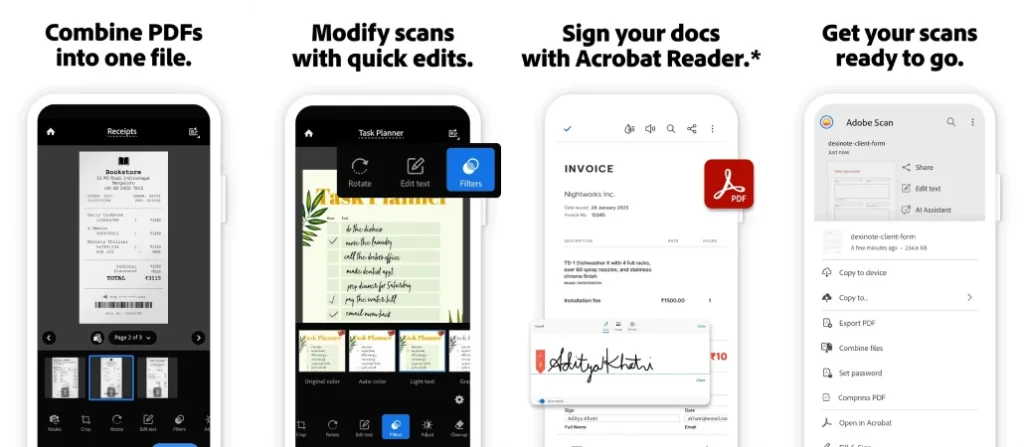
Adobe Scan is a powerful and trusted document scanning app that turns your smartphone into a portable scanner. It allows users to scan documents, receipts, forms, and notes with high accuracy. The built-in OCR technology converts scans into searchable and editable PDFs. With seamless integration into Adobe Acrobat and cloud storage, Adobe Scan is ideal for professionals, students, and businesses.

Key Features of Adobe Scan AI PDF Scanner, OCR:

  • Advanced OCR technology
  • Auto edge detection
  • PDF editing & sharing
  • Cloud sync with Adobe

Pros:

  • Excellent scan quality
  • Free OCR support
  • Trusted Adobe ecosystem

Cons:

  • Advanced edits require sign-in

App Insights:

  • Platform: Android, iOS
  • Rating: 4.7★
  • Installs / Users: 100M+
  • Price: Free

Microsoft Lens – PDF Scanner

Microsoft Lens - PDF Scanner

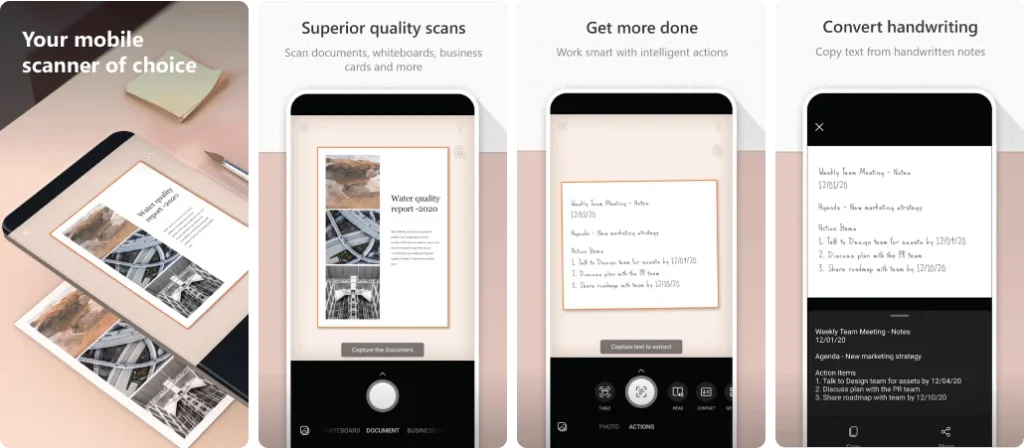
Microsoft Office Lens is designed for scanning documents, whiteboards, receipts, and business cards with clarity. It integrates seamlessly with Microsoft Office tools like Word, OneNote, and OneDrive. The app automatically enhances scanned images and converts them into editable formats, making it an excellent choice for office and academic use.

Key Features of Microsoft Lens – PDF Scanner:

  • Office & OneDrive integration
  • OCR to Word & PDF
  • Whiteboard scanning
  • Auto image enhancement

Pros:

  • Great for office users
  • Clean interface
  • Free features

Cons:

  • App support being phased out

App Insights:

  • Platform: Android, iOS
  • Rating: 4.7★
  • Installs / Users: 50M+
  • Price: Free

CamScanner- scanner, PDF maker

CamScanner- scanner, PDF maker

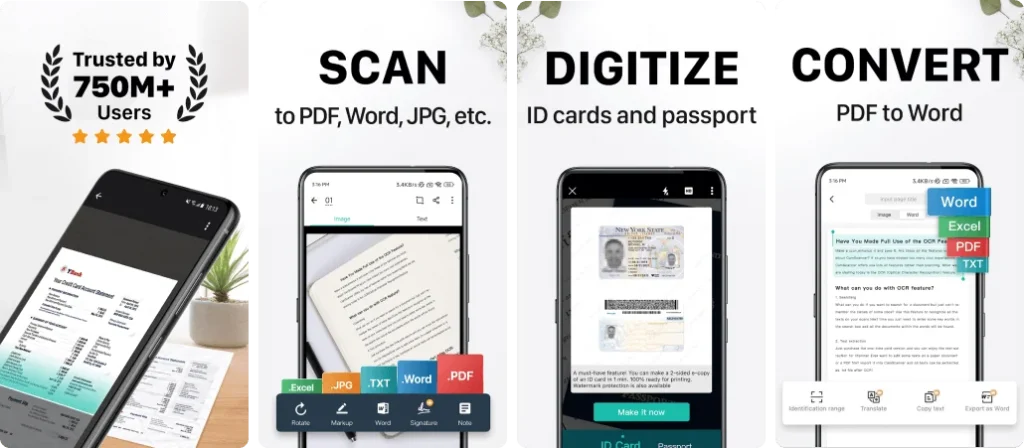
CamScanner is one of the most downloaded document scanning apps worldwide. It allows users to scan, crop, enhance, and convert documents into high-quality PDFs or images. With powerful OCR, cloud syncing, and collaboration tools, CamScanner is suitable for business professionals, students, and freelancers who need advanced scanning features.

Key Features of CamScanner- scanner, PDF maker:

  • Smart cropping & filters
  • OCR text recognition
  • Cloud storage sync
  • Document sharing

Pros:

  • Feature-rich
  • Very popular
  • High OCR accuracy

Cons:

  • Ads in free version

App Insights:

  • Platform: Android, iOS
  • Rating: 4.6★
  • Installs / Users: 500M+
  • Price: Free / Paid

Genius Scan – PDF Scanner

Genius Scan - PDF Scanner

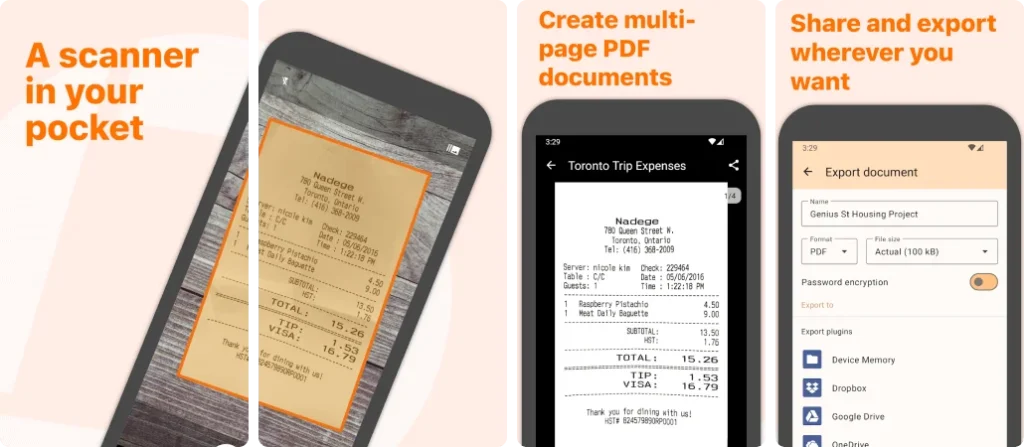
Genius Scan is a fast and reliable document scanner known for its privacy-focused design. It supports scanning documents, receipts, and contracts with automatic edge detection and image enhancement. The app offers secure PDF creation, encryption, and cloud export, making it ideal for professionals handling sensitive documents.

Key Features of Genius Scan – PDF Scanner:

  • Secure PDF creation
  • Auto scan enhancement
  • Cloud export options
  • Encryption support

Pros:

  • Privacy focused
  • Clean UI
  • Fast performance

Cons:

  • Limited free features

App Insights:

  • Platform: Android, iOS
  • Rating: 4.5★
  • Installs / Users: 10M+
  • Price: Free / Paid

SwiftScan: Scan PDF Documents

SwiftScan: Scan PDF Documents

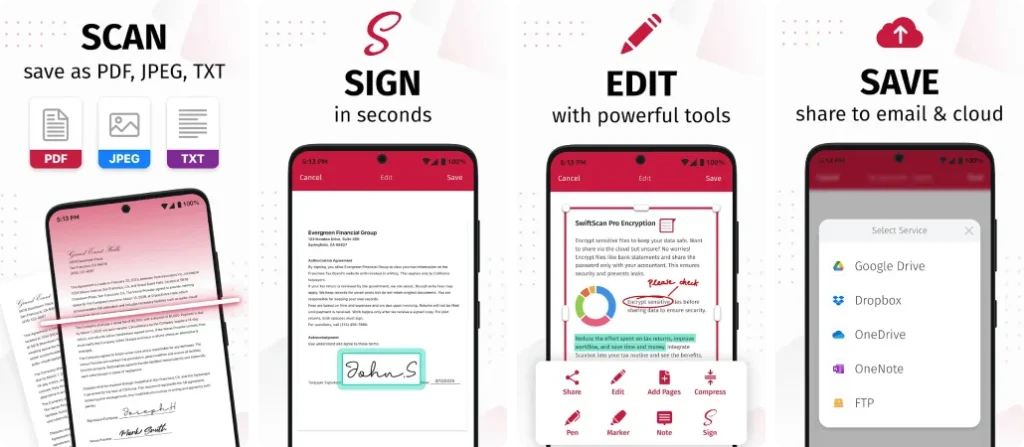
Swift Scan offers high-speed document scanning with professional-level image quality. It supports OCR, PDF creation, and cloud integration with services like Google Drive and Dropbox. The minimal interface and fast processing make it perfect for users who want quick and accurate scans without complexity.

Key Features of SwiftScan: Scan PDF Documents:

  • Fast scanning engine
  • OCR support
  • Cloud storage integration
  • Smart file organization

Pros:

  • Easy to use
  • Clean design
  • Fast exports

Cons:

  • Premium needed for OCR

App Insights:

  • Platform: Android, iOS
  • Rating: 4.5★
  • Installs / Users: 5M+
  • Price: Free / Paid

ABBYY FineReader: PDF Scanner & OCR

ABBYY FineReader: PDF Scanner & OCR

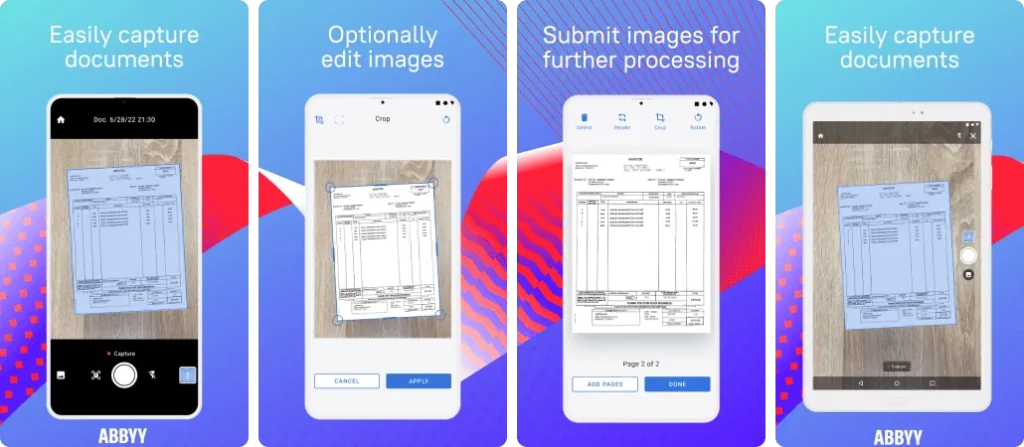
ABBYY FineReader PDF is a premium document scanning app focused on advanced OCR accuracy. It supports multiple languages and converts scanned documents into editable and searchable PDFs. Ideal for professionals and businesses, the app excels in handling complex documents with high precision.

Key Features of ABBYY FineReader: PDF Scanner & OCR:

  • Industry-leading OCR
  • Multi-language support
  • PDF editing tools
  • Document export

Pros:

  • Excellent OCR accuracy
  • Professional features

Cons:

  • Expensive subscription

App Insights:

  • Platform: Android, iOS
  • Rating: 4.4★
  • Installs / Users: 1M+
  • Price: Paid

Scanbot SDK: Document Scanning

Scanbot SDK: Document Scanning

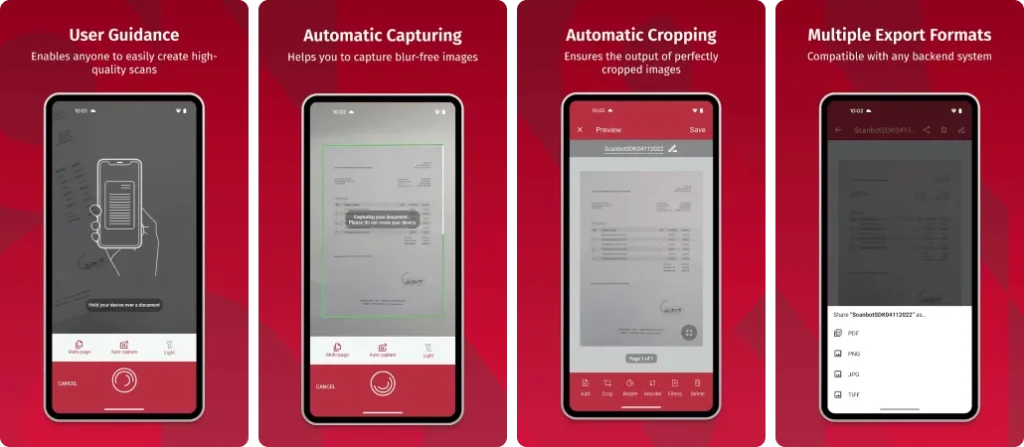
Scanbot is a powerful document scanner with strong cloud integration and automation features. It allows users to scan documents, generate PDFs, and upload files directly to cloud services. With reliable OCR and barcode scanning, Scanbot is ideal for professionals who rely heavily on cloud workflows.

Key Features of Scanbot SDK: Document Scanning:

  • Cloud upload automation
  • OCR & barcode scanning
  • Smart cropping
  • PDF management

Pros:

  • Cloud friendly
  • High scan quality

Cons:

  • Subscription required

App Insights:

  • Platform: Android, iOS
  • Rating: 4.4★
  • Installs / Users: 5M+
  • Price: Free / Paid

Tiny Scanner – PDF Scanner App

Tiny Scanner - PDF Scanner App

Tiny Scanner is a lightweight and easy-to-use scanning app for quick document digitization. It supports scanning documents, receipts, and notes into PDF format without complex settings. Ideal for casual users who want a simple and fast scanning solution.

Key Features of Tiny Scanner – PDF Scanner App:

  • Simple PDF scanning
  • Offline support
  • Multi-page scans

Pros:

  • Lightweight
  • Easy to use

Cons:

  • Limited advanced features

App Insights:

  • Platform: Android, iOS
  • Rating: 4.4★
  • Installs / Users: 10M+
  • Price: Free / Paid

QuickScan: Document Scanner

QuickScan: Document Scanner

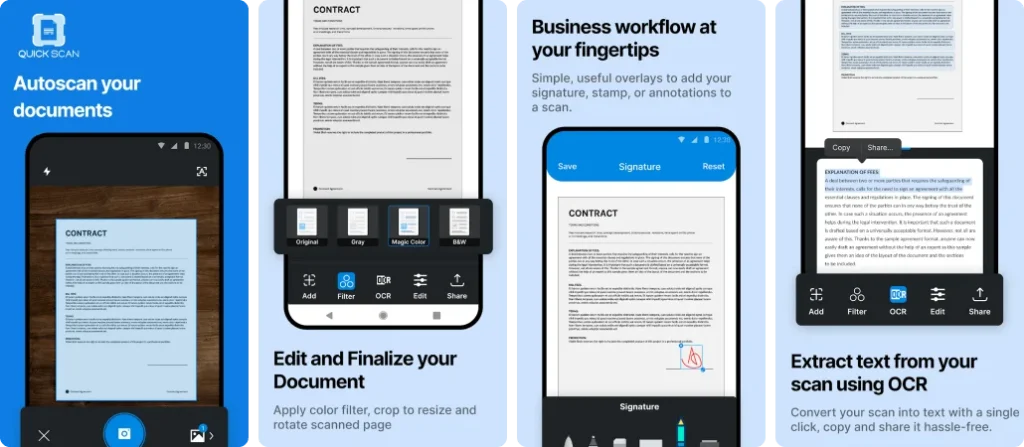
QuickScan is a fast and ad-free document scanner focused on privacy and performance. It allows users to scan documents, apply OCR, and export PDFs without distractions. The app processes data locally, making it a good choice for privacy-conscious users.

Key Features of QuickScan: Document Scanner:

  • Ad-free experience
  • On-device OCR
  • Fast PDF export

Pros:

  • Privacy focused
  • Clean UI

Cons:

  • Fewer integrations

App Insights:

  • Platform: Android, iOS
  • Rating: 4.3★
  • Installs / Users: 1M+
  • Price: Free / Paid

Document Scanner – PDF Creator

Document Scanner - PDF Creator

Document Scanner apps offer basic scanning features for everyday use. These apps typically support PDF creation, image enhancement, and file sharing. While they may lack advanced OCR, they are widely downloaded due to simplicity and ease of use.

Key Features of Document Scanner – PDF Creator:

  • PDF scanning
  • Image enhancement
  • File sharing

Pros:

  • Easy to use
  • High availability

Cons:

  • Limited OCR accuracy

App Insights:

  • Platform: Android, iOS
  • Rating: 4.2★
  • Installs / Users: 50M+
  • Price: Free

Pen to PRINT Handwriting to Text

Pen to PRINT Handwriting to Text

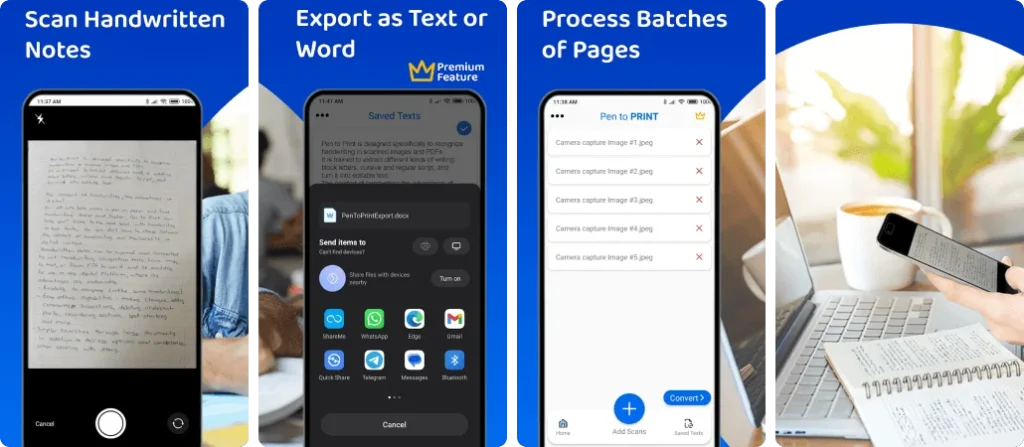
Pen to Print specializes in converting handwritten notes into digital text. It uses AI-powered handwriting recognition to scan notebooks, forms, and notes. Ideal for students and writers, it focuses more on text conversion than traditional PDF scanning.

Key Features of Pen to PRINT Handwriting to Text:

  • Handwriting OCR
  • Text editing
  • Export options

Pros:

  • Excellent handwriting recognition
  • Useful for students

Cons:

  • Not a full PDF scanner

App Insights:

  • Platform: Android, iOS
  • Rating: 4.1★
  • Installs / Users: 5M+
  • Price: Free / Paid

What to look for in the best document scanning apps

When choosing the best document scanning app, start with scan quality and accuracy. A good app should capture clear, legible images and convert text reliably using OCR technology. Ease of use is also important — intuitive controls and automatic edge detection save time.

Look for useful features such as auto-cropping, image enhancement, and multi-page scanning. Support for saving files in formats like PDF or JPG and options for organizing, renaming, and searching documents make management easier.

Integration with cloud storage services and simple sharing options are valuable for seamless access across devices. Finally, check for security features to protect sensitive documents.

Comparison table of best document scanning apps

App NameOCR & Text RecognitionCloud IntegrationBest ForPricing
Adobe ScanYes – searchable & editable PDFsAdobe Cloud, Drive, OneDriveBest free scanner with powerful OCRFree / Premium
Microsoft Office LensYes – basic text extractionOneDriveBest for Office usersFree
CamScannerYes – OCR and searchable PDFsGoogle Drive, Dropbox etcMost popular all-round scannerFree / Paid
Genius ScanYes – OCR & smart document detectionCloud export optionsBest secure scanning & batch scansFree / Paid
Swift ScanYes (in premium)Dropbox, Drive etcBest for fast cloud scanningFree / Paid
ABBYY FineReader PDFYes – advanced & multilingual OCRDropbox, Drive, iCloudBest for professional & accurate OCRPaid 
ScanbotYes – OCR & barcode scanningDropbox, Drive etcExcellent cloud scanningFree / Paid
Tiny ScannerLimited/ basic OCRCloud upload supportedBest lightweight scannerFree / Paid
QuickScanYes – OCR & searchable PDFLocal & cloud exportAd-free & fast scanningFree / Paid
Document Scanner (Generic)Basic OCR (depends on app)Cloud supportSimple, high-usage generic scannerFree / Paid
Pen to PrintYes – handwriting OCRExport via share optionsBest for handwritten text recognitionFree / Paid

AI & OCR Innovations in 2026

In 2026, document scanning apps have become smarter with the integration of Artificial Intelligence (AI) and Optical Character Recognition (OCR). These technologies allow apps to extract text from printed documents and handwritten notes with high accuracy.

AI-powered scanners now automatically detect document edges, fix perspective issues, and enhance image quality without manual effort. This ensures clearer scans and professional-looking results every time.

Another major improvement is on-device OCR processing. By handling data directly on the user’s phone, scanning apps deliver faster performance while keeping sensitive information private and secure.

Additionally, AI enables smart features like auto-tagging, document categorization, and real-time translation. These innovations help users save time, reduce manual work, and manage digital documents more efficiently than ever before.

Final Thoughts on Best Document Scanning Apps

Choosing the best document scanning app depends on your specific needs and usage. If you want powerful OCR accuracy and professional features, apps like Adobe Scan and ABBYY FineReader PDF are excellent choices. For everyday scanning, sharing, and cloud syncing, CamScanner, Genius Scan, and Swift Scan offer reliable performance. while privacy-focused users may prefer QuickScan.

With a reliable document scanning app, your important papers stay organized, searchable, and secure at all times. These apps simplify document management, improve productivity, and help you go completely paperless in today’s digital world.


Top Travel Insurance Apps You Must Have for Your Next Trip

Traveling is a great experience, but sometimes unexpected problems can also arise. Situations like flight delays, losing a bag, or sudden expenses can spoil the joy of the trip. In such a situation, travel insurance proves to be helpful for you.

Nowadays, taking a policy through travel insurance apps has become very easy. With these apps, you can view coverage information, save necessary documents, and also check the status of the claim. Everything is easily available on your mobile.

Choosing a good travel insurance app gives you peace of mind during your trip. Getting help quickly in times of emergency and having clarity about the costs is very important.

In this blog, we will provide information about such useful travel insurance apps, which will help make your next trip safer and more secure.

Why Travel Insurance Apps Are a Must-Have for All Travelers

Travel plans don’t always go as expected. Flight delays, lost luggage, or sudden expenses can quickly turn a smooth trip into a stressful one. Travel insurance apps help travelers stay prepared by offering quick access to coverage details and emergency support in one place.

These apps remove the hassle of paperwork and make it easy to manage insurance on the go. With everything available on your smartphone, you can focus more on enjoying your journey and less on worrying about unexpected situations.

How Travel Insurance Apps Work on Smartphones

Travel insurance apps are designed to be user-friendly and easy to manage. Once installed, users can browse plans, purchase coverage, and store policy documents digitally.

How they typically work:

  • Create an account and choose a suitable insurance plan
  • Access policy details anytime from the app
  • Upload or store important travel documents
  • Track claims and get updates in real time

This digital approach saves time and ensures important information is always within reach.

Key Features to Look for in a Travel Insurance App

Before choosing a travel insurance app, it is important to make sure it offers features that genuinely help travelers during their journey. A good app should not only provide insurance coverage but also make it easy to manage everything without stress or confusion.

One of the most important features is easy policy management. The app should allow users to view policy details, coverage limits, and validity dates in one place. This saves time and avoids the need to search through emails or printed documents while traveling.

A fast and transparent claim process is another key factor. The app should clearly explain how to file a claim, what documents are required, and how long the process may take. Simple claim tracking helps users stay informed and reduces uncertainty during difficult situations.

24/7 customer or emergency assistance is essential, especially when help is needed urgently. Reliable support ensures that travelers can get guidance at any time. In addition, secure document storage and clear coverage details make the app more useful, helping travelers stay organized and confident throughout their trip.

Top Travel Insurance Apps You Should Use Before Your Next Trip

Allianz Travel Insurance – Best for Comprehensive Coverage

Allianz Travel Insurance provides comprehensive protection for travelers, covering trip cancellations, medical emergencies, travel delays, and lost baggage. With global support and flexible plan options, it’s ideal for both domestic and international trips. The app simplifies policy management and claims, ensuring peace of mind throughout your journey.

Key Features:

  • Trip cancellation and interruption coverage
  • Emergency medical and evacuation benefits
  • 24/7 global travel assistance
  • Coverage for flight delays and baggage loss
  • Optional add-ons for adventure activities
  • Easy claims process via app

Pros:

  • Trusted global insurance provider
  • Wide range of customizable plans
  • Strong medical and emergency coverage
  • User-friendly app and support

Cons:

  • Premium plans can be expensive
  • Limited coverage in basic plans
  • Some claims may take time to process

App Insights:

  • Platform: Android, iOS, Web 
  • Rating: 4.6★  
  • Installs / Users: 5M+ 
  • Price: Paid Plans

AXA Travel Insurance – Best for Medical & Emergency Coverage

AXA Travel Insurance offers reliable coverage focused on medical emergencies, trip disruptions, and personal belongings. Known for its strong international presence, AXA delivers dependable global assistance, making it suitable for frequent and long-distance travelers who want financial protection and fast support during unexpected travel situations.

Key Features:

  • Emergency medical and hospitalization coverage
  • Trip cancellation and delay protection
  • Baggage and personal item coverage
  • 24/7 multilingual customer support
  • Fast online claims submission

Pros:

  • Excellent international medical coverage
  • Available in multiple countries
  • Clear policy terms
  • Responsive customer support

Cons:

  • Limited customization options
  • Pricing may vary by region
  • Not ideal for extreme sports

App Insights:

  • Platform: Android, iOS, Web  
  • Rating: 4.5★  
  • Installs / Users: 1M+  
  • Price: Paid Plans

World Nomads – Best for Adventure & Backpackers

World Nomads is designed for adventurous travelers, backpackers, and digital nomads seeking flexible travel insurance. It covers medical emergencies, trip interruptions, and a wide range of adventure activities. With the ability to extend coverage while traveling, it’s a popular choice for long-term and offbeat journeys.

Key Features:

  • Coverage for adventure and sports activities
  • Emergency medical and evacuation benefits
  • Flexible policy extensions while traveling
  • Simple online claims process
  • Coverage in 180+ countries

Pros:

  • Ideal for adventure travelers
  • Covers many risky activities
  • Flexible and travel-friendly plans
  • Strong global reputation

Cons:

  • Not suitable for luxury travel
  • Higher premiums for sports coverage
  • Limited coverage for pre-existing conditions

App Insights:

  • Platform: Android, iOS, Web  
  • Rating: 4.7★ 
  • Installs / Users: 1M+  
  • Price: Paid Plans

Generali Travel Insurance – Best for Family Trips

Generali Travel Insurance provides flexible and affordable travel coverage for families, individuals, and seniors. It protects against medical emergencies, trip cancellations, and unexpected travel issues. With easy policy management and worldwide assistance, Generali is a solid option for travelers looking for dependable and family-friendly insurance solutions.

Key Features:

  • Family-friendly travel insurance plans
  • Emergency medical and evacuation coverage
  • Trip cancellation and interruption protection
  • Identity theft and concierge services
  • Simple online policy management

Pros:

  • Good value for families
  • Easy-to-understand plans
  • Strong emergency support
  • Flexible coverage options

Cons:

  • Limited adventure sports coverage
  • App interface could be improved
  • Claims processing may vary

App Insights:

  • Platform: Android, iOS, Web  
  • Rating: 4.5★ 
  • Installs / Users: 1M+ 
  • Price: Paid Plans

Aviva Travel Insurance – Best for UK Travelers

Aviva Travel Insurance is a trusted option for UK travelers, offering coverage for medical emergencies, trip cancellations, and lost belongings. With single-trip and annual plans available, it suits both occasional and frequent travelers. The app ensures simple policy access and reliable customer support throughout your trip.

Key Features:

  • Medical and emergency coverage
  • Annual and single-trip policies
  • Baggage and personal items protection
  • Easy online claims process
  • UK-based customer support

Pros:

  • Trusted UK insurance brand
  • Flexible travel plans
  • Good customer service
  • Competitive pricing

Cons:

  • Limited availability outside the UK
  • Some add-ons cost extra
  • Not ideal for adventure travel

App Insights:

  • Platform: Android, iOS, Web  
  • Rating: 4.4★  
  • Installs / Users: 1M+  
  • Price: Paid Plans

IMG Travel Insurance – Best for International Coverage

IMG Travel Insurance specializes in international medical and travel coverage for tourists, students, and expatriates. It offers flexible short-term and long-term plans with emergency evacuation benefits. Ideal for global travelers, IMG provides strong worldwide support and tailored insurance solutions for extended stays abroad.

Key Features:

  • International medical insurance plans
  • Emergency evacuation coverage
  • Flexible short-term and long-term policies
  • Online claims and policy management
  • Coverage for students and expats

Pros:

  • Strong global medical coverage
  • Ideal for long-term travelers
  • Multiple plan options
  • Worldwide support network

Cons:

  • App experience is basic
  • Complex policy terms
  • Claims may require documentation

App Insights:

  • Platform: Android, iOS, Web  
  • Rating: 4.5★  
  • Installs / Users: 500K+ 
  • Price: Paid Plans

Nationwide Travel Insurance – Best for Annual Coverage

Nationwide Travel Insurance is ideal for frequent travelers seeking annual multi-trip coverage. It includes protection for medical emergencies, trip cancellations, and lost baggage. Backed by a trusted insurance provider, Nationwide offers reliable coverage and convenient policy management for travelers who take multiple trips each year.

Key Features:

  • Annual multi-trip travel insurance
  • Emergency medical coverage
  • Trip cancellation and delay protection
  • Lost baggage compensation
  • 24/7 emergency helpline

Pros:

  • Ideal for frequent travelers
  • Simple and reliable coverage
  • Trusted insurance provider
  • Competitive annual pricing

Cons:

  • Limited customization
  • Fewer adventure activity options
  • Regional availability restrictions

App Insights:

  • Platform: Android, iOS, Web 
  • Rating: 4.4★  
  • Installs / Users: 1M+  
  • Price: Paid Plans

InsureMyTrip – Best for Comparing Travel Insurance Plans

InsureMyTrip is a travel insurance comparison platform that helps users find the best policy from top providers. It allows travelers to compare coverage, prices, and benefits in one place. Ideal for budget-conscious travelers, it simplifies decision-making and ensures you choose insurance that fits your trip needs.

Key Features:

  • Compare multiple travel insurance providers
  • Filters for coverage, price, and benefits
  • Customer reviews and ratings
  • Medical and trip cancellation comparisons
  • Secure policy purchase online

Pros:

  • Easy policy comparison
  • Saves time and money
  • Wide selection of insurers
  • Transparent pricing

Cons:

  • Does not underwrite insurance itself
  • Claims handled by third-party insurers
  • App features depend on provider

App Insights:

  • Platform: Android, iOS, Web  
  • Rating: 4.6★  
  • Installs / Users: 1M+  
  • Price: Free (Insurance Paid Separately)

Benefits of Using Travel Insurance Apps Instead of Traditional Methods

Using a mobile app is far more convenient than traditional insurance methods. Apps allow instant access to policy details without carrying printed documents.

Key benefits include:

  • Faster claim submission
  • No paperwork or manual tracking
  • Easy access during emergencies
  • Better transparency and control

This makes travel insurance apps a smarter choice for modern travelers.

Comparison Table: Best Travel Insurance Apps – Quick Comparison

App NameKey CoveragePlatformRatingPrice
Allianz Travel InsuranceTrip cancellations, medical emergencies, travel delays, baggage lossAndroid, iOS, Web4.6★Paid Plans
AXA Travel InsuranceMedical emergencies, trip disruptions, personal belongingsAndroid, iOS, Web4.5★Paid Plans
World NomadsAdventure activities, medical emergencies, trip interruptionsAndroid, iOS, Web4.7★Paid Plans
Generali Travel InsuranceMedical emergencies, trip cancellations, family coverageAndroid, iOS, Web4.5★Paid Plans
Aviva Travel InsuranceMedical emergencies, trip cancellations, lost belongingsAndroid, iOS, Web4.4★Paid Plans
IMG Travel InsuranceInternational medical coverage, evacuation, short/long-term plansAndroid, iOS, Web4.5★Paid Plans
Nationwide Travel InsuranceAnnual multi-trip coverage, medical emergencies, lost baggageAndroid, iOS, Web4.4★Paid Plans
InsureMyTripCompare multiple providers, medical & trip coverageAndroid, iOS, Web4.6★Free (Insurance Paid Separately)

How to Choose the Right Travel Insurance App for Your Trip

Choosing the right travel insurance app starts with understanding your travel needs. Every trip is different, so it’s important to check what type of coverage the app offers. Look closely at what is included in the policy, such as trip interruptions, medical support, or baggage protection. A good app should clearly explain coverage details without confusing terms. Reading user reviews can also help you understand how reliable the app is, especially when it comes to claims and customer support.

Another key factor is ease of use. The app should be simple to navigate, even during stressful situations. Features like quick claim filing, document upload, and real-time updates can make a big difference while traveling. Also, check if the app provides 24/7 assistance and secure storage for important documents. Choosing an app that combines clear information, strong support, and user-friendly design will help you travel with confidence and peace of mind.

Final Thoughts

Travel insurance apps have made it easier for travelers to stay prepared and protected during their journeys. Instead of dealing with paperwork or unclear processes, these apps offer quick access to policy details, support, and important documents in one place. This convenience helps reduce stress and allows travelers to focus more on enjoying their trip.

By choosing the right travel insurance app, travelers can handle unexpected situations with more confidence. A reliable app provides clarity, support, and peace of mind, making it a smart companion for any trip. With the right tools in hand, travel becomes smoother, safer, and more enjoyable from start to finish.