
Best Parking Apps to Save You Time and Money in 2025

Finding a convenient parking spot in busy cities can be frustrating, time-consuming, and expensive. Whether you’re commuting to work, going out for dinner, or attending an event, the last thing you want is to waste time circling blocks or overpaying for parking. That’s where best parking apps come in — helping you find, reserve, and even pay for parking directly from your phone.

In this blog, we explore some of the most popular and highly rated parking apps that are making life easier for drivers. From real-time availability and price comparisons to discounts and digital parking passes, these apps offer everything you need to park smarter. Whether you prefer SpotHero, Parkopedia, or BestParking, there’s an app on this list that fits your needs.

Let’s take a closer look at the top parking apps that can save you both time and money every time you hit the road.

SpotHero – Hassle-Free Parking Reservations in Advance

SpotHero is a smart parking app that helps drivers find and reserve parking spaces in advance at discounted rates. It partners with thousands of garages and lots in major cities, making it easy to compare prices and secure a spot before you arrive. The app is perfect for commuters, travelers, or anyone tired of circling the block looking for parking. With just a few taps, you can save time, money, and reduce stress.

Key Features of SpotHero:

  • Reserve parking in garages and lots ahead of time
  • Save up to 50% off drive-up rates
  • Barcode/QR code access for easy garage entry
  • Real-time availability updates
  • Filter by price, location, or amenities
  • Expense tracking for business users

Pros:

  • Excellent user interface
  • Big savings in high-traffic areas
  • Reliable customer support
  • Easy cancellation and refund policies

Cons:

  • Limited coverage in smaller cities
  • No street parking integration
  • Some garages don’t support mobile entry

Platform: Android, iOS, Web
Average App Rating: 4.7 / 5
Installs: 5 Million+
Price: Free to download (parking fees vary by location)

Best Parking – Smart Parking Finder with Real-Time Availability

BestParking is a convenient app designed to help users compare and book parking at airports, garages, and lots across major cities in the U.S. With a clean interface and accurate rate comparisons, the app makes it easy to find the most affordable and accessible parking nearby. It’s ideal for travelers and daily commuters looking to avoid overpaying or wasting time searching for a space. Booking in advance often unlocks discounted rates and guaranteed spots.

Key Features of BestParking:

  • Search and compare parking rates by location
  • Reserve airport and city parking in advance
  • View real-time availability and space types
  • Transparent pricing with no hidden fees
  • Interactive map view for nearby options
  • Digital entry with select garage partners

Pros:

  • Accurate price comparison
  • Excellent for trip planning and airport parking
  • Simple booking process
  • Good discount offers for early reservations

Cons:

  • Limited to North American cities
  • Occasional glitches with real-time availability
  • Fewer options for on-street parking

Platform: Android, iOS, Web
Average App Rating: 4.3 / 5
Installs: 1 Million+
Price: Free to download (parking fees vary)

ParkMe – Detailed Rates & Space Availability Before You Arrive

ParkMe is a parking solution app designed to help drivers find the nearest and most affordable parking options in real time. The app offers information on both street and garage parking, including rates, hours, and availability. With advanced filters and detailed maps, ParkMe ensures you spend less time driving in circles. It’s a great tool for both daily commuters and occasional travelers who want to save money and avoid parking headaches.

Key Features of ParkMe:

  • Real-time parking availability and pricing
  • Compare street vs garage parking options
  • Reserve parking in advance in supported cities
  • Detailed maps with time limits and meter rates
  • GPS navigation to selected parking location
  • Set reminders before meter time expires

Pros:

  • Covers both street and garage parking
  • Great visual map interface
  • Helpful for tourists and city visitors
  • Saves time and prevents overpaying

Cons:

  • Some locations have outdated info
  • Booking feature limited to select garages
  • Fewer updates compared to newer apps

Platform: iOS, Web
Average App Rating: 4.1 / 5
Installs: 1 Million+
Price: Free (some garages may charge a booking fee)

EasyPark x Parkmobile – Unified App for Easy On-Street & Garage Parking

EasyPark x ParkMobile combines two powerful parking solutions into one user-friendly app, making it easier to find and pay for parking across cities in Europe and North America. With features like remote session control, real-time availability, and secure digital payments, it helps drivers save time and avoid parking fines. Whether you’re a frequent commuter or an occasional driver, this app ensures a smooth and stress-free parking experience right from your smartphone.

Key Features of EasyPark x ParkMobile:

  • Start, stop, or extend parking sessions remotely
  • Real-time parking availability
  • Secure payments via app (credit/debit card, digital wallet)
  • Notifications before your session expires
  • Parking history and receipt tracking
  • Available in 20+ countries including the U.S. and much of Europe

Pros:

  • Covers a large number of cities and countries
  • User-friendly design and fast setup
  • Supports multiple payment options
  • Extend parking without returning to your vehicle

Cons:

  • Some areas charge extra service fees
  • Limited support in rural or less-developed areas
  • Requires GPS access for location-based services

Platform: Android, iOS, Web
Average App Rating: 4.5 / 5
Installs: 10 Million+ (combined across regions)
Price: Free to download (parking and service fees may apply)

Parkopedia Parking – Wikipedia of Parking with Global Coverage

Parkopedia Parking is like the Wikipedia of parking—offering detailed information on over 70 million parking spots in 15,000+ cities worldwide. The app helps you discover nearby garages, street parking, and lots with details like pricing, hours, payment methods, and more. Whether you’re traveling abroad or navigating your own city, Parkopedia provides accurate data to guide your parking decisions. Premium users also get access to real-time availability and live updates.

Key Features of Parkopedia Parking:

  • Find parking in 89+ countries and 15,000+ cities
  • View parking prices, hours, and space availability
  • Search by location, landmark, or address
  • Real-time availability (Premium feature)
  • Navigate directly to selected parking spots
  • Contribute and update parking info as a user

Pros:

  • Global coverage with detailed parking data
  • Clean, intuitive interface
  • Works in multiple languages
  • Option to upgrade for real-time info

Cons:

  • In-app booking not available in all regions
  • Real-time availability limited to Premium
  • Some data may be outdated in less busy areas

Platform: Android, iOS, Web
Average App Rating: 4.6 / 5
Installs: 1 Million+
Price: Free to download (Premium version available with added features)

The Parking Spot – Airport Parking Made Easy and Comfortable

The Parking Spot is the go-to app for travelers looking for convenient airport parking in the United States. It allows users to reserve spots at over 35 airport locations, check real-time shuttle arrival times, and earn loyalty rewards with the Spot Club program. The app enhances the airport travel experience by streamlining everything from parking reservations to shuttle pickup, making it ideal for frequent flyers and business travelers alike.

Key Features of The Parking Spot:

  • Reserve airport parking in advance
  • Real-time shuttle tracking through the app
  • Contactless entry and exit using a QR code
  • Manage your Spot Club loyalty rewards
  • Access parking facility maps and directions
  • Available at 35+ major U.S. airports

Pros:

  • Streamlined airport parking experience
  • Easy mobile booking and payment
  • Real-time shuttle visibility reduces wait times
  • Loyalty rewards with every booking

Cons:

  • Limited to select U.S. airports only
  • Shuttle delays may occur during peak hours
  • App features may vary slightly by location

Platform: Android, iOS, Web
Average App Rating: 4.5 / 5
Installs: 500,000+
Price: Free to download (parking fees apply)

Parker – Real-Time Parking Guidance & Meter Time Tracking

Parker is a smart parking app designed to help users easily find, book, and pay for parking in real time. With features like live space availability, secure mobile payments, and reminders for your sessions, Parker makes city parking less stressful. Whether you’re heading to work, shopping, or out for the evening, the app shows nearby spots, filters options based on price or distance, and offers digital receipts—all in one smooth experience.

Key Features of Parker:

  • Live parking space availability in supported areas
  • Book now or schedule parking in advance
  • Secure payments via card, Google Pay, Apple Pay, or PayPal
  • Session notifications and expiration reminders
  • Store and manage past receipts in the app
  • Location-based filters for easy spot discovery

Pros:

  • Accurate real-time availability tracking
  • Easy and fast booking with multiple payment options
  • Saves time and reduces unnecessary driving
  • Clean, user-friendly interface

Cons:

  • Limited coverage—only available in certain cities
  • May not show availability in garages without real-time sensors
  • Occasional bugs reported on older Android devices

Platform: Android, iOS, Web
Average App Rating: 4.3 / 5
Installs: 50,000+
Price: Free to download (parking and service fees may apply)

ParkWhiz – Discounted Parking Spots with Instant Booking

ParkWhiz is a reliable parking app that helps users find and reserve parking spaces in advance across major U.S. cities. Whether you’re heading to work, attending an event, or visiting a busy downtown area, ParkWhiz makes it easy to compare prices, view availability, and book parking at discounted rates. With virtual passes and a user-friendly interface, it’s a smart solution to avoid last-minute parking stress.

Key Features of ParkWhiz:

  • Search and reserve parking spots in thousands of location
  • Save up to 50% by booking in advance
  • View real-time availability and pricing
  • Get a digital parking pass right on your phone
  • Easy-to-use map and filtering tools
  • Available for stadiums, airports, offices, and event venues

Pros:

  • Big savings on parking costs
  • No need for paper tickets – just use your phone
  • Works well for both short-term and long-term parking
  • 24/7 customer support available

Cons:

  • Some users report occasional booking errors
  • Reserved spots may sometimes be oversold
  • Refunds and customer service delays in rare cases

Platform: Android, iOS, Web
Average App Rating: 4.5 / 5
Installs: 1 Million+
Price: Free to download (parking fees vary by location)

App NamePlatformKey FeatureOffline SupportBooking Available
SpotHeroAndroid, iOSAdvance parking reservationsNoYes
Best ParkingAndroid, iOSReal-time availability & rate comparisonNoYes
ParkMeAndroid, iOSLive space availability & pricingNoYes
EasyPark x ParkmobileAndroid, iOSUnified app for street & garage parkingNoYes
Parkopedia ParkingAndroid, iOSGlobal parking database with pricing infoYesNo
The Parking SpotAndroid, iOSAirport parking with shuttle servicesNoYes
ParkerAndroid, iOSReal-time guidance & meter time trackingNoNo
ParkWhizAndroid, iOSDiscounted parking spots & instant bookingNoYes

Conclusion: Choose the Best Parking App for Your Needs

Parking doesn’t have to be a daily hassle. With the right app, you can book your spot in advance, save money, and enjoy a stress-free experience no matter where you’re headed. From feature-rich platforms like SpotHero and ParkWhiz to local-friendly apps like Parker or Parkopedia, each option offers unique advantages depending on your location and parking habits.

Whether you’re looking for airport parking, city garages, or event-specific spots, the best parking apps listed above have you covered. Review their features, pros, and cons, and try out the one that suits your driving lifestyle best.
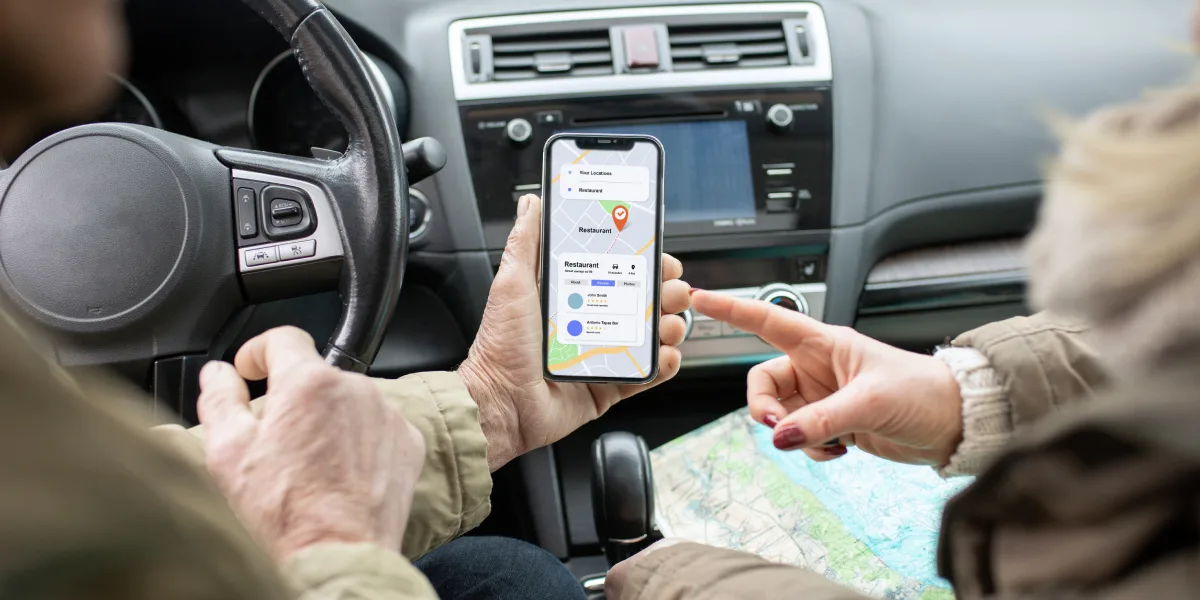
Best Traffic Apps for Real-Time Updates & Easy Navigation

Getting stuck in traffic is one of the most frustrating parts of daily life, especially when you’re running late or navigating unfamiliar roads. Thankfully, modern traffic apps make it easier to travel smartly by offering real-time updates, live traffic data, and smarter route suggestions.

Whether you’re commuting in the city, heading out for a weekend trip, or avoiding roadblocks, a good traffic app can save you time, fuel, and stress.

In this guide, we’ve rounded up the best traffic apps for Android and iPhone that offer reliable navigation tools, accurate live traffic alerts, and even offline maps.

From well-known names like Google Maps and Waze to powerful offline apps like HERE WeGo and Sygic, these tools help you move faster and smarter, no matter where you’re headed.

Google Maps – All-in-One Navigation & Live Traffic

Google Maps is a powerful navigation app that offers real-time GPS guidance, live traffic updates, transit info, and local business discovery—all in one platform. Whether you’re driving, walking, cycling, or using public transport, Google Maps helps you reach your destination efficiently. It also provides voice-guided navigation, alternate route suggestions, and accurate ETAs, making it ideal for daily commutes and long trips alike.

Key Features of Google Maps – All-in-One Navigation & Live Traffic:

  • Live traffic updates and congestion alerts
  • Turn-by-turn voice navigation
  • Multiple travel modes
  • Offline maps
  • Local business info

Pros:

  • Accurate traffic
  • Offline support
  • Easy UI

Cons:

  • Battery usage
  • Cautious alternate routes

Platform: Android & iOS

Average App Rating: ★4.1 (Android), ★4.7 (iOS)

Installs: 10B+

Price: Free

Waze – Best for Community-Powered Traffic Alerts

Waze is a unique navigation app powered by its user community, providing real-time traffic updates, road hazards, police alerts, and accident reports. Designed to make your drive smoother, Waze relies on user-submitted data to suggest the fastest routes and avoid unexpected delays. With voice-guided navigation and live rerouting, it’s ideal for drivers who want up-to-the-minute traffic intelligence on every journey.

Key Features of Waze – Best for Community-Powered Traffic Alerts:

  • User-submitted traffic reports
  • Speed trap alerts
  • Hazard warnings
  • Real-time rerouting

Pros:

  • Real-time crowd data
  • Fun voice navigation

Cons:

  • Needs data connection
  • Cluttered UI

Platform: Android & iOS

Average App Rating: ★4.4 (Android), ★4.8 (iOS)

Installs: 100M+

Price: Free

HERE WeGo – Reliable Offline Navigation with Live Traffic

HERE WeGo is a versatile navigation app known for its reliable offline maps and accurate live traffic updates. Ideal for travelers and commuters, it allows you to download entire regions or countries for navigation without internet access. The app offers turn-by-turn voice guidance, public transit info, and real-time traffic alerts to help you choose the best route, even when you’re offline or in low-signal areas.

Key Features of HERE WeGo – Reliable Offline Navigation with Live Traffic:

  • Offline maps for 100+ countries
  • Turn-by-turn directions
  • Multi-modal travel support
  • Traffic-aware routing

Pros:

  • Best for offline use
  • Easy interface

Cons:

  • Less popular
  • Fewer real-time reports

Platform: Android & iOS

Average App Rating: ★4.0 (Android), ★4.3 (iOS)

Installs: 10M+

Price: Free

Apple Maps – iPhone’s Built-in Navigation Companion

Apple Maps is the default navigation app for iPhone users, offering smooth integration with iOS and features like real-time traffic, turn-by-turn voice guidance, and lane suggestions. It provides detailed city maps, transit directions, and walking routes, all with a clean and intuitive interface. With regular updates and improved accuracy, Apple Maps has become a reliable companion for everyday travel and Apple ecosystem users.

Key Features of Apple Maps – iPhone’s Built-in Navigation Companion:

  • Real-time traffic and lane guidance
  • Siri voice integration
  • 3D Flyover views
  • Indoor maps

Pros:

  • Deep iOS integration
  • Sleek UI

Cons:

  • No Android support
  • Limited offline use

Platform: iOS only

Average App Rating: ★4.6

Installs: Pre-installed

Price: Free

MapQuest – Veteran Navigation Tool with Traffic Insights

MapQuest is one of the oldest navigation apps, offering reliable directions, live traffic updates, and route planning features. It provides turn-by-turn voice navigation, real-time traffic conditions, and options to find nearby hotels, gas stations, and restaurants. Known for its simple interface and solid performance, MapQuest is a dependable choice for users who prefer a classic, easy-to-use navigation experience.

Key Features of MapQuest – Veteran Navigation Tool with Traffic Insights:

  • Traffic-aware rerouting
  • Gas price comparison
  • Built-in hotel/restaurant booking
  • Voice navigation

Pros:

  • Bonus features
  • Gas savings

Cons:

  • Old UI
  • Has ads

Platform: Android & iOS

Average App Rating: ★3.8 (Android), ★4.1 (iOS)

Installs: 10M+

Price: Free

Sygic GPS Navigation & Maps – Premium Features with Offline Support

Sygic GPS Navigation & Maps is a feature-rich navigation app that offers high-quality offline maps, voice-guided GPS navigation, and real-time traffic alerts. Trusted by millions worldwide, it provides advanced features like speed limit warnings, dashcam support, and 3D maps. Ideal for both daily driving and international travel, Sygic’s offline capabilities make it perfect for navigating without an internet connection.

Key Features of Sygic GPS Navigation & Maps – Premium Features with Offline Support:

  • Offline 3D maps
  • Live traffic alerts
  • HUD and dashcam mode
  • Speed camera warnings

Pros:

  • Powerful offline GPS
  • Premium tools

Cons:

  • Some features behind paywall

Platform: Android & iOS

Average App Rating: ★4.2 (Android), ★4.6 (iOS)

Installs: 50M+

Price: Free (with paid features)

Top Traffic Apps Comparison – Offline Maps & Live Traffic

App NamePlatformAvg. RatingOffline MapsReal-Time Traffic
Google MapsAndroid, iOS★4.1 / ★4.7YesYes
WazeAndroid, iOS★4.4 / ★4.8NoYes
HERE WeGoAndroid, iOS★4.0 / ★4.3YesYes
Apple MapsiOS only★4.6LimitedYes
SygicAndroid, iOS★4.2 / ★4.6YesYes

Final Thoughts

Each app on this list brings something different to the table. Google Maps remains the most reliable all-in-one navigation tool. Waze is perfect for avoiding traffic jams through real-time community updates. If you travel often or have poor internet access, HERE WeGo and Sygic offer excellent offline support. For iPhone users, Apple Maps has come a long way and works seamlessly with the iOS ecosystem.

Pick the one that fits your needs and drive smarter, not harder!

Best Music Apps for Android & iPhone – Free & Paid

In today’s digital world, having the right music app can completely change the way we experience our favorite tunes. Whether you’re listening on an Android phone or an iPhone, there are countless apps that offer everything from streaming global hits to discovering fresh indie tracks. Popular platforms like Spotify and YouTube Music bring millions of songs and curated playlists right to your fingertips, while SoundCloud opens the door to emerging artists and unique creations.

For those loyal to the Apple ecosystem, Apple Music delivers high-quality audio with seamless device integration. And if you’re an Amazon Prime member, Amazon Music is a great value with its vast library and exclusive perks.

With so many choices available, picking the right music app depends on what matters most to you — be it audio quality, personalized recommendations, or exclusive content. Apps like Deezer stand out for music discovery, while Pandora remains a favorite for radio-style streaming in the US. Audiophiles seeking studio-quality sound often turn to TIDAL for its superior audio experience.

Whether you prefer free music with occasional ads or premium subscriptions offering offline listening and ad-free streaming, this guide to the Best Music Apps for Android & iPhone – Free & Paid will help you explore the top platforms and choose the perfect app to match your listening style.

Spotify – The King of Music Streaming

Spotify is one of the world’s most popular music streaming platforms, available on both Android and iPhone. Launched in 2008, Spotify has revolutionized the way people listen to music by offering a massive library of over 100 million tracks, curated playlists, and seamless streaming options. With a clean user interface and powerful recommendation engine, Spotify allows users to discover new artists, create personalized playlists, and enjoy podcasts — all in one app.

Key Features of Spotify:

  • Access to 100+ million songs and thousands of podcasts
  • Personalized playlists like Discover Weekly and Daily Mix
  • Offline downloads with Premium
  • Cross-platform sync (Mobile, Desktop, Smart Devices)
  • High-quality audio streaming
  • Collaborative playlists and social sharing

Pros:

  • Massive song library and diverse content
  • Smart recommendations based on listening habits
  • Easy-to-use interface
  • Free version available

Cons:

  • Free version comes with ads and limited skips

Platform:  iOS and Android

YouTube Music – Best for Video & Music Combo

YouTube Music is a popular app for streaming both music and videos, available on Android and iPhone. It gives access to millions of songs, remixes, and live performances from YouTube’s vast library. With smart recommendations and curated playlists, it offers a personalized experience. The app supports easy switching between audio and video. Premium users enjoy ad-free playback, offline downloads, and background listening.

Key Features of YouTube Music:

  • Access to millions of official songs and music videos
  • Personalized playlists and recommendations
  • Easy switch between audio and video modes
  • Offline listening with Premium
  • Background play support with subscription
  • Integration with Google account and YouTube

Pros:

  • Huge library of songs, remixes, and live performances
  • Video and audio combo in one app
  • Smart, location-based recommendations

Cons:

  • Ads and no background play in the free version
  • Audio quality not the highest in class

SoundCloud – Best for Independent Artists & New Music

SoundCloud is a top choice for discovering independent artists, underground tracks, remixes, and podcasts. It lets users interact with music through comments and follows, offering a community-driven experience. Ideal for those who love fresh, non-mainstream content. With SoundCloud Go/Go+, you get offline listening and ad-free playback. Whether you’re a music lover or aspiring artist, SoundCloud offers a unique and creative space.

Key Features of SoundCloud:

  • Massive catalog of indie tracks, remixes, and originals
  • Direct engagement with artists and music communities
  • Real-time comments on specific parts of a track
  • Personalized feed and artist recommendations
  • Offline listening and no ads with Go/Go+ plans

Pros:

  • Ideal for discovering new and unsigned talent
  • Interactive community with comments and shares
  • Broad range of genres and experimental music

Cons:

  • Interface can feel cluttered at times
  • Mainstream music may be limited without a Go+ subscription

Apple Music – Best for Apple Ecosystem

Apple Music is a premium streaming service designed for users within the Apple ecosystem. It offers over 100 million songs, curated playlists, and exclusive releases, all with support for lossless and spatial audio. Seamlessly syncing across iPhone, iPad, Mac, and Apple Watch, it delivers a smooth and immersive experience. With Siri voice control, offline listening, and high-quality sound, Apple Music is ideal for Apple device users seeking a feature-rich and deeply integrated music platform.

Key Features of Apple Music:

  • 100M+ songs & exclusive content
  • Lossless & spatial audio
  • Full Apple device integration

Pros:

  • Excellent sound quality
  • Seamless Apple sync

Cons:

  • No free plan
  • Limited cross-platform features

Amazon Music – Best for Prime Members

Amazon Music is a great choice for Prime members, offering access to 100M+ songs, ad-free streaming, and curated playlists. Prime users get free access to Amazon Music with limited features, while Music Unlimited unlocks HD audio and offline playback. Seamless Alexa integration makes voice control easy.

Key Features of Amazon Music:

  • 100M+ songs and podcasts
  • Alexa voice assistant support
  • HD and Ultra HD audio (with Unlimited)

Pros:

  • Included with Prime (basic tier)
  • Great Alexa integration

Cons:

  • Limited features on free Prime tier
  • Interface less refined than rivals

Deezer – Best for Music Discovery

Deezer is a music streaming app focused on helping users discover new artists and tracks. With over 90 million songs, personalized playlists through “Flow,” and mood-based mixes, it offers a rich discovery experience. Available on Android, iOS, and desktop, it supports offline listening, real-time lyrics, and HiFi audio for premium users. Deezer is perfect for curious listeners who enjoy exploring fresh music daily across all genres.

Key Features of Deezer:

  • 90M+ tracks & playlists
  • Flow personalized recommendations
  • Lyrics & offline mode
  • HiFi lossless audio (with subscription)

Pros:

  • Great for discovering new music
  • Clean and intuitive UI

Cons:

  • Free version has ads
  • HiFi requires premium plan

Pandora – Best for Radio Lovers (US Only)

Pandora is ideal for users who enjoy internet radio-style music streaming. Its unique Music Genome Project powers personalized stations based on your taste. You can listen to curated stations or create your own. Premium plans offer on-demand listening and offline playback.

Key Features of Pandor:

  • Personalized radio stations
  • Music Genome-based recommendations
  • Podcasts & offline listening (Premium)
  • Cross-platform access (mobile, web, smart devices)

Pros:

  • Great for passive listening
  • Smart radio-style music discovery

Cons:

  • Limited features in free plan
  • Only available in select regions (U.S. only)

TIDAL – Best for Audiophiles

TIDAL is built for audiophiles who value studio-quality sound. It offers HiFi and Master Quality audio (MQA), plus 100M+ tracks and exclusive content. The platform also supports curated playlists and music videos. It’s ideal for those who want premium, lossless audio.

Key Features of TIDAL:

  • HiFi & Master Quality (MQA) audio
  • 100M+ songs and exclusive content
  • Music videos & artist interviews
  • Curated playlists and offline playback

Pros:

  • Exceptional sound quality
  • Exclusive releases & content

Cons:

  • Expensive compared to competitors
  • Interface less intuitive for casual users

Best Music Apps Compared – Features, Quality & Free Options

App NameBest ForAudio QualityOffline ListeningFree Tier
SpotifyOverall King of StreamingHighYesYes
YouTube MusicMusic + Video ComboGoodYes (Premium only)Yes
SoundCloudIndependent Artists & New MusicMedium to HighYes (Go/Go+ only)Yes
Apple MusicApple Ecosystem UsersExcellent (Lossless)YesNo
Amazon MusicPrime MembersHD / Ultra HD (Unlimited)YesYes (with Prime)
Deezer Music DiscoveryHiFi (Premium)Yes (Premium only)Yes
PandoraRadio Lovers (US Only)GoodYes (Premium only)Yes
TIDALAudiophilesExcellent (HiFi, MQA)YesNo

Conclusion

With so many music apps available today, choosing the right one depends on your personal needs and preferences. Whether you’re a casual listener, an audiophile, or someone who loves discovering new artists, there’s a perfect app for you.

Spotify remains the all-rounder, YouTube Music excels in video content, while Apple Music and TIDAL offer premium sound quality. SoundCloud is great for indie lovers, Pandora for radio-style listening, and Deezer for music discovery. Amazon Music adds value for Prime users.

Explore each option based on your lifestyle, budget, and audio expectations to find the streaming experience that suits you best.